.svg)

Financial Close Checklist: A Complete Guide for Accounting Teams

Ask questions, get summaries, or uncover key takeaways from this article.
Blog Summary / Key Takeaways
- A strong financial close month end close checklist uses review as a gate. It does not treat review as a final “nice to have.”
- Run a first-pass P&L and Balance Sheet scan before you reconcile everything. It prevents busywork and exposes the real blockers.
- Separate findings (what looks wrong) from tasks (what you will do about it). “Reconciled” does not always mean “clean.”
- Year-end adds documentation, tax-ready schedules, and tighter change control. You still run the same core month-end close checklist first.
- Tools like Xenett help teams standardize review logic, track exceptions, and capture evidence without turning the close into more admin work.
What Is a Financial Close Checklist?
Financial Close Checklist
A financial close checklist is a documented sequence of close activities used to finalize period activity, validate account integrity, and produce reliable financials with a repeatable financial closing process.
It works best when you treat it like a control system. Each step has a clear “pass/fail” outcome and evidence.
What Problems a Financial Close Checklist Solves
A consistent financial close checklist prevents avoidable surprises and rework. It solves problems that usually show up when the team grows or client volume increases, for example:
- Missed reconciliations or late adjustments
- Inconsistent review standards across reviewers/clients
- Surprise flux, missing accruals, miscodings discovered late
- Close timelines expanding as client volume grows
In my experience working with firm controllers and CAS teams, the biggest time-waster is not the reconciliation itself. It is the late discovery that you reconciled the “wrong reality.” Review-first prevents that.
Financial Close vs Month-End Close vs Year-End Close
These terms get mixed together. The difference is scope and finality.
- Financial close: Umbrella process for any period (monthly/quarterly/yearly)
- Month-end close: Recurring cadence focused on routine reconciliations + review
- Year-end close: Month-end close plus compliance/tax/supporting schedules and “finalization” controls
Who This Checklist Is For (And How to Use It)
For Accounting & Bookkeeping Firms Managing Multiple Clients
If you manage multiple closes at once, you need consistency. You cannot rely on “who happens to review that client” to determine quality.
Use the same skeleton financial close month end close checklist per client, then add client-specific layers, such as:
- Inventory and COGS support
- Payroll complexity and benefits
- Multi-entity and intercompany
- Deferred revenue or project accounting
Standardize review expectations so quality does not depend on the reviewer’s memory.
How to Use This Checklist Without Creating More Busywork
A checklist only helps if it reduces decision fatigue. It should not add admin.
Treat the checklist as gates. You do not move forward until review findings get resolved. Therefore you stop “closing” broken accounts faster.
Separate the close into four operational phases:
- Data readiness
- Account-level review
- Resolution work
- Final reporting + lock
This structure also makes status updates easy. You can say, “Data is complete. Review flagged three issues. Two are resolved. One needs client input.”
What You Need Before You Start the Month-End Close (Pre-Close Readiness Checklist)
Confirm Period Cutoff Rules (So Review Has Meaning)
If cutoff rules stay fuzzy, review becomes subjective. You also end up re-opening the period repeatedly.
Confirm and document:
- Close calendar date/time
- Late posting policy (who approves, how you document)
- AR/AP cutoff policy
- Bank feed import cutoff
- Bill pay/corporate card cutoff
If you run multiple clients, publish cutoff rules in one place. Reuse them every month. Consistency reduces escalations.
Confirm System Inputs Are Complete
Most month-end close delays start here. People call it “waiting on bank feeds,” but the real problem is incomplete source data.
Confirm these inputs are current:
- Bank/credit card feeds updated
- Payroll posted and mapped correctly
- Sales platforms/merchant deposits reflected
- Bills, vendor credits, and reimbursements captured
If you use QuickBooks Online or similar systems, bank feeds can lag. Therefore set a clear cutoff. For example, “feeds must be current through 11:59pm on the last day of the month.”
Collect the “Close Packet” Inputs
You do not need a massive close binder to run a clean month-end. You do need the right support for high-risk accounts.
Collect:
- Bank statements (if applicable)
- Loan statements
- Merchant statements
- Payroll reports
- Inventory counts/COGS support (if applicable)
Keep it lightweight. Store links where reviewers can find them fast.
Month-End Close Checklist (Step-by-Step, Review-First)
.webp)
This month end close checklist intentionally starts with review within your month-end close process. Many “10-step” checklists start with reconciliations. However reconciliations without review often create false confidence.
Step 1: Freeze the Period (Operationally)
You need a stable dataset before you review trends and exceptions. Otherwise today’s numbers will not match tomorrow’s.
- Confirm no further operational posting without approval (or document expected late entries)
- Snapshot key reports for comparison (TB, P&L, Balance Sheet)
Practical tip: save PDFs of the Trial Balance, P&L, and Balance Sheet at “freeze time.” If numbers shift later, you can quickly identify what changed.
Step 2: Run an Account-Level “First Pass” Review (Find Issues Early)
Run a first-pass review to identify anomalies before you reconcile everything blindly. You will save hours by focusing effort where risk concentrates.
Scan Balance Sheet for:
- Negative/abnormal balances (for example, AR credits, negative inventory, liability debits)
- Stale balances (old GRNI/clearing, suspense, undeposited funds)
- Unexpected flux month-over-month
Scan P&L for:
- Unusual swings (material variance / % variance)
- Misclassifications (COGS vs OpEx, payroll accounts, owner draws)
- Duplicates or missing recurring entries
Real-world example:
A CAS team I worked with kept reconciling bank and cards perfectly, yet margin bounced wildly. The first-pass P&L scan showed payroll taxes hitting “Cost of Goods Sold” for one entity only. Fixing mapping removed a recurring “variance investigation” that wasted time every month.
For variance thresholds, pick something you can defend. Many teams use a mix of % and dollars, for example: “Investigate any account with >15% variance and >$5,000 change.” Adjust for client size.
Step 3: Complete Core Reconciliations (High-Risk First)
Reconcile high-risk accounts first using consistent account reconciliation procedures because they impact many downstream numbers. Cash drives everything, and clearing accounts hide process failures.
Cash (Bank Reconciliations)
Bank reconciliations remain the anchor control for many close processes—especially when you follow clear bank reconciliation steps.
- Bank rec per account, unresolved items documented
- Investigate:
- duplicate imports
- missing transfers
- stale outstanding checks/deposits
If you see persistent old outstanding items, document them and decide on policy. For example, stale checks may require escheatment rules depending on jurisdiction. Therefore do not ignore them indefinitely.
Credit Cards
Credit card accounts often hide miscodings and missing receipts. They also create timing gaps when statements close mid-month.
- Statement-to-ledger tie-out
- Review uncategorized or suspicious vendor mappings
If you see “Amazon” spread across ten expense accounts, add a policy. For example, “Default Amazon to Office Supplies unless documentation supports another category.” Consistency beats perfection.
Clearing / Holding / Suspense Accounts
Clearing accounts cause the most repeat findings across a multi-client close.
- Require zero-balance expectation where appropriate
- Document any intentional carry balances with support
Common examples include undeposited funds, payroll clearing, and AR clearing. If a clearing account carries a balance, treat it like a finding that needs an owner and an expected resolution date.
Step 4: AR Close Tasks (If Applicable)
AR review confirms revenue and cash application behavior. It also prevents quiet write-off decisions from hiding in aging.
- Review open AR aging for:
- old invoices, unapplied cash, credit memos
- Confirm revenue recognition approach is consistent with prior periods (no re-explaining basics)
If AR shows credits with no invoices, look for misapplied payments or duplicated deposits. Also confirm cutoff for invoicing and revenue recognition stays consistent month to month.
Step 5: AP Close Tasks (If Applicable)
AP completeness drives expense accuracy. In many businesses, AP also drives accrual needs.
- Ensure bills captured through cutoff
- Review AP aging for:
- duplicate vendors, vendor credits not applied, old open items
If you see old payables that never clear, do not just leave them. Decide whether they represent missing payments, vendor disputes, or duplicates. Document the conclusion.
Step 6: Payroll & Benefits Review
Payroll postings often come from external systems. Mapping changes can quietly break allocations.
- Verify payroll entries posted (and allocated) correctly
- Review payroll liability balances for reasonableness and movement
If payroll liabilities do not move the way you expect, check posting dates and liability payment entries. Also confirm benefits and garnishments post to the correct accounts.
Step 7: Accruals, Deferrals, and Recurring Entries
Accrual discipline—and managing accruals accurately—separates “books that balance” from “books that tell the truth.” Your checklist should force consistency.
- Post recurring JEs (for example, prepaid amortization, depreciation, interest)
- Accrue missing expenses based on pattern + support
- Confirm reversals and accrual logic are consistent
Practical approach: maintain a recurring accrual schedule with three fields: “What triggers it,” “How you estimate,” and “When you reverse.” This stops new staff from guessing.
Step 8: Balance Sheet Integrity Review (Second Pass)
Second-pass review confirms your reconciliations and adjustments actually solved what you found. You want each balance sheet account to “make sense” with support.
Validate:
- bank/CC reconciled
- AR/AP ties
- loans: principal vs interest split consistency
- equity accounts not being used as dumping grounds
Flag and resolve:
- reconciliation gaps
- unexpected balances in clearing accounts
- long-outstanding items without support
If equity contains “plug” entries, stop and investigate. Equity should reflect owner activity, retained earnings movements, and formal adjustments. It should not fix imbalance symptoms.
Step 9: P&L Reasonableness Review (Second Pass)
Second-pass P&L review confirms classification quality and narrative readiness. This matters for both management reporting and client conversations.
- Identify:
- category-level flux anomalies
- miscodings across departments/classes (if used)
- margin drift (if relevant)
- Confirm material swings are explained in notes (not just “it changed”)
Keep explanations short and specific. For example: “Professional fees increased due to annual tax prep invoice. Recurs each January.” That statement helps next month’s reviewer.
Step 10: Final Reporting + Close Sign-Off
Close ends when you lock and document, not when you export PDFs. If you skip sign-off discipline, you create version confusion.
- Produce final: P&L, Balance Sheet, cash flow (if required), supporting schedules
- Lock the period (or restrict edits) where supported by system/process
- Document:
- open items carried forward
- known issues + resolution plan next period
If you support larger clients, consider a lightweight “close memo” that lists: key adjustments, major variances, open issues, and who approved. It saves time during quarterly reviews and year-end.
For a closer look at this handoff, see our close-to-report process guide.
Year-End Close Checklist Add-On (What Changes vs Month-End?)
What Is the Checklist for Year-End Closing?
A year-end close checklist includes all month-end close steps plus final reconciliations, tax-ready support, and period lock discipline.
You still run the normal month end close checklist first. Then you add year-end-only layers to support tax filings, annual true-ups, and final documentation.
Year-End Additions (Layered on Top of Month-End)
Tax & Compliance Readiness (Without Turning This into “Audit”)
Year-end requires clean support, even when nobody requests it yet. Tax prep goes faster when accounts tie out and schedules stay ready.
- Ensure books are internally consistent and supported
- Produce tax-ready schedules (fixed assets, loans, equity, AP/AR summaries)
- Validate owner/shareholder activity classification
For example, misclassifying distributions as expenses can create tax reporting issues. Fix classifications before the tax preparer finds them.
Final Cleanup of Stale Balance Sheet Items
Stale items become permanent if you do not force resolution at year-end. Year-end is the right time to make a call.
- Clear or document:
- undeposited funds and clearing
- old suspense balances
- intercompany due to/from (if applicable)
For intercompany, require a tie-out across entities. “Entity A due to B” should match “Entity B due from A.” If it does not, you have timing or posting issues to resolve.
Year-End Adjustments and Documentation
Year-end adjustments need support and a clear story. Your goal is traceability, not volume.
- Confirm annual true-ups are posted with support
- Archive supporting documentation (close binder approach)
A practical “close binder” does not need to be complex. Use folders by category: Cash, AR, AP, Payroll, Taxes, Fixed Assets, Debt, Equity, and Final Package.
Final Lock + Change Control
Year-end requires strong change control because stakeholders treat year-end financials as final.
- Explicit policy for post-close adjustments
- Version control for final financial package
A simple rule works well: “No year-end changes without controller approval, documented reason, and updated package version number.”
Best Practices for a Faster, More Reliable Financial Close
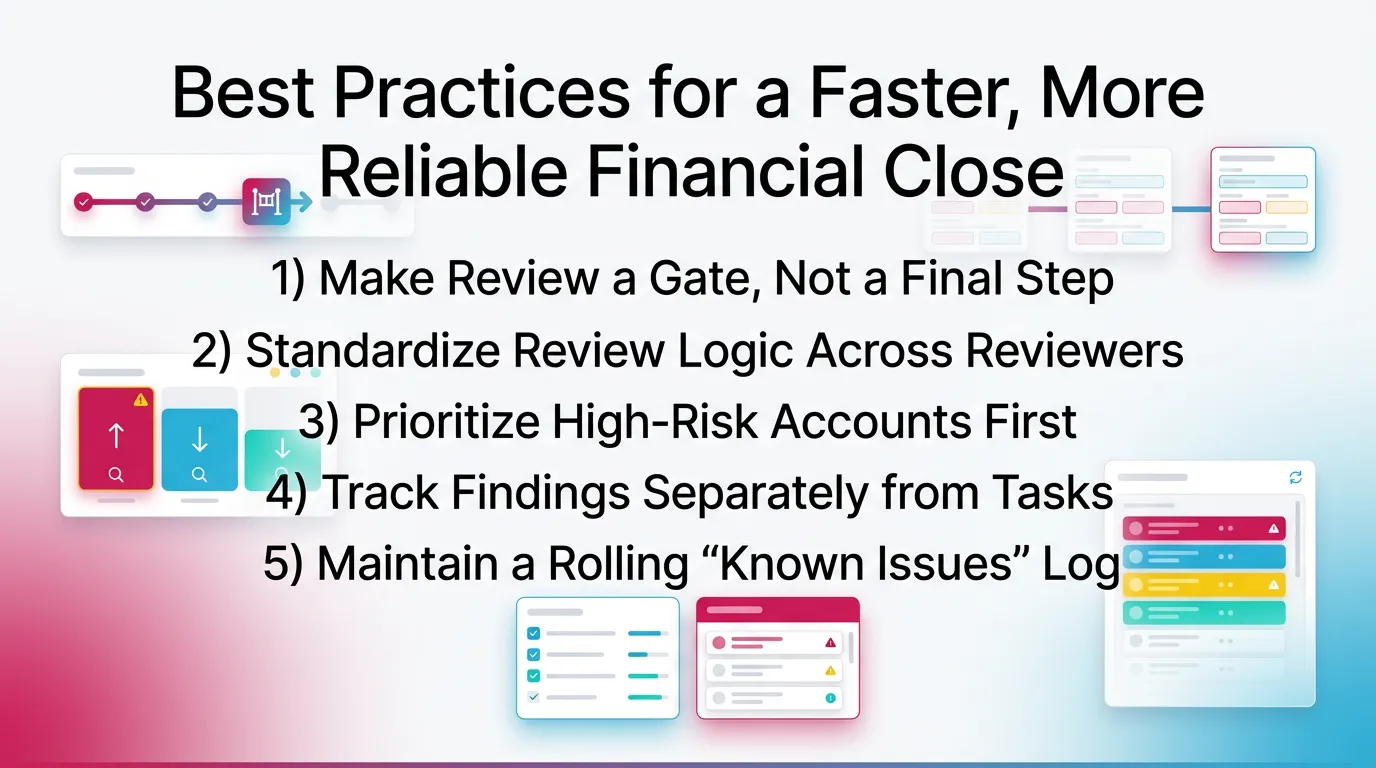
1) Make Review a Gate, Not a Final Step
If review happens last, you guarantee rework under time pressure. You also increase the risk of sending incorrect financials.
Move review forward. Then let reconciliation and adjustments respond to what you found—and consider automating your financial close once the logic is stable.
For more on how automation and technology support this, see our guide on the role of technology in streamlining year-end close procedures.
2) Standardize Review Logic Across Reviewers (Not Just Tasks)
Checklists standardize tasks. They do not automatically standardize judgment.
Define and document:
- materiality thresholds
- expected balances (especially clearing and payroll liabilities)
- acceptable aging limits (AR/AP)
- variance rules for P&L accounts
Therefore a new reviewer can apply the same logic without guessing.
3) Prioritize High-Risk Accounts First
Not all accounts deserve equal attention every month. Start where issues create the biggest downstream correction effort.
Prioritize:
- Cash
- credit cards
- clearing accounts
- payroll liabilities
- AR/AP
4) Track Findings Separately from Tasks
A “task completed” close can still leave broken accounts. This happens when staff check off reconciliations but never resolve exceptions.
Use two lists:
- Findings: negative balances, stale items, flux anomalies
- Tasks: reconciliations, postings, reclasses, accruals
Then force a “cleared” outcome for each finding.
5) Maintain a Rolling “Known Issues” Log
Most close teams re-discover the same issues every month. A known issues log stops that cycle.
Track:
- issue description
- impacted accounts
- owner
- target fix period
- workaround notes
This log also improves client communication. You can say, “We still carry the bank transfer timing issue. We plan to fix it by updating the cash posting process next month.”
Common Month End Close Checklist Mistakes (And How to Avoid Them)
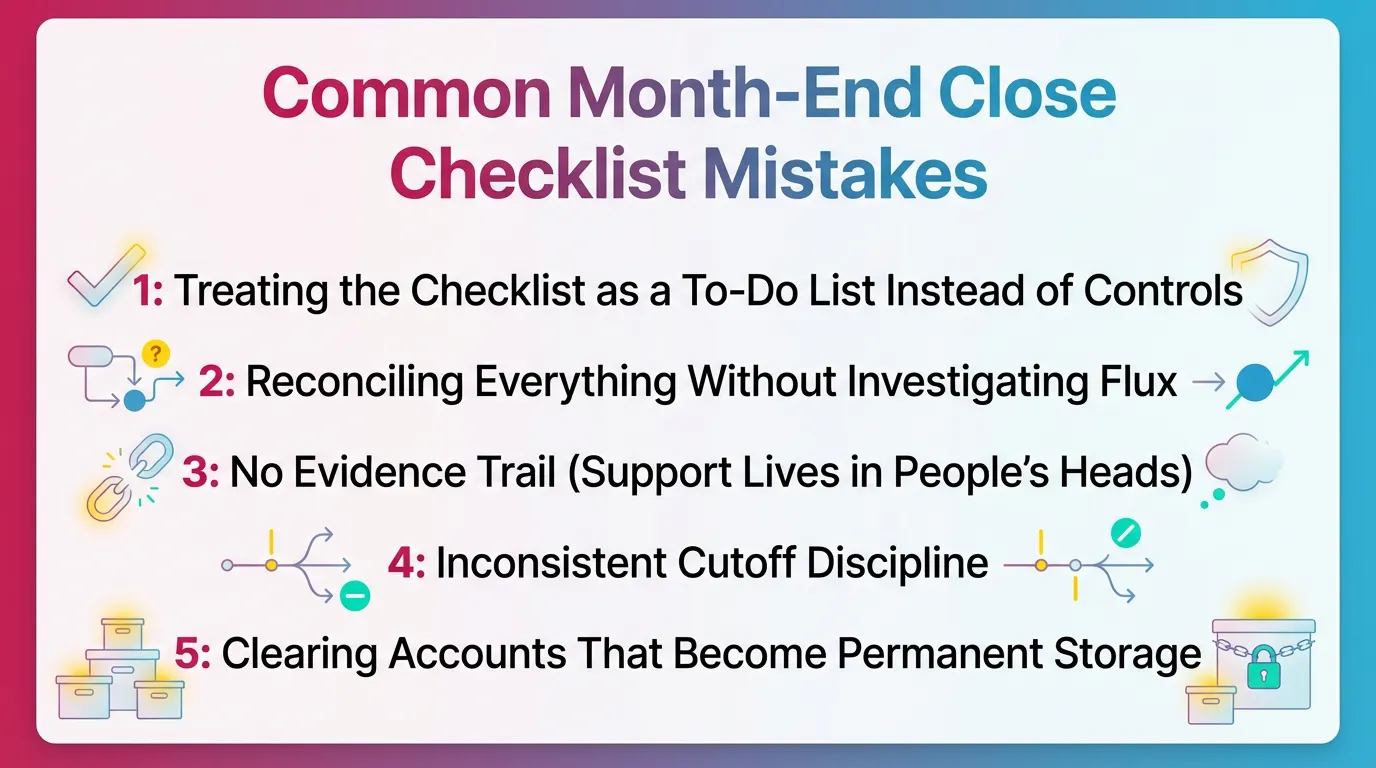
Mistake 1: Treating the Checklist as a To-Do List Instead of Controls
A to-do list tells you what to do. Controls tell you what “done” means.
Fix: define pass/fail criteria per major account group.
For example, “Undeposited funds must be zero or fully supported with identified deposits in transit.”
Mistake 2: Reconciling Everything Without Investigating Flux
If you reconcile first, you can waste time proving balances that were never reasonable. You also miss classification errors.
Fix: run a first-pass flux/anomaly review to focus reconciliation time.
Then reconcile in priority order based on risk and findings.
Mistake 3: No Evidence Trail (Support Lives in People’s Heads)
When support stays in someone’s memory, close quality drops the moment staffing changes.
Fix: require attachments/links and short notes for exceptions.
Keep notes short. One or two sentences usually works.
Mistake 4: Inconsistent Cutoff Discipline
If cutoff moves every month, your month-to-month comparisons lose meaning. You also create endless “one more bill” requests.
Fix: publish cutoff rules and stick to them. Document exceptions.
Make exceptions visible and approved, not informal.
Mistake 5: Clearing Accounts That Become Permanent Storage
Clearing accounts exist to clear. If they accumulate balances, they hide broken processes.
Fix: enforce zero-balance expectations and investigate carryovers.
Assign an owner and a deadline for every non-zero clearing balance.
Month-End Close Checklist at a Glance
| Close Phase | Objective | Typical Outputs | “Done” Means |
|---|---|---|---|
| Pre-close readiness | Ensure inputs are complete | Bank feeds current, payroll posted | No known missing source data |
| First-pass review | Surface anomalies early | Findings list (flux, missing entries) | Findings triaged and assigned |
| Reconciliations | Prove balances | Bank/CC recs, clearing tie-outs | Reconciled with documented exceptions |
| Adjustments | Correct period results | Accruals / deferrals / recurring JEs | Supported and consistent |
| Second-pass review | Validate integrity | P&L / BS reasonableness notes | Accounts “make sense” |
| Finalize | Package + lock | Financial package, carryforward log | Approved + restricted edits |
How Xenett Operationalizes Review-First Financial Closes (Without Turning It Into “More Workflow”)
Review Findings First, Then Work (Xenett’s Core Model)
Xenett supports a review-first close by centering the workflow on account behavior. It helps teams run consistent account-level checks across the P&L and Balance Sheet, then track what needs follow-up.
Instead of starting with a generic month end close checklist, Xenett helps teams start with review logic. That includes expected balances, anomaly detection, and flux patterns that surface what needs attention.
For more on this review-first approach in practice, see: Month End Close
Close Task and Checklist Management (As a Response to Findings)
Xenett helps connect tasks to the reason they exist. That matters because busy teams do not need longer lists. They need clearer prioritization.
Teams typically structure work around:
- recurring close steps (for example, cash reconciliations)
- exception work generated by review findings (for example, “investigate negative AR,” “clear old undeposited funds”)
This keeps the financial close checklist tied to outcomes, not activity.
Review and Approval Workflows (Consistency Across Reviewers)
Different reviewers often apply different standards, even when they follow the same checklist. Xenett helps standardize review by applying consistent checks across clients and periods.
It also supports reviewer sign-off on resolved findings. Therefore the close does not rely on institutional memory or informal approvals.
Visibility Into Close Status and Bottlenecks
When you manage concurrent closes, visibility becomes the real constraint. You need to know what blocks completion.
Xenett helps teams see:
- what findings remain open
- which accounts block completion
- where resolution stalls (by client/entity/account category)
This works especially well for firms running multiple client closes on the same calendar.
FAQ
What Is a Financial Close Checklist?
A financial close checklist is a documented list of steps and controls used to finalize a period’s accounting activity, validate key accounts, and produce reliable financial statements consistently.
It typically includes readiness checks, reconciliations, accruals, review, and sign-off with evidence.
What Is Included in a Month-End Close Checklist?
A month-end close checklist typically includes pre-close cutoff confirmation, bank and credit card reconciliations, AR/AP review, accruals/recurring entries, and final P&L and Balance Sheet review with sign-off.
A review-first checklist also includes a first-pass anomaly and flux scan before reconciliations.
What Is the Checklist for Year-End Closing?
A year-end close checklist includes all month-end close steps plus final cleanup of stale Balance Sheet items, tax-ready supporting schedules, annual adjustments, documentation archiving, and stronger period lock/change control.
You still run the normal month end close checklist first. Then you add year-end layers.
How Long Should a Month-End Close Take?
It depends on complexity and volume, but the main driver is how quickly issues are detected and resolved. Review-first processes reduce late rework, which is what typically extends close timelines.
In practice, teams reduce your month-end close time most when they fix upstream cutoff, mapping, and clearing-account discipline.
What Are the Top 3 Financial Documents Produced After Close?
Balance Sheet, Profit & Loss (Income Statement), and Cash Flow Statement.
Some teams also deliver a variance memo and supporting schedules for high-risk accounts.
What Causes Month-End Close Delays Most Often?
Late data, inconsistent account review standards, unresolved reconciliation gaps, and issues discovered only at the end (flux surprises, missing accruals, miscodings).
Most delays come from exception handling, not routine tasks.
How Do You Make a Financial Close Checklist More Repeatable Across Clients?
Standardize review logic (expected balances, thresholds, anomaly rules), require evidence/support for exceptions, and track findings separately from tasks so resolution stays explicit.
Then apply the same structure every month so reviewers do not reinvent the process.
Is a Financial Close Checklist the Same as an Audit Program?
No. A financial close checklist is an internal accounting close process for accuracy and consistency. It is not an audit program and does not provide audit assurance.
It supports better books. It does not replace external assurance work.
Conclusion
If you want a close that stays predictable as volume grows, build your process around a review-first Financial Close Checklist and reinforce it with accounting workflow best practices.
Take this outline and turn it into your standard financial close month end close checklist template for every client or entity, and consider close management tools as volume grows. Then tighten year-end with documentation and change control so your final numbers stay final.