.svg)

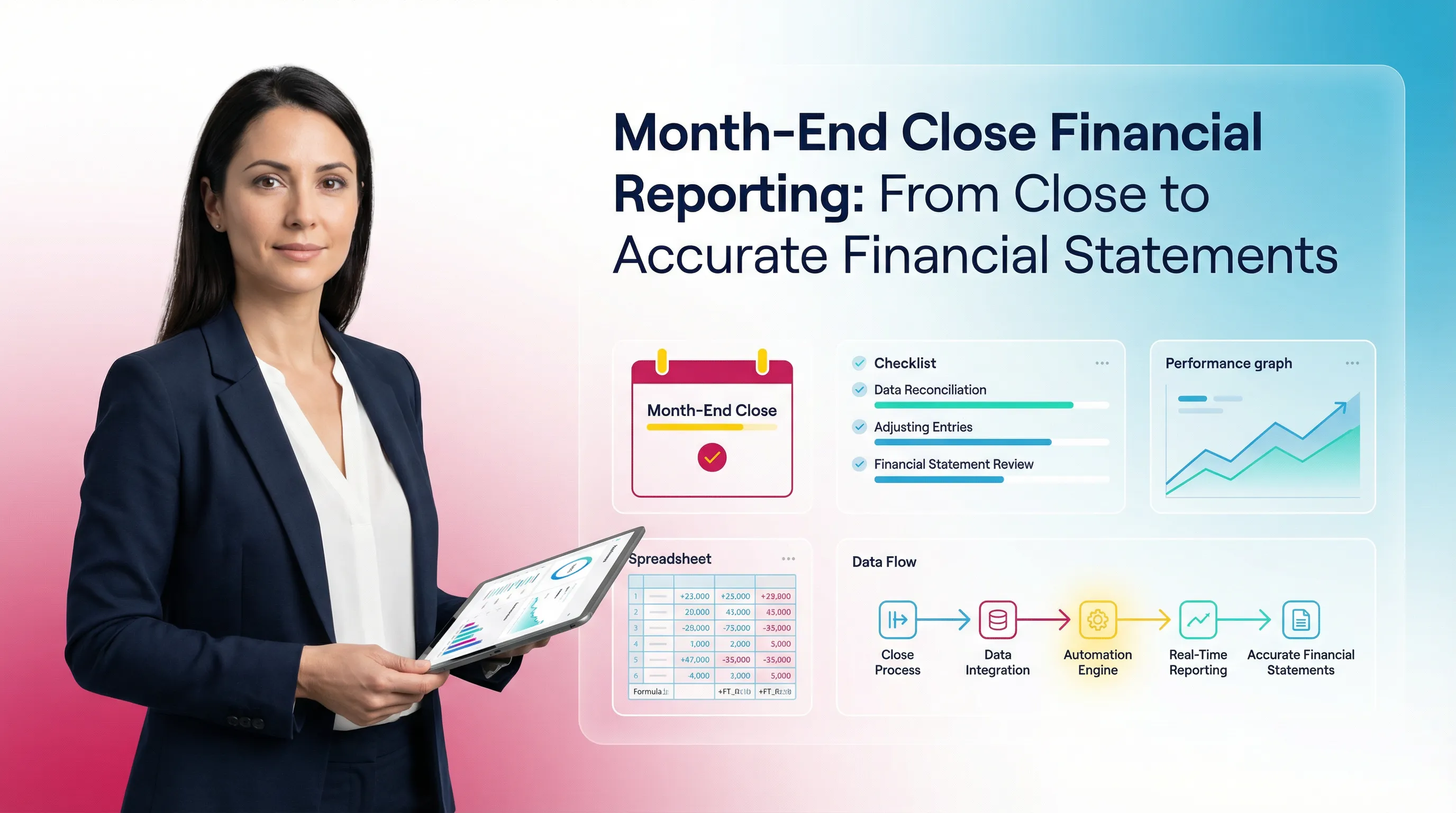
Month End Close Financial Reporting: From Close to Accurate Financial Statements

Ask questions, get summaries, or uncover key takeaways from this article.
Blog Summary / Key Takeaways
- Month end close financial reporting depends on review quality.
- Financial reporting after month end close fails when accounts stay unstable.
- The close-to-report process needs a clear report-ready gate.
- Standard account review beats bigger reporting packages.
- Version control protects trust in month end close and financial statements.
Why “Close-to-Report” Breakdowns Show Up as Reporting Problems
Month End Close Financial Reporting fails most often at review in the month-end close process. The reports look wrong, but the root cause lives upstream. Close quality decides whether statements deserve trust.
This matters most when you support many clients. Firm leaders and senior reviewers see the same pattern in QBO and Xero. A “reporting issue” usually means close work stayed incomplete, undocumented, or inconsistent.
This guide covers:
- How month-end close feeds financial reporting
- Which financial reports after month end close teams rely on
- Common reporting issues caused by weak close controls
- Month end reporting best practices for accurate, stable output
- How modern systems support close-to-report consistency, including Xenett
What Is Month-End Close Financial Reporting?
Month-End Close vs. Month-End Financial Reporting
Month-end close finalizes the period. Month-end financial reporting communicates the results. You need both, but they solve different problems.
- Month-end close: You complete, reconcile, and review accounts. You post required adjustments. You make the period stable.
- Month-end financial reporting: You produce financial statements. You add context, variance notes, and schedules. You deliver a package people can act on.
Key takeaway: Close creates a “trusted period.” Reporting packages and explains that period.
If you rush close, you ship unstable statements. If you rush reporting, you ship unclear statements. You want neither.
What Does “Close-to-Report Process” Mean?
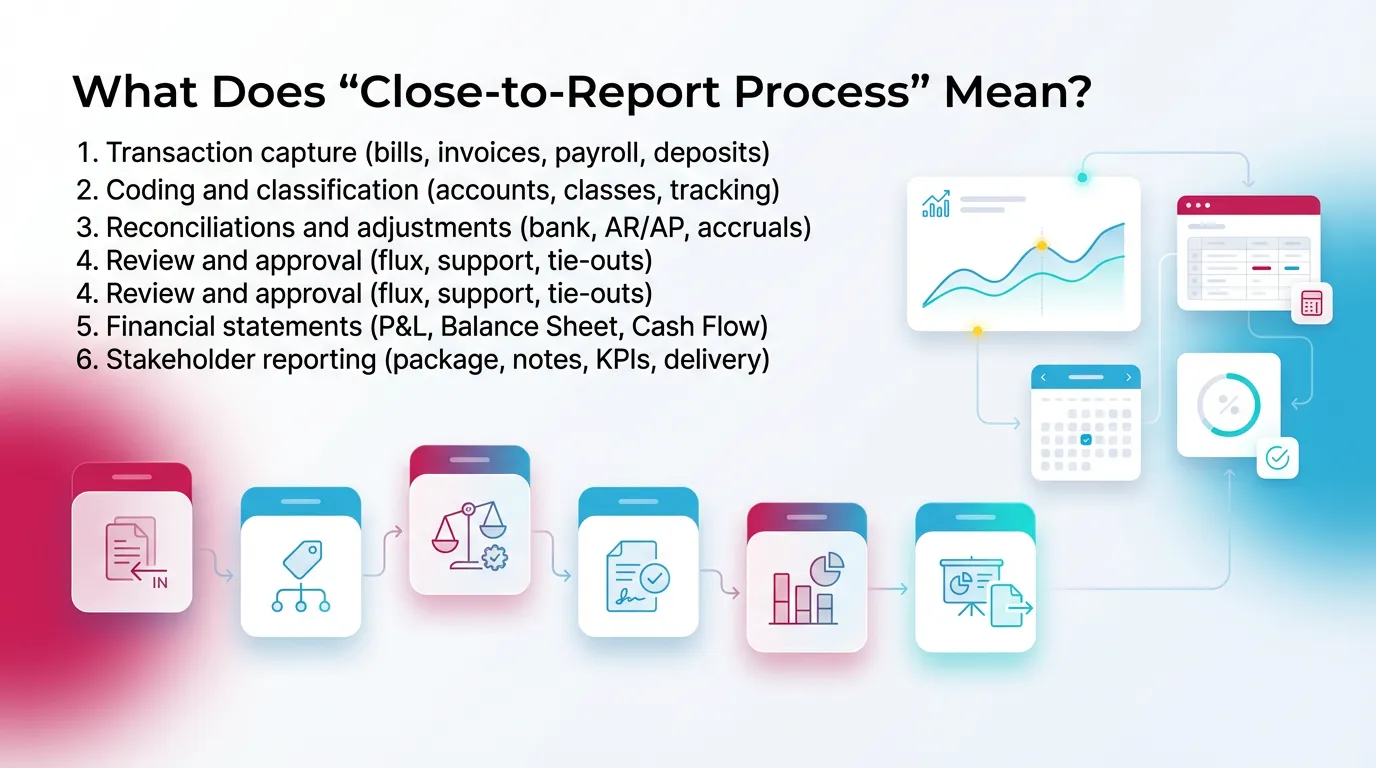
The close to report process runs from raw activity to decision-ready output. It includes the human control points, not just the system buttons.
A practical close-to-report chain looks like this:
- Transaction capture (bills, invoices, payroll, deposits)
- Coding and classification (accounts, classes, tracking)
- Reconciliations and adjustments (bank, AR/AP, handling accruals at month end)
- Review and approval (flux, support, tie-outs)
- Financial statements (P&L, Balance Sheet, Cash Flow)
- Stakeholder reporting (package, notes, KPIs, delivery)
Most firms fail at step 4. Review breaks down. Exceptions get “handled” in chat. The reports simply reveal the mess.
How the Month-End Close Impacts Financial Reporting
The Close Is the Data Quality Gate for Financial Statements
Financial reporting after month end close only works when balances hold up. Close provides the controls that make that happen.
Financial statements stay reliable only when you protect four basics:
- Completeness: You capture all activity. No missing bills. No missed payroll.
- Correctness: You code items to the right accounts and categories.
- Cutoff accuracy: You record items in the right period.
- Reconciliation integrity: You keep support that ties to balances through accurate account reconciliation.
When those break, reporting breaks. You see it as weird margins, odd cash flow, or “why is that asset negative?”
“Financial Reporting After Month-End Close” in Practice
After a strong close, balances stop drifting. Or they change only with controlled entries. That stability makes reporting comparable month to month.
In practice, close quality changes three things:
- Numbers settle. You stop chasing moving targets.
- Adjustments carry support. You can explain the changes.
- Packages compare cleanly. Variances mean something again.
However, if balances change after delivery, trust collapses. Clients stop reading. Partners stop relying on the package. Your team wastes time reissuing files.
The Hidden Link: Account-Level Review → Reporting Credibility
Most reporting problems come from account review gaps. Dashboards cannot fix that. A prettier chart still points to the same broken number.
Common review misses include:
- Unexplained flux in revenue, COGS, or payroll
- Missing accruals for bills in transit
- Reconciliations done “in name only,” without support
- Misclassified items that distort gross margin
- Old balances sitting in clearing or suspense
A practical example from firm work:
A client’s “Marketing” spend jumped 40% in one month. The report looked wrong.
The root cause was close review. A vendor bill hit Marketing instead of COGS.
The dashboard did not cause the issue. The review would have caught it.
What Financial Statements and Reports Are Produced After Month-End Close?
The Core Financial Statements
These statements form the foundation of month end close and financial statements delivery:
- Profit & Loss (Income Statement)
- Balance Sheet
- Cash Flow Statement (often indirect in QBO and Xero workflows)
You can deliver more. You cannot skip these and still call it reporting.
Common “Financial Reports After Month-End Close” Beyond the Big Three
Most teams also produce supporting views. These reports help reviewers validate numbers and help stakeholders understand drivers.
Common financial reports after month end close include:
- Trial Balance (internal review starting point)
- Budget vs. Actual / Variance reporting
- Department/Class/Location P&L
- QBO: classes and locations
- Xero: tracking categories
- AR Aging / AP Aging
- Deferred revenue and accrual schedules (when needed)
- KPI dashboards and operational metrics
- Useful only when financials stay stable
The Month-End Financial Reporting Process
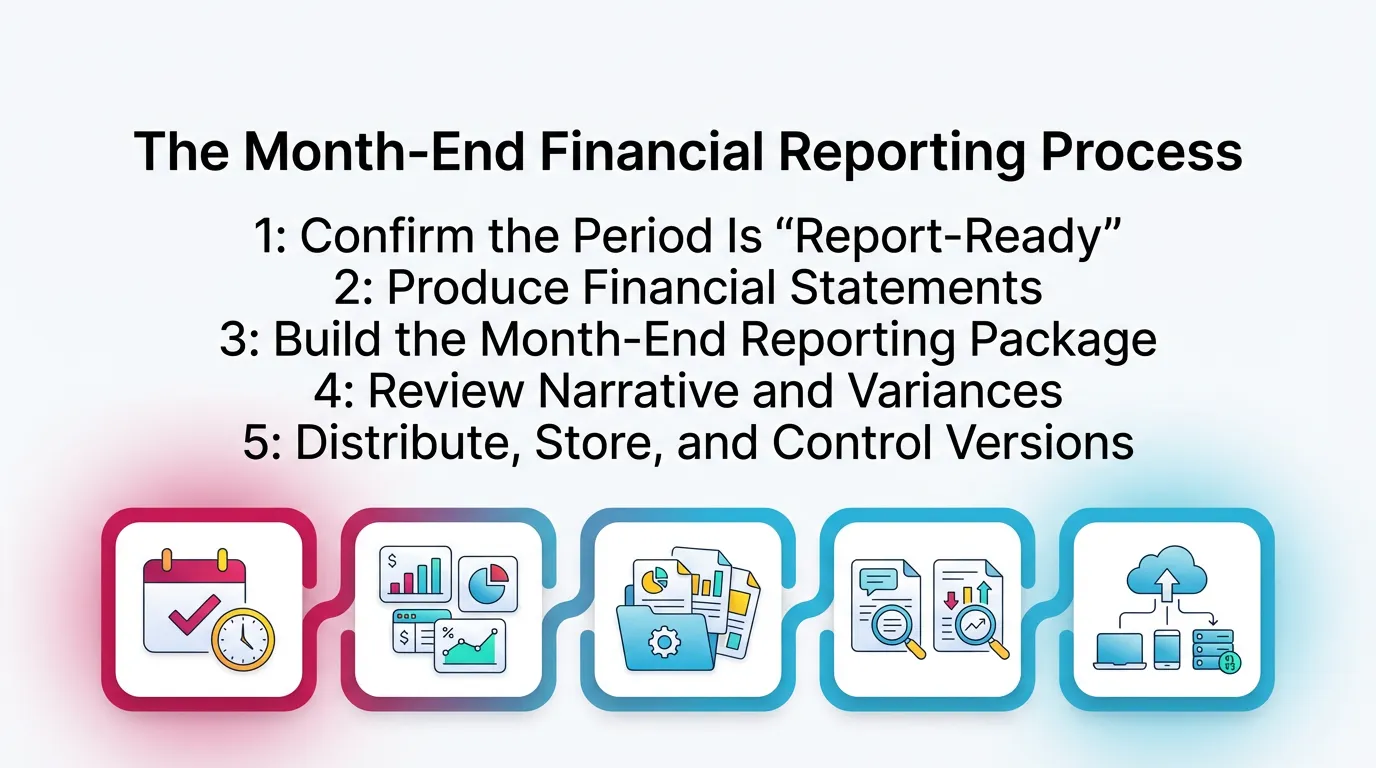
This section explains the month end financial reporting process. It starts after close work reaches a real stopping point. It does not repeat a comprehensive close checklist.
Step 1: Confirm the Period Is “Report-Ready”
Start reporting only after you meet clear criteria. This reduces rework and protects credibility, even before you consider automating your month-end close.
Minimum report-ready criteria:
- You complete reconciliations for key accounts
- You explain or accept material flux
- You post and support all required adjustments
- A reviewer approves the period for reporting
In firms, this gate matters even more. It keeps juniors from pushing packages early. It also keeps seniors from “just sending it.”
Step 2: Produce Financial Statements
Generate consistent outputs every month. Consistency helps reviewers spot issues fast.
Use standards for:
- Date ranges and comparative periods
- Cash vs accrual basis settings
- Class or tracking views
- Rounding and formatting rules
Also use period controls when possible.
For example, you can close the books in QBO with a password.
Xero also supports lock dates. Use them to reduce drift.
Step 3: Build the Month-End Reporting Package
Package the statements with what leaders actually need. Many stakeholders never open the trial balance. They read the summary and notes.
A strong package often includes:
- Financial statements
- Variance summary and narrative
- KPI snapshot (only if stable)
- Exceptions list
- What changed
- Why it changed
- What to watch next month
Step 4: Review Narrative and Variances
Answer the “why” in plain language. Tie every explanation to accounts and drivers.
Good variance notes do this:
- Reference specific accounts or classes
- Separate one-time items from run-rate spend
- Call out timing differences and accruals
- Explain reclasses clearly
Avoid filler like “seasonality,” unless you prove it.
Step 5: Distribute, Store, and Control Versions
Control versions like you control code in software. One “final” package per period reduces confusion.
Use:
- Clear “as of” labels
- Final package date
- A single storage location for statements and support
- Reissue rules when changes occur
Therefore, everyone works from one set of numbers.
Accuracy of Financial Reporting: What “Accurate” Means at Month-End
The 4 Dimensions of Reporting Accuracy
Accuracy of financial reporting means more than “it ties out.” It means four things at once:
- Complete: You captured all relevant activity.
- Correct: You classified and valued it properly.
- Consistent: You applied the same rules each month.
- Supported: You can show reconciliation evidence and explanations.
If you miss any one, you invite rework and client questions.
Practical Accuracy Checks Accounting Teams Actually Use
These checks catch most issues before they hit the client.
Common checks:
- Flux thresholds by account type
- For example, 10% or $5k, whichever is higher
- Balance sheet reasonableness checks
- Negative assets that should not go negative
- Large uncategorized balances
- Clearing account expectations
- Undeposited funds
- Payroll clearing
- Credit card clearing
- AR/AP tie-outs vs subledgers
- Aging totals match GL control accounts
- Cash tie-out to bank statements
- Reconciled balances match bank rec reports
Common Reporting Issues Caused by a Weak Month-End Close
Red Flags in Financial Statements After Close
Most red flags show up in the statements first. They rarely show up in the checklist.
Watch for:
- P&L volatility with no operational explanation
- Balance sheet accounts that drift each month
- Prepaids, accruals, undeposited funds, suspense
- Cash flow that conflicts with the P&L story
- “Profit up, cash down,” with no clear driver
If you see these, treat them as review signals. Do not treat them as “report formatting” problems.
The Root Causes
Weak close controls create predictable failure modes.
Common root causes:
- Late vendor bills and incomplete accruals
- Reconciliations delayed until “later,” then never caught up
- Inconsistent coding rules across staff and clients
- Review that depends on one person’s memory
- Post-close changes without re-approval
A real-world pattern in QBO:
Teams reconcile bank accounts, but they skip AR and AP tie-outs.
The Balance Sheet looks fine at a glance. Aging reports do not match.
The client then disputes “who we owe” and “who owes us.”
Quick Diagnostic: “Is This a Reporting Problem or a Review Problem?”
Use this fast test before you rebuild a package.
- If it’s unexplained, you have a review problem.
- If it’s inconsistent month to month, you have a standards problem.
- If it changes after delivery, you have a close control problem.
This keeps your team focused on root causes.
Month-End Reporting Best Practices
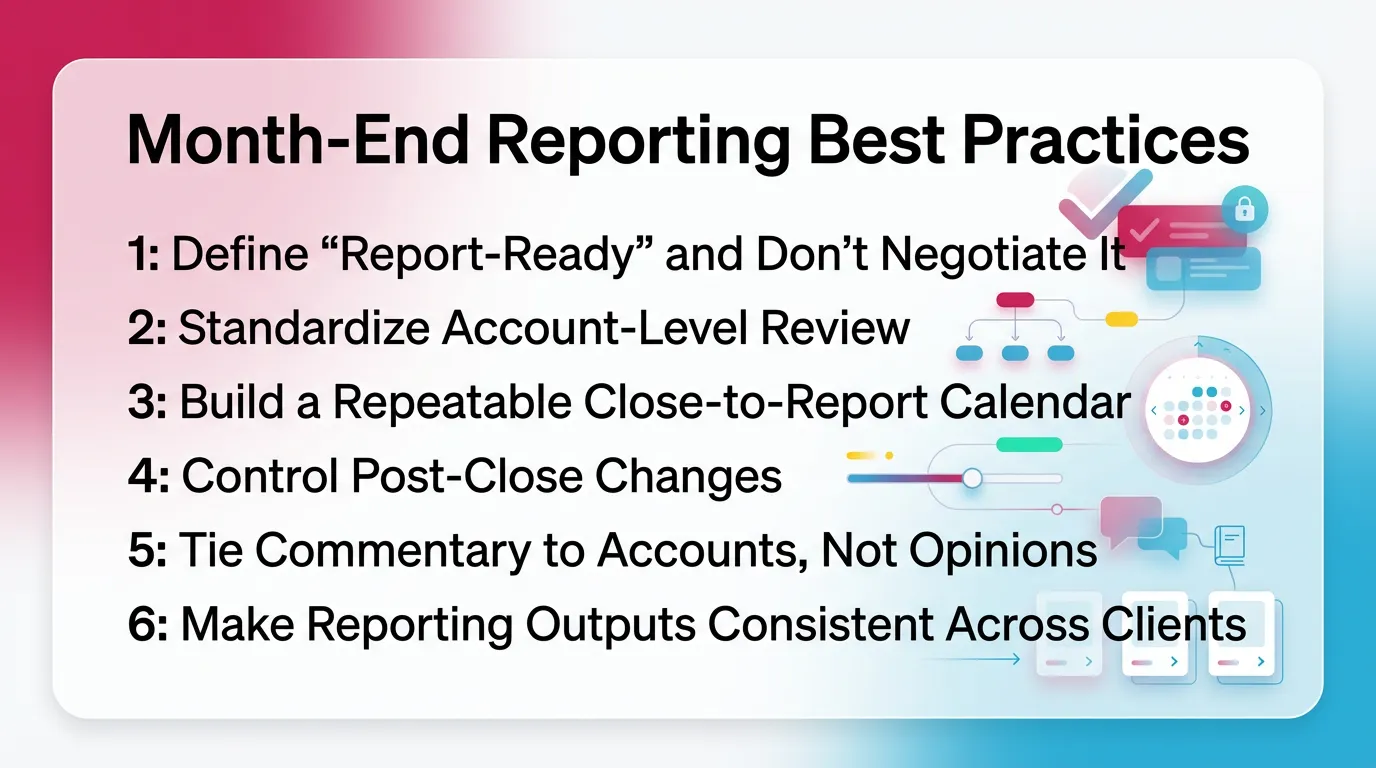
Best Practice 1: Define “Report-Ready” and Don’t Negotiate It
Define the gate in writing (aligned with best practices for closing the books). Enforce it every month. This improves accuracy of financial reporting without adding chaos.
Your report-ready definition should include:
- Reconciliations completed for material accounts
- Material variances reviewed and cleared
- Adjustments posted with support
- Approval recorded by a named reviewer
However, allow an exception path for true emergencies.
Document it. Time-box it. Re-approve after fixes.
Best Practice 2: Standardize Account-Level Review
Checklists help execution. Review standards protect quality.
Set review rules by account type:
- Cash: bank rec complete, old items explained
- AR: tie-out to aging, unapplied cash reviewed
- AP: tie-out to aging, duplicate vendors checked
- Revenue: cutoff, deposits, deferred items reviewed
- COGS: coding consistency, margin drivers explained
- Accruals: roll-forward schedule, reversals handled
- Prepaids: amortization schedule updated
Add flux expectations and support norms.
For example: “Any balance change over $2k needs a note.”
Best Practice 3: Build a Repeatable Close-to-Report Calendar
Make the close-to-report process a calendar, not a vibe.
A simple calendar might look like:
- Day 1–2: capture late items and reconcile cash
- Day 3–4: post accruals, review AR/AP, clear suspense
- Day 5: reviewer pass on BS and key P&L lines
- Day 6: statements and package draft
- Day 7: final review, approval, distribution
Set internal deadlines to reduce your close cycle time. Raise exceptions early. Therefore, you avoid last-day firefighting.
Best Practice 4: Control Post-Close Changes
Decide what triggers a reopen. Decide who approves it. Then follow it.
Write rules for:
- Materiality thresholds for changes
- Required support for post-close entries
- Reissue labeling
- “Revised” plus date
- Notification list
- Who must receive the update
This protects trust in financial reporting after month end close.
Best Practice 5: Tie Commentary to Accounts, Not Opinions
Stakeholders pay for insight, not adjectives.
Variance commentary should reference:
- Account drivers
- One-time items
- Timing items and accruals
- Known reclasses
Store explanations with the period.
This helps next month’s review. It also helps client questions.
Best Practice 6: Make Reporting Outputs Consistent Across Clients
Consistency scales. Bespoke packages do not.
Use:
- Templates and mapping standards
- Defined package tiers by client complexity
- A standard set of schedules
- Then add client-specific needs only when required
This helps senior reviewers manage more clients with fewer surprises.
Common Mistakes That Undermine Financial Reports After Month-End Close
Mistake 1: Treating “Close Complete” as “Financials Are Reliable”
Close completion does not equal review completion. Teams often mark tasks done, then skip the hard questions.
If you do not validate:
- tie-outs
- flux drivers
- support quality
your month end close and financial statements will still fail the sniff test.
Mistake 2: Relying on Tribal Knowledge for Review Standards
When standards live in someone’s head, results vary by person.
That creates uneven quality across clients and months.
Write the standards down. Train to them. Update them as clients change.
Mistake 3: Over-Focusing on Speed Metrics Without Quality Controls
Speed matters, but quality matters first. A “fast close” that triggers reissues costs more time.
Track quality signals too:
- number of post-close entries
- number of reissued packages
- recurring unreconciled accounts
- recurring unexplained variances
Mistake 4: Letting Exception Handling Happen in Slack/Email Only
When decisions live only in messages, you lose the why.
You also lose the audit trail for internal accounting review.
Capture:
- what changed
- who approved
- what support exists
- what to check next month
Note: This supports internal accounting review traceability.
It does not relate to audit services.
How Xenett Helps Teams Operationalize Close-to-Report Reliability
Where Xenett Fits: Review Integrity as the Foundation for Reporting
Xenett helps you standardize review before you finalize reporting. It supports a review-first approach that improves close-to-report consistency across people and clients.
This matters when:
- you manage many client files
- multiple preparers touch the same books
- senior reviewers need repeatable evidence of review
Xenett fits as an operational layer over your accounting system.
It does not replace QBO or Xero.
Close Task and Checklist Management
Teams often run generic checklists that miss real risk.
Xenett helps tie tasks to findings.
That means:
- You create tasks to resolve specific issues.
- You reduce “busywork steps” that add no confidence.
- You standardize close steps across clients.
- You still allow client-specific exceptions.
Review and Approval Workflows
Xenett supports structured handoffs. That reduces variation between reviewers.
A clean flow looks like:
- Preparer completes work and flags issues
- Reviewer validates accounts and raises findings
- Preparer resolves and attaches support
- Reviewer approves the period as report-ready
This improves consistency across P&L and Balance Sheet review.
It also makes training easier for new team members.
Visibility Into Close Status and Bottlenecks
Senior reviewers need visibility across many closes.
They need to know what blocks “report-ready” status.
Xenett helps surface:
- unreconciled accounts
- open findings
- pending approvals
- recurring issues by client
Therefore, you can intervene earlier. You avoid last-day surprises.
Summary: The Clean Close-to-Report Loop
Month end close financial reporting works when you protect the loop. Close creates trusted balances. Review confirms them. Reporting packages them with context.
- Close establishes trustworthy account balances
- Review resolves anomalies and reconciliation gaps
- Reporting becomes stable and comparable
- Standards and systems reduce heroics and rework
FAQ: Month-End Close Financial Reporting
What Are Month-End Financial Reports?
Month-end financial reports include financial statements and supporting schedules produced after close. They summarize performance and position for the month.
They often include P&L, Balance Sheet, and Cash Flow.
They may also include variance notes, aging reports, and KPIs.
What Reports Are Generated at Month End?
Teams usually generate P&L and Balance Sheet at minimum. Many also generate Cash Flow, trial balance, budget vs actuals, AR/AP aging, and KPI dashboards.
Your client’s needs drive the final package.
However, stability matters more than volume.
How Does Month-End Close Affect Financial Reporting?
Month-end close determines whether balances are complete and reconciled. Weak close quality produces unstable statements that change after delivery.
That instability hurts decision-making.
It also increases rework for your team.
What Is the Close-to-Report Process?
The close-to-report process runs from finalized books through review and approval, then to statement production and package delivery.
It includes exception handling and version control.
It does not stop at “run the reports.”
Why Is Accuracy of Financial Reporting Often a Review Problem?
Accuracy of financial reporting often breaks at review because anomalies stay unresolved. Missing accruals, misclassifications, and reconciliation gaps flow into the statements.
Better dashboards cannot fix that.
Better review can.
When Should Financial Statements Be Issued After Month-End Close?
Issue statements only after the period is report-ready. Key reconciliations must be complete, adjustments must be final, variances must be explained, and approvals must be captured.
This reduces reissues. It also protects trust.
What Are the Most Common Reasons Financial Reports Change After Close?
Late entries, delayed vendor bills, incomplete accruals, reconciliation fixes, and reclasses cause changes. Weak post-close change control makes it worse.
Use lock dates and re-approval rules to reduce drift.
How Do Teams Improve Month-End Reporting Without Just Adding More Steps?
Standardize account-level review. Enforce a report-ready gate. Control post-close changes. Track findings and resolutions across periods and clients.
Tools like Xenett help operationalize this approach.
They make standards visible and repeatable.
Conclusion
If your financials keep changing after delivery, fix the review layer first. Define report-ready criteria. Standardize account-level review. Then lock down post-close changes.
Next step: document your report-ready gate for one client this week. Use it next close. Track what still breaks. Then standardize from there—see financial close management strategies.