.svg)

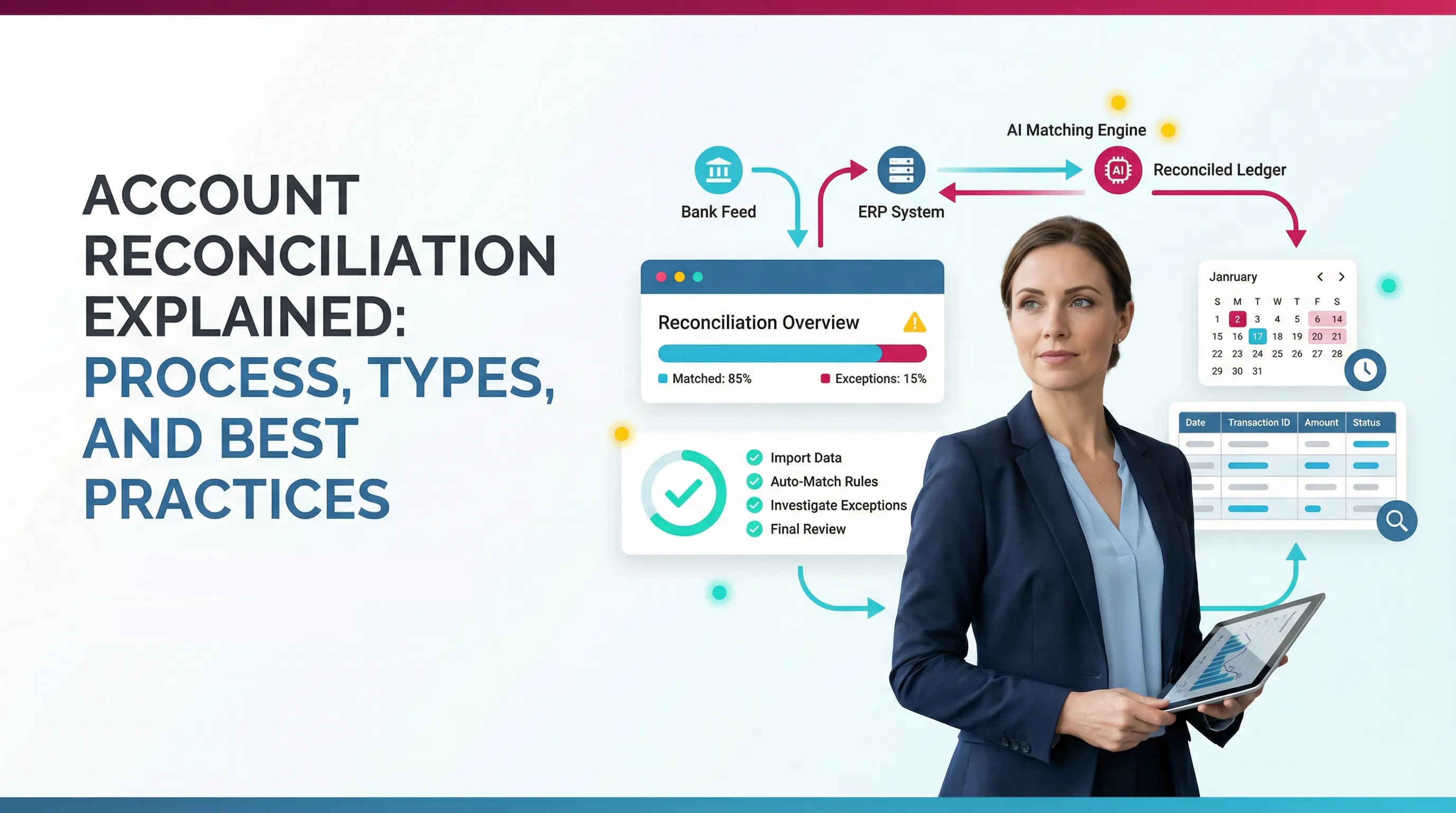
Account Reconciliation Explained: Process, Types, and Best Practices

Ask questions, get summaries, or uncover key takeaways from this article.
Blog Summary / Key Takeaways
- Account reconciliation proves a GL balance matches reliable support.
- It reduces errors, surprises, and rework during close.
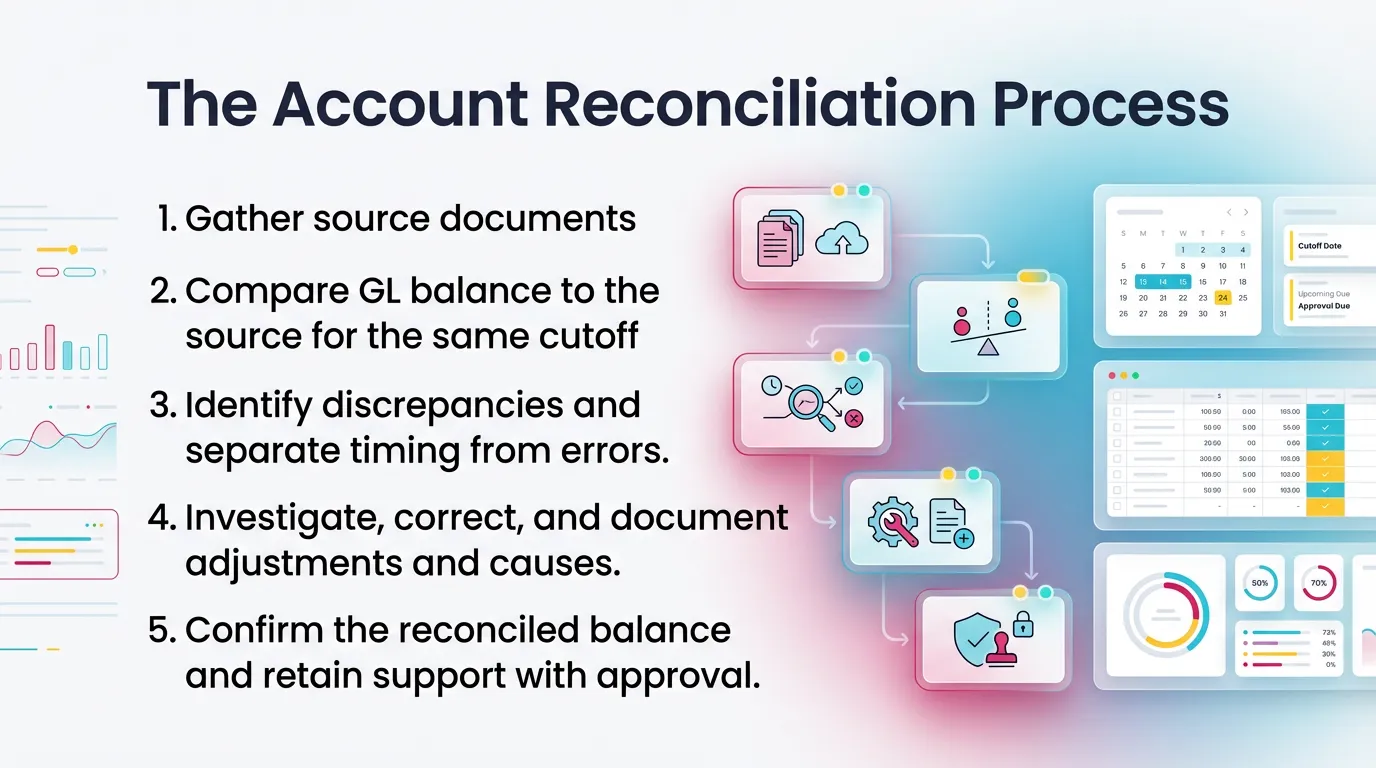
- The account reconciliation process follows five steps.
- Use the right method by account type. Cash differs from accruals.
- Templates help. They do not replace judgment.
- Account reconciliation software helps with matching and visibility.
- Review discipline matters as much as math.
What Is Account Reconciliation?
What Does Account Reconciliation Mean?
Account reconciliation means you compare a general ledger balance to an
independent source and explain or clear any differences.
Featured snippet definition (verbatim-ready):
Account reconciliation is the process of comparing a general ledger account balance to an independent source record and resolving or explaining any differences.
People also use related terms. They mean the same core idea.
- Reconciliations: the set of tie-outs you complete each period.
- Reconciliation meaning: “prove it matches,” not “hope it matches.”
- Reconciliation in accounting / reconciliation accounting: the control
step that validates balances and activity.
What Is the Purpose of Account Reconciliation in Accounting?
Account reconciliation exists to prove balances stay complete and accurate.
It also confirms each balance has support you can understand later.
It helps you detect and correct:
- Missing entries
- Duplicate postings
- Misclassifications (wrong account or wrong period)
- Unauthorized or unexpected activity
It also protects financial reporting. Clean reports require clean inputs.
Reconciliation in accounting gives you that baseline confidence.
Why Is Account Reconciliation Important?
Key Benefits (Accuracy, Controls, Confidence)
Why is account reconciliation important? It prevents small issues from
becoming big problems at close.
Key benefits:
- Accuracy: You catch errors before reporting and decision-making.
- Internal control: You reduce fraud risk and improve accountability.
- Consistency: You create the same standard every month.
- Audit readiness: You keep support organized and traceable.
Note: good reconciliations help with requests. However, they do not replace
audit work. Xenett also is not an audit tool and does not provide audits.
What Happens When Reconciliations Are Skipped or Rushed?
When teams rush reconciliations, they pay later. Usually with interest.
Common outcomes:
- “Clean-up month” cycles that never end
- Unexplained balance sheet accounts that grow over time
- AR/AP disputes with customers and vendors
- Cash surprises that hit payroll or debt covenants
Warning signs you can spot fast:
- Long-outstanding reconciling items
- “Plug” entries with vague memos
- Balances that do not match subledgers
- Accounts that nobody owns or reviews
- Clearing accounts that never clear
In my experience, the biggest red flag looks simple.
The team cannot answer, “What makes up this balance?” in two minutes.
That signals a process gap, not just a busy month.
The Account Reconciliation Process (Step-by-Step)
Step 1: Prepare the Reconciliation (Inputs and Cutoff Discipline)
Preparation sets the outcome. Cutoff mistakes create fake differences.
Start by defining:
- Period end date and time zone
- Posting cutoff rules
- Which reports you will use and when you will pull them
Typical inputs by account type:
- Cash/bank: bank statement, bank activity, deposit detail, check detail
- AR: customer aging and AR subledger totals
- AP: vendor aging and AP subledger totals
- Accruals/prepaids: rollforward schedules and supporting invoices
If you reconcile in a shared spreadsheet, lock the version.
If you reconcile in a system, lock the report date and filters.
Step 2: Compare Balances (GL vs. Supporting Detail)
Compare the GL balance to the support. Use the same date and scope.
You should see one of three outcomes:
- Exact match: document and move on.
- Match after timing items: list items and track clearing.
- Requires correcting entries: fix books, then re-run the tie-out.
If the support comes from a subledger, confirm it includes all statuses.
For example, open AR only may not equal total AR activity.
Step 3: Classify Differences (Timing vs. Error)
Classify differences fast. It keeps the team focused.
Timing differences usually clear on their own. For example:
- Deposits in transit
- Outstanding checks
- Bank interest posted after month-end
- Cutoff items that settle in the first days of the next month
Error differences require action. For example:
- Duplicate bill entry
- Missing cash receipt posting
- Journal posted to the wrong account
- Transaction dated in the wrong period
Do not let timing items become permanent. Aging rules prevent that.
Step 4: Resolve Differences (Corrections + Root Cause)
Fix the difference. Then fix the reason it happened.
Typical resolution actions:
- Post adjusting journal entries when needed
- Reclass transactions to the right account or class
- Fix posting dates or period settings
- Correct customer or vendor mapping in the system
- Remove duplicates and post missing items
Build a root cause habit:
- Ask, “What allowed this?”
- Update the rule, template, or training.
- Add a control if the issue repeats.
This one step reduces future close time more than any checklist.
Step 5: Document and Approve (What “Done” Looks Like)
Define “done” clearly. Otherwise, every reviewer uses a different bar.
Minimum documentation checklist:
- Account name and number
- Period covered
- Preparer name and date
- Reviewer name and date
- Source used and the date pulled
- Explanation of reconciling items
- Links or files that support the balance and entries
Your support should stand alone. Someone else should follow it later
without a meeting.
If you maintain sign-off, keep it consistent.
A simple prepare-review approval trail works well.
Types of Account Reconciliation (With When to Use Each)
Types of Account Reconciliation at a Glance
Teams ask about the types of account reconciliation because the work
changes by account. Use this table to choose the right approach.
Bank Reconciliation (Bank Account Reconciliation)
What Is a Bank Reconciliation?
A bank reconciliation compares your cash account in the GL to the bank
statement. It explains differences so your cash balance stays real.
Many teams use a simple “four parts” view:
- Obtain bank data
- Normalize and format it
- Match it to internal records
- Investigate exceptions and clear items
If you run high volume, bank account reconciliation software helps.
It speeds matching and flags exceptions. You still approve outcomes.
Common Bank Reconciliation Issues
Common bank reconciliation issues show up every month:
- Bank fees not booked
- Deposits in transit versus duplicated deposits
- Outstanding checks that never clear
- Fraud or unauthorized ACH activity
Treat old outstanding checks as a policy item.
Define when you void, reissue, or escheat.
Rules vary by state and facts.
General Ledger Reconciliation (General Ledger Account Reconciliation)
General ledger reconciliation compares any GL account to its support.
That support may be a subledger, schedule, or third-party statement.
This is where most close risk lives. Cash may reconcile quickly.
However, accruals, deferrals, and clearing accounts create drift.
Examples of GL support sources:
- AR or AP subledger totals
- Payroll registers and liability reports
- Fixed asset rollforwards
- Merchant processor statements
- Loan statements and amortization schedules
When you hear “general ledger reconciliation,” think:
“Prove the account, not just the math.”
Balance Sheet Reconciliation
What Is Balance Sheet Account Reconciliation?
What is balance sheet account reconciliation?
It proves an ending balance sheet account balance is correct by tying it
to support like rollforwards, schedules, or third-party statements.
Balance sheet accounts do not “reset” each month.
They accumulate. Therefore, weak support creates compounding errors.
How to Do Balance Sheet Account Reconciliation (Practical Method)
How to do balance sheet account reconciliation: use a rollforward.
Start with what you proved last month. Then explain movement.
Use this practical method:
- Start with prior period ending balance. Tie to last recon.
- Add current-period activity from GL detail. Group by driver.
- Tie each driver to support. Use invoices, schedules, statements.
- Explain reconciling items and track clearing dates.
- Validate reasonableness with a flux check and story.
This method works well for:
- Prepaid expenses
- Accrued liabilities
- Deferred revenue
- Payroll tax liabilities
- Intercompany balances
If the account has no clear driver, that is the signal.
You may need to redesign the posting process.
Receivables Reconciliation (AR)
Receivables reconciliation ties AR aging to the AR control account.
It confirms customer detail adds up to the GL total.
Common receivables reconciliation issues:
- Unapplied cash sitting in suspense
- Old credits that never get applied
- Write-offs posted to the wrong account or period
- Manual journal entries to AR that bypass the subledger
If you post manual JEs to AR, document why.
Limit them. They often create mismatches.
Control Account Reconciliation
What is control account reconciliation?
It confirms a control account in the GL matches the total of the related
subsidiary ledger, like AR customer detail or AP vendor detail.
Control account mismatches happen for common reasons:
- Posting rules route entries around the subledger
- Integrations fail or duplicate entries
- Users post manual journals to the control account
- Timing differences between systems and imports
Fix the root cause. Otherwise, the mismatch returns next month.
Account Reconciliation Examples (What Good Looks Like)
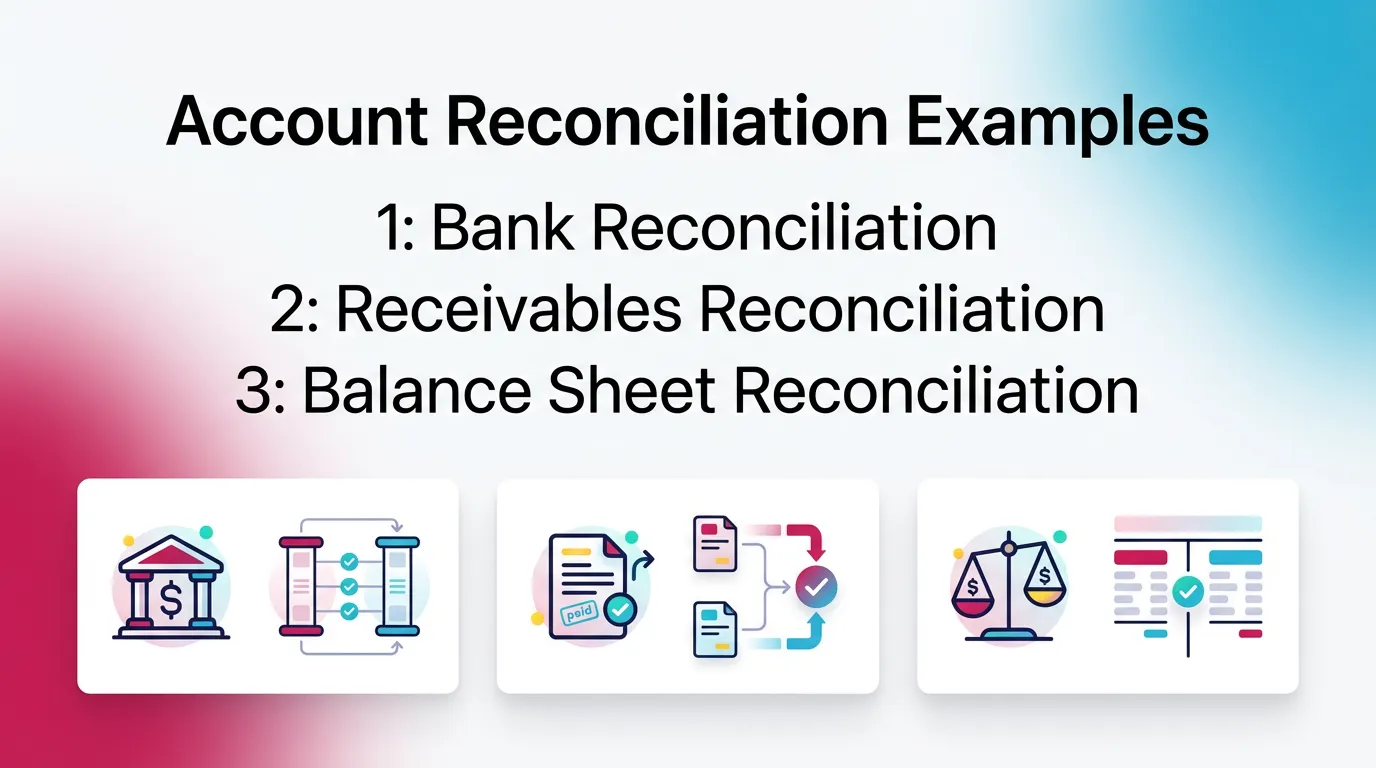
Example 1: Bank Reconciliation (Simple Timing Item)
A clean bank reconciliation includes timing items that clear soon.
Scenario:
- GL cash includes a $12,500 deposit dated 1/31.
- The bank statement shows it posted on 2/1.
What you do:
- List deposit in transit of $12,500 as a reconciling item.
- Do not post an adjusting entry. Nothing is wrong in the books.
- Track it and confirm it clears in the next statement.
What you document:
- Bank statement page or activity detail
- Deposit report from your system
- Date, amount, and expected clearing date
This is what “timing difference” should look like. Clear. Short-lived.
Example 2: Receivables Reconciliation (Subledger Doesn’t Match Control)
Receivables reconciliation often fails due to a manual journal entry.
Scenario:
- GL AR control account shows $480,000.
- AR aging totals $472,000.
- Difference is $8,000.
Investigation path:
- Run GL detail for AR. Filter for manual journals.
- You find a $8,000 JE posted to AR for a revenue reclass.
- The JE bypassed the AR subledger.
Typical fixes:
- Reverse the JE out of AR.
- Post the correction to the proper revenue account.
- If needed, use an AR adjustment method that updates the subledger.
- Fix the policy. Block manual JEs to AR when possible.
What you document:
- Aging report and date pulled
- GL detail extract showing the JE
- Entry reference numbers and explanation
- Reviewer sign-off and prevention note
Example 3: Balance Sheet Reconciliation (Prepaids or Accrual Rollforward)
Balance sheet reconciliation often breaks when teams miss a monthly entry.
Scenario (prepaids):
- Prepaid insurance ending balance seems high.
- The schedule expects $24,000.
- The GL shows $30,000. Difference is $6,000.
Investigation:
- You review the prepaid rollforward.
- You see monthly amortization of $6,000 did not post.
Fix:
- Post amortization entry for $6,000 to insurance expense.
- Attach the schedule and the calculation.
- Confirm the ending balance matches $24,000.
What support looks like:
- Prepaid schedule with beginning, additions, amortization, ending
- Invoice or policy document for the prepaid
- Journal entry reference and date posted
- Flux note that explains the correction
This example shows why rollforwards matter.
They create a repeatable way to prove the ending balance.
Account Reconciliation Templates (What to Include + How to Use)
Account Reconciliation Template: Minimum Fields (Checklist)
An account reconciliation template keeps work consistent across staff.
It also speeds review because reviewers see the same layout each time.
Minimum fields to include:
- Account name and number
- Period end date
- Preparer and reviewer fields
- GL ending balance
- Source balance and source name
- Difference (auto-calculated)
- Reconciling items table:
- Date
- Description
- Amount
- Type (timing or error)
- Status and expected clear date
- Support links and notes
- Approval sign-off
If you use spreadsheets, protect formulas and ranges.
If you use a system, standardize required fields.
General Ledger Account Reconciliation Template (When You Don’t Have a Bank Statement)
A general ledger account reconciliation template works when support comes
from schedules and subledgers, not statements.
Recommended layout:
- GL summary (beginning, activity, ending)
- GL detail extract (filtered to period)
- Support schedule or subledger total
- Recon items and actions:
- what it is
- why it exists
- who owns it
- when it clears
- Final conclusion and reviewer notes
If you need a phrase match for search, this also serves as a
general ledger reconciliation account reconciliation template.
Balance Sheet Reconciliation Template (Rollforward-Friendly)
A balance sheet reconciliation template should include rollforward columns.
Recommended columns:
- Beginning balance (tie to prior recon)
- Additions (by category)
- Reductions (by category)
- Ending balance (calculated)
- Support tie-out (what proves the ending balance)
- Reconciling items and explanations
- Reasonableness and flux notes field
This structure supports both speed and quality.
It makes review much easier.
Common Reconciliation Issues and Errors (And How to Prevent Them)
The Most Common Reconciliation Problems
Most reconciliation issues fall into a few buckets:
- Missing transactions (not posted)
- Duplicate entries
- Cutoff errors (wrong period)
- Misclassifications (wrong account, class, customer, vendor)
- Stale reconciling items that never clear
- Unsupported balances with “no backup”
If you see many unsupported balances, redesign ownership.
One person must own each account.
Common Mistakes to Avoid
Avoid these common mistakes. They create fake matches or hidden issues:
- Reconciling to the wrong source or wrong date
- Forgetting prior period reconciling items
- Treating suspense or clearing accounts as permanent parking
- Skipping review because “it usually matches”
- Over-relying on checklists without analysis
A checklist confirms steps. It does not confirm truth.
Your support and story confirm truth.
Quick Triage Framework: Timing, Error, or Policy?
Use a fast triage so you stop guessing.
- Timing: clears naturally. Document it and monitor aging.
- Error: must correct. Post a JE, reclass, or fix the transaction.
- Policy/process gap: prevents repeat issues. Standardize inputs,
ownership, and posting rules.
This framework cuts review time. It also improves coaching.
Account Reconciliation Best Practices (That Scale Beyond One Person)
Best Practices Checklist
Use these account reconciliation best practices to scale quality:
- Reconcile high-risk accounts first (cash, AR/AP, clearing).
- Standardize templates and define “done.”
- Enforce aging rules for reconciling items.
- Separate preparer and reviewer responsibilities.
- Require support that stands alone.
- Track recurring exceptions and fix root causes.
- Keep reconciliations current to avoid catch-up months.
These practices reduce close volatility. They also reduce burnout.
Best Practices by Account Type
Bank Reconciliation Best Practices
For bank reconciliation, speed matters. Volume drives risk.
Best practices:
- Match daily or weekly when volume runs high.
- Control bank feed access and permissions.
- Use clear rules for old outstanding checks.
- Investigate any new payee or ACH pattern fast.
If you use bank account reconciliation software, still review exceptions.
Software matches. Accountants decide.
Balance Sheet Reconciliation Best Practices
Balance sheet reconciliation needs a rollforward mindset.
Best practices:
- Maintain rollforwards for accruals, prepaids, and key liabilities.
- Require flux explanations for unusual change, not just tie-outs.
- Tie support to the same cutoff date each month.
- Avoid “misc accrual” accounts without drivers.
General Ledger Reconciliation Best Practices
General ledger reconciliation needs ownership and standards.
Best practices:
- Tie GL accounts to subledgers and third-party statements routinely.
- Assign one accountable owner per account.
- Limit manual journals to control accounts.
- Review mapping rules for integrations each quarter.
When Automation Helps (Without Replacing Accounting Judgment)
Automation helps most when work repeats and volume stays high.
That is why teams look at account reconciliation software.
Where automated reconciliation software helps:
- High-volume matching for cash and payments
- Exception detection and aging reminders
- Standardized documentation and review routing
- Central storage of support and explanations
What still requires humans:
- Materiality judgment
- Root cause analysis
- Decisions on adjusting entries
- Explaining results to leadership
Think of automation as a faster flashlight.
It helps you see issues. It does not decide what they mean.
How Xenett Supports More Consistent Reconciliations Without Turning Them Into Chaos
Where Reconciliations Commonly Break Down Operationally
Reconciliations fail for operational reasons, not technical ones.
Common breakdown points:
- Reviews happen late, under pressure
- Standards differ by reviewer or client
- Findings live in spreadsheets, chat, or memory
- No one sees what is done versus stuck
- Teams miss recurring items until they explode
This is why two accountants can reconcile the same account and get
different outcomes. They follow different “done” definitions.
How Xenett Helps Teams Operationalize Reconciliation Best Practices (Educational, Non-Promotional)
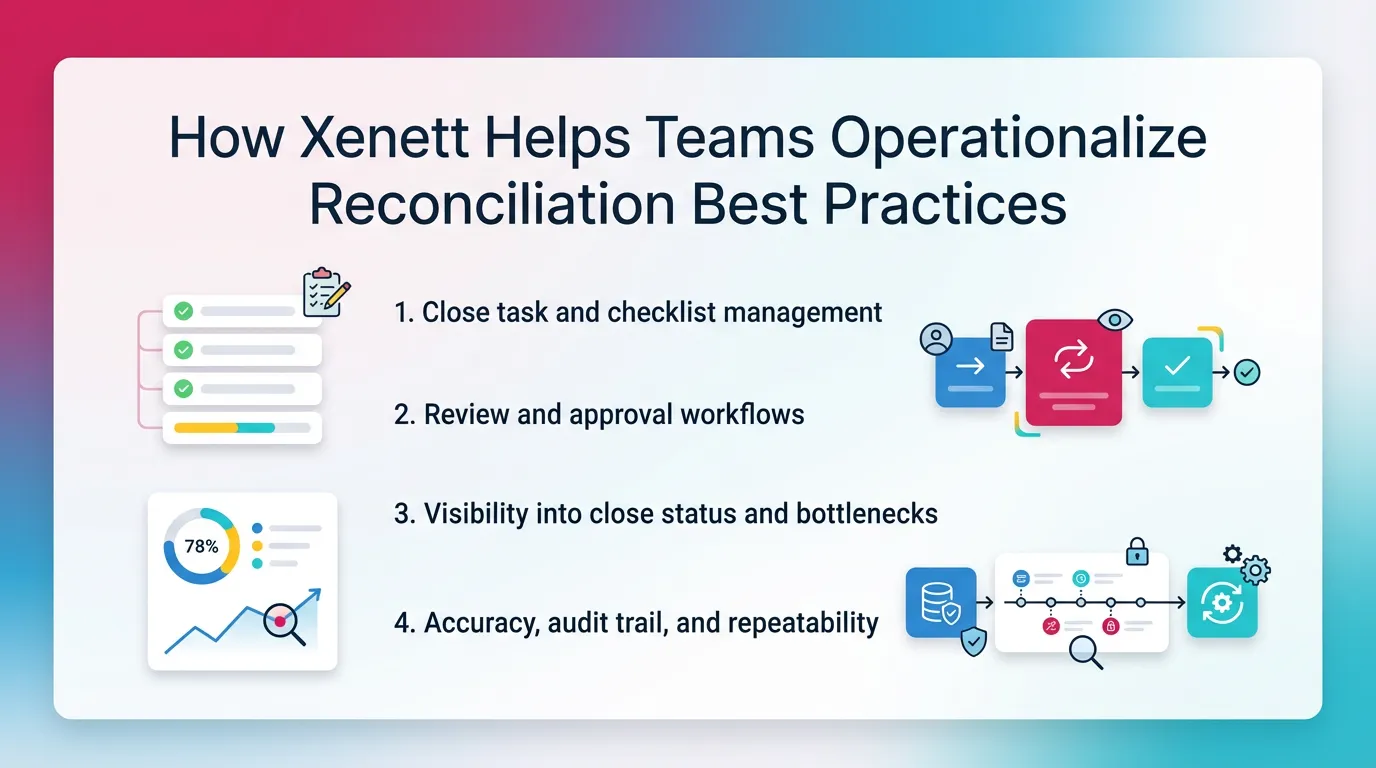
Xenett helps teams run reconciliations as a managed close process.
It acts as an operational layer for execution and review.
- Close task and checklist management: Xenett structures recurring
reconciliation tasks by account and period. This reduces reliance on
memory and personal trackers. - Review and approval workflows: Xenett routes work from preparer to
reviewer with consistent sign-off steps. This reduces drift in standards. - Visibility into close status and bottlenecks: Xenett shows which
reconciliations are complete and which have open issues. This reduces
chasing updates in chat and email. - Accuracy, audit trail, and repeatability: Xenett centralizes notes,
explanations, and supporting files. This makes reconciliations easier
to repeat next month with the same logic.
Xenett stays review-first and AI-assisted, not AI-led.
AI can reduce setup friction and help spot flux.
Accountants keep judgment and final approval.
You can see how teams structure close execution here: Month End Close
You can also review how Xenett supports review workflows here: Reviews
Reminder: Xenett is not an audit tool. It does not provide audit services.
Use it for close, reconciliation execution, and review management.
FAQ: Account Reconciliation
What Is Account Reconciliation?
Account reconciliation is the process of comparing a general ledger account balance to an independent source (like a bank statement or subledger report) and resolving or explaining any differences.
What Is an Example of Account Reconciliation?
A common example is bank reconciliation, where the cash balance in the general ledger is matched to the bank statement, with differences explained by items like deposits in transit, outstanding checks, or bank fees.
What Are the Steps in Account Reconciliation?
Gather records, compare GL to the source, identify discrepancies, investigate and correct differences, then document the reconciliation and obtain review/approval.
What Is Balance Sheet Account Reconciliation?
Balance sheet account reconciliation is proving that an ending balance sheet account balance (like prepaid expenses or accrued liabilities) is correct by tying it to supporting schedules, rollforwards, or third-party statements.
How Do You Do Balance Sheet Reconciliation?
Start from the prior reconciled balance, tie current-period activity to support, explain reconciling items, and document the final support so the ending balance can be defended and repeated next period.
What Is Control Account Reconciliation?
Control account reconciliation is confirming that a control account in the general ledger (like AR or AP) matches the total of the related subsidiary ledger (customer or vendor detail).
How Often Should Accounts Be Reconciled?
Most key accounts are reconciled monthly, but high-volume or high-risk accounts (like cash) may be reconciled weekly or even daily.
What’s the Difference Between Bank Reconciliation and General Ledger Reconciliation?
Bank reconciliation compares the cash GL balance to the bank statement. General ledger reconciliation compares any GL account to its supporting detail (subledger, schedule, or third-party record).
Do I Need Account Reconciliation Software?
Not always. Spreadsheets can work at small scale, but software becomes useful when volume increases and you need consistent review standards, clearer ownership, and better tracking of exceptions.
Definition: Account reconciliation compares a GL balance to independent
support and resolves or explains differences.
5-step process:
- Gather source documents.
- Compare GL to source.
- Identify differences.
- Investigate and correct.
- Document and approve.
Top 5 best practices:
- Start with high-risk accounts.
- Use standard templates.
- Age recon items and enforce cleanup.
- Separate preparer and reviewer.
- Fix root causes, not just balances.
3 common errors:
- Wrong source date.
- Stale recon items.
- Unsupported balances.
Conclusion
Account reconciliation works when you treat it like a control, not a chore.
Prove each balance. Explain each difference. Document so others can follow.
If you want to tighten your close, start small.
Pick your highest-risk accounts. Standardize the template. Enforce aging.
Then add consistent review and visibility as you scale.
If you manage close work across a team, map your reconciliations into a
single close checklist. Keep ownership clear. Keep support centralized.
That is where tools like Xenett can help keep execution consistent.