
Accurals + AI
Automate prepaid, payroll, and deferred revenue accruals with ease.
Xenett’s AI keeps entries accurate, highlights issues early, and helps you close faster.

Accruals Features
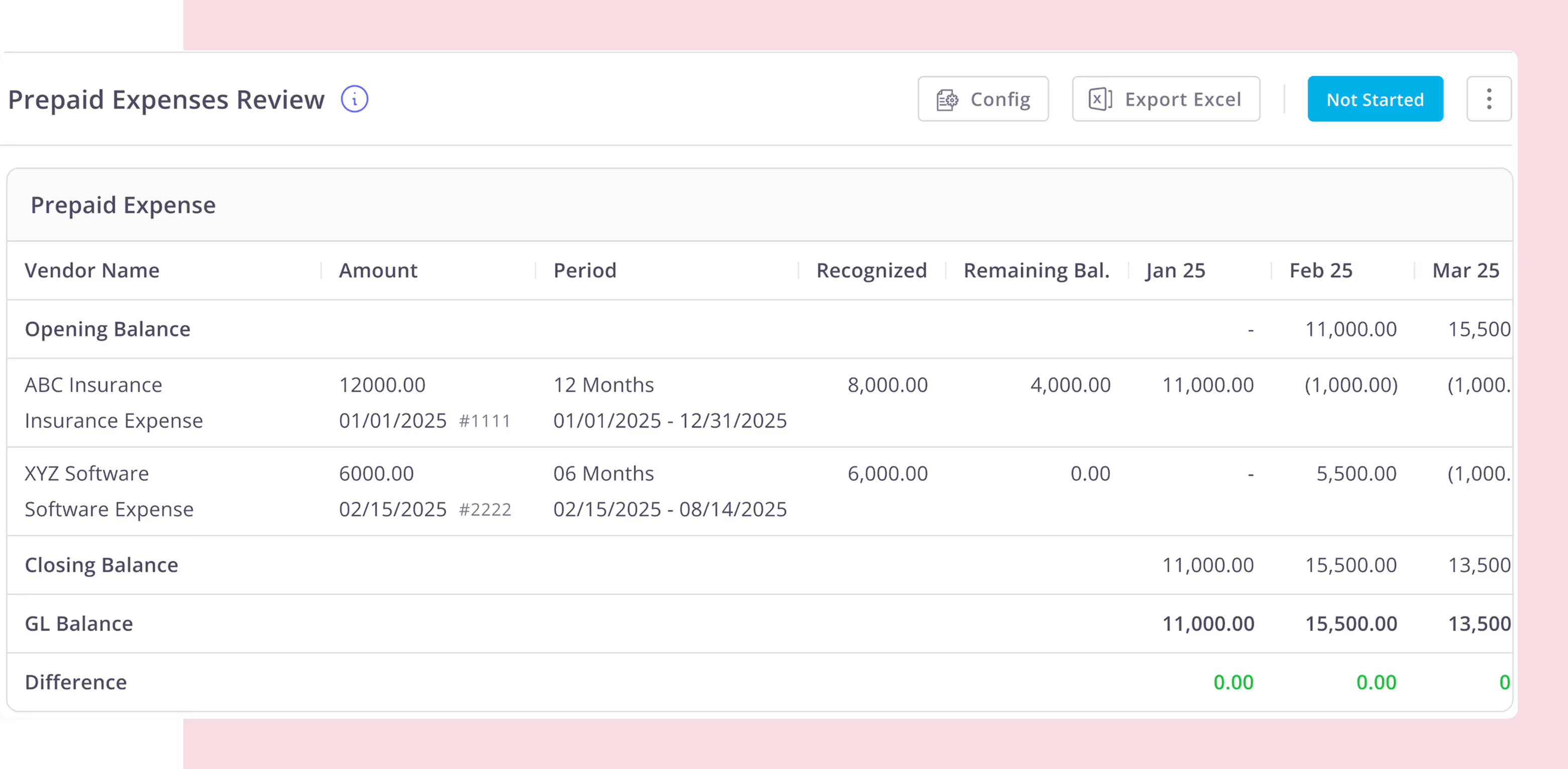
Prepaid Expense Automation
- Automatically identifies prepaid expenses from transactions
- Creates prepaid entries and reversals instantly
- Builds and maintains prepaid amortization schedules
- Posts monthly expense recognition entries automatically
- Keeps prepaid balances reconciled with the GL
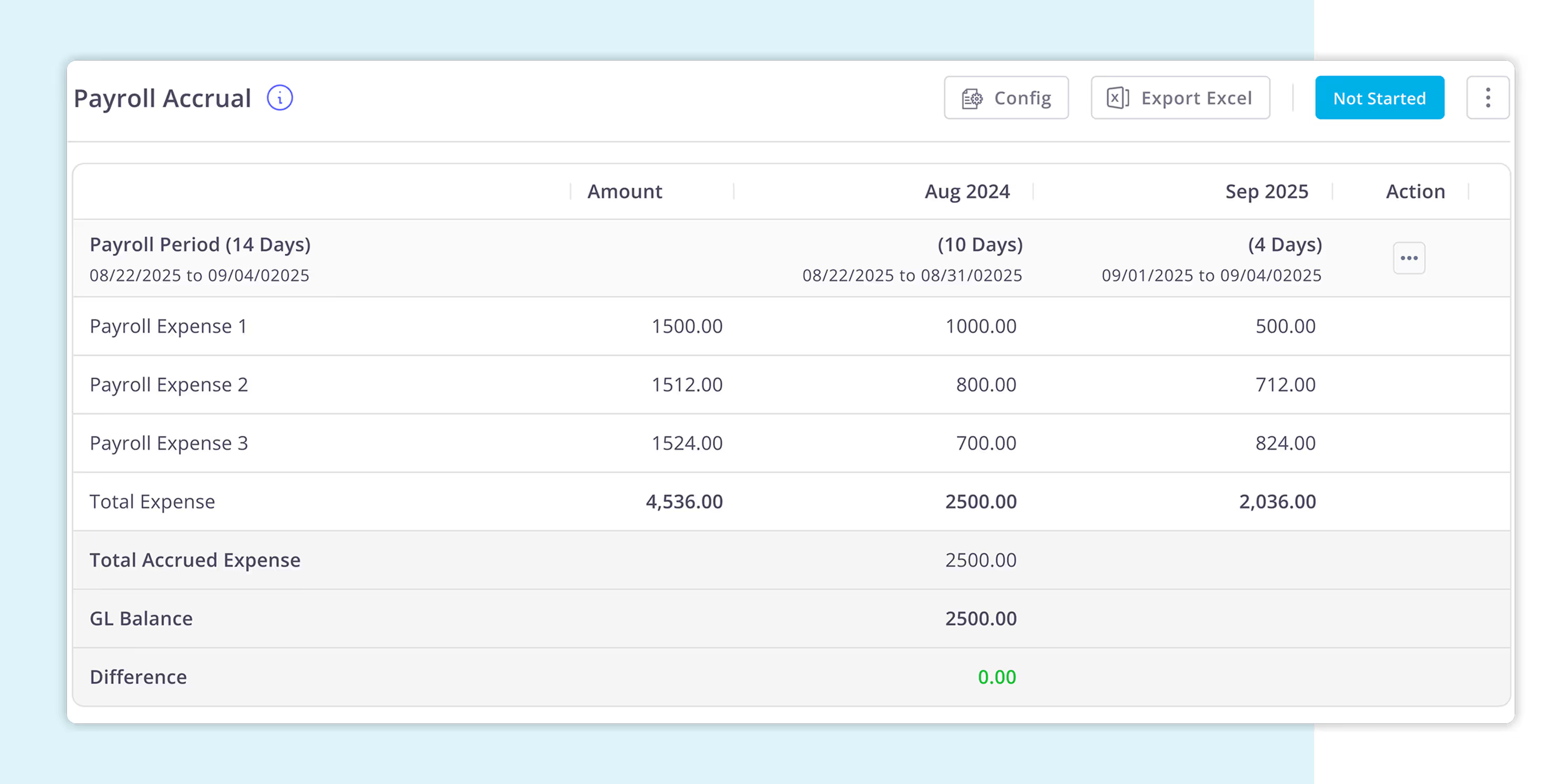
Payroll Accurals Automation
- Automatically splits payroll across months
- Creates accrual and reversal entries for you
- Uses payroll dates from your memo, no extra steps
- Keeps payroll expenses aligned with your GL
- Eliminates spreadsheets and manual adjustments
Missing Entries Accruals
- Never miss recurring monthly entries again.
- Spot missing vendor expenses in seconds, no Excel needed.
- Create accrual journal entries directly from Xenett.
- Turn recurring checks into a simple close review point.
- Close faster with fewer last-minute adjustments.
- Works smoothly with QuickBooks Online and Xero.
.avif)
Automate Workflows With Recurring Projects
You can now use the automate the recurring project feature to set work that you do regularly to recur at set timelines automatically. Reduce manual work and embrace accounting workflow automation with Xenett.


Manage Multiple Projects
Easily create and manage multiple projects. Whether it’s clean-up, close, Onboarding or migration, keep everything organized and in one place so you can focus on what matters most and get more done.
Board View
Bring Together Every Step of Your Accounting Workflow From Review to Reporting Into One Powerful, Unified Dashboard.

Automate prepaid, payroll, and revenue accruals while AI scans for missing entries and anomalies.
Get StartedAI Flux Analysis
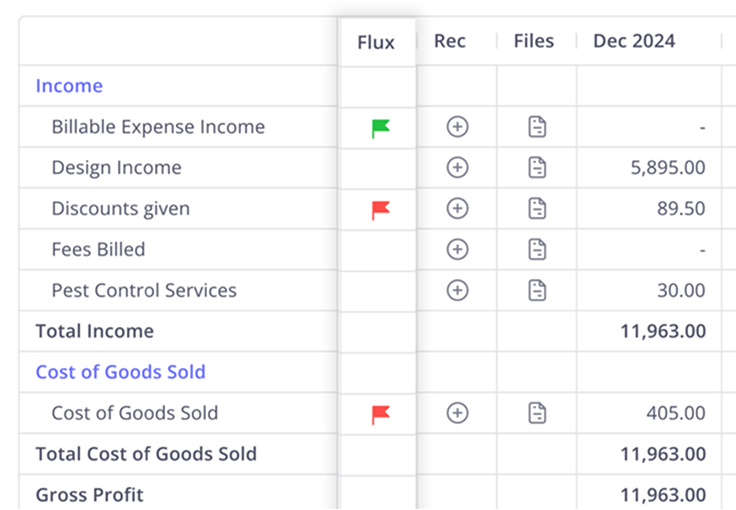
AI flux analysis automatically reviews period-over-period changes and flags unusual or unexplained variances. This helps finance teams focus on real issues instead of manual report comparisons.
Automated Recs for Clearing Accounts
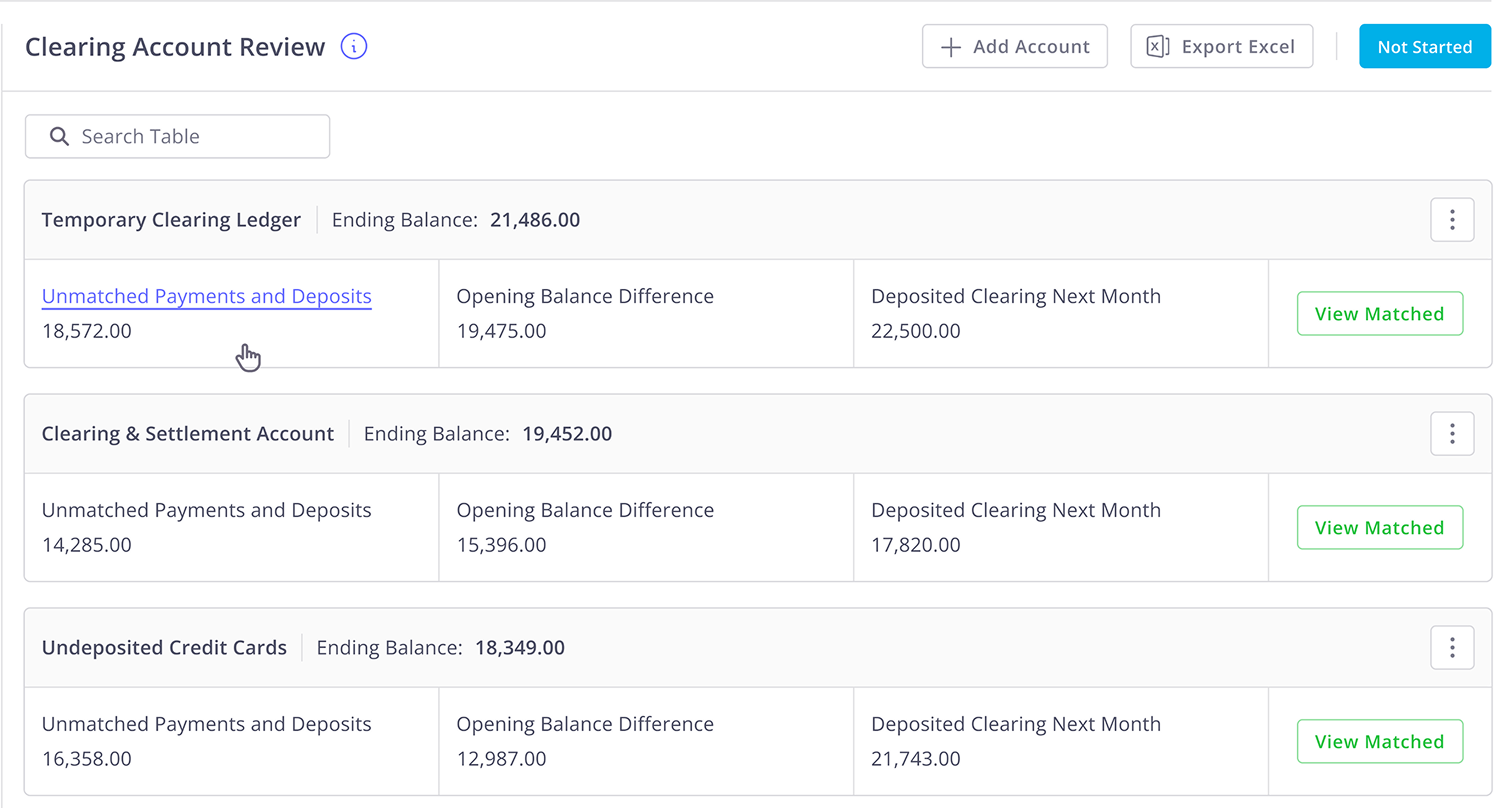
Xenett automatically matches clearing account transactions and flags exceptions instantly. This prevents balances from rolling forward and keeps reconciliations fast, accurate, and audit-ready... without spreadsheets.
Deferred Revenue Automation
Xenett automatically detects deferred revenue transactions, builds month-by-month recognition schedules, and posts all journal entries for you. Your liability balance stays reconciled every close...without a single manual schedule.

The advantages that you enjoy!

Better control and visibility
Enhanced task management
Organize everything in one place
Better focus on high-priority work
%20White.svg)
.svg)


.svg)