.svg)

Robust Financial Close Process: Steps, Controls & Framework
.jpg)
Ask questions, get summaries, or uncover key takeaways from this article.
Blog Summary / Key Takeaways
- A robust financial close process goes beyond checking tasks off a list — it runs on clear ownership, documented evidence, and review gates that ensure "closed" also means "defensible" every single period.
- The 9-step close sequence always follows the same order — balance sheet reconciliations before P&L flux review — because fixing balance sheet integrity first prevents chasing variances that disappear once postings are corrected.
- Financial close controls exist to prevent five specific risks: accuracy, completeness, authorization, cutoff, and auditability — and each control should map to a risk, an owner, and a piece of evidence.
- Most close problems repeat because teams treat them as "this month was messy" instead of fixing the root cause — the real fix is a cutoff rule, a reconciliation cadence, a review threshold, or an ownership change.
- Xenett supports a review-first close by surfacing account-level anomalies, reconciliation gaps, and unusual flux earlier in the cycle — then routing findings to owners and tracking resolution until accounts clear, not just until tasks complete.
Robust Financial Close Process: Steps, Controls & Framework
Month-end should not feel like a fire drill. Yet many teams still find issues late, reopen closed periods, and redo work because reviews are inconsistent.
A robust financial close process fixes that. It gives you repeatable steps, clear ownership, and review gates that stop problems before they hit your reporting pack.
This guide lays out the steps, the framework behind them, and the controls that make your close defensible. It also shows what changes at year-end, how to remove common bottlenecks, and how to evaluate tools without buying noise.
At-a-Glance Jump Links: Steps • Framework • Month-End vs Year-End • Controls • Challenges • Best Practices • Year-End Add-Ons • Tools • FAQ • Conclusion
Quick Answer: Robust Financial Close Process
A robust financial close process is a repeatable system for finalizing a period with clear owners, documented evidence, and review gates. It includes standard steps, reconciliations with sign-off, journal entry support and approvals, flux explanations, and a period lock. The result is fewer late surprises, fewer reopened periods, and more reliable reporting.
What Is a Financial Close Process? (And What "Robust" Actually Means)
A financial close process is how you finalize a reporting period so the general ledger is complete, accurate, and ready for decisions. A robust financial close process adds governance, evidence, and review discipline so "closed" also means "defensible."
You already know what closing the books means. What usually breaks is not the posting. It is the review. Teams rush to deliver statements, then find reconciliation gaps, missing entries, or unexplained flux after the fact.
Financial close process is defined as the set of activities that move transactions from subledgers into the general ledger, reconcile key accounts, record adjusting entries, and finalize reporting for a period with documented support and approvals.
Robust vs "just getting it done" comes down to quality signals you can measure. For example:
- You close the same way every period, not based on who is available.
- You retain support for journal entries and reconciliations in one place.
- A reviewer signs off before you move to the next gate.
- You see fewer late journal entries and fewer reopened periods.
Your close outputs should prove three things: balance sheet integrity, P&L reasonableness, and audit-ready support. That means completed reconciliations with sign-off, adjusting entries with documentation and approval, explained flux, and a finalized reporting pack.
If you want a deeper view of how teams structure close governance, see this guide on close management software.
Financial Close Process Steps (Month-End Close Steps You Can Reuse All Year)
The financial close process steps stay simple when you run them in the same order every time. You reduce rework because you stop starting "review" before inputs and reconciliations are actually ready.
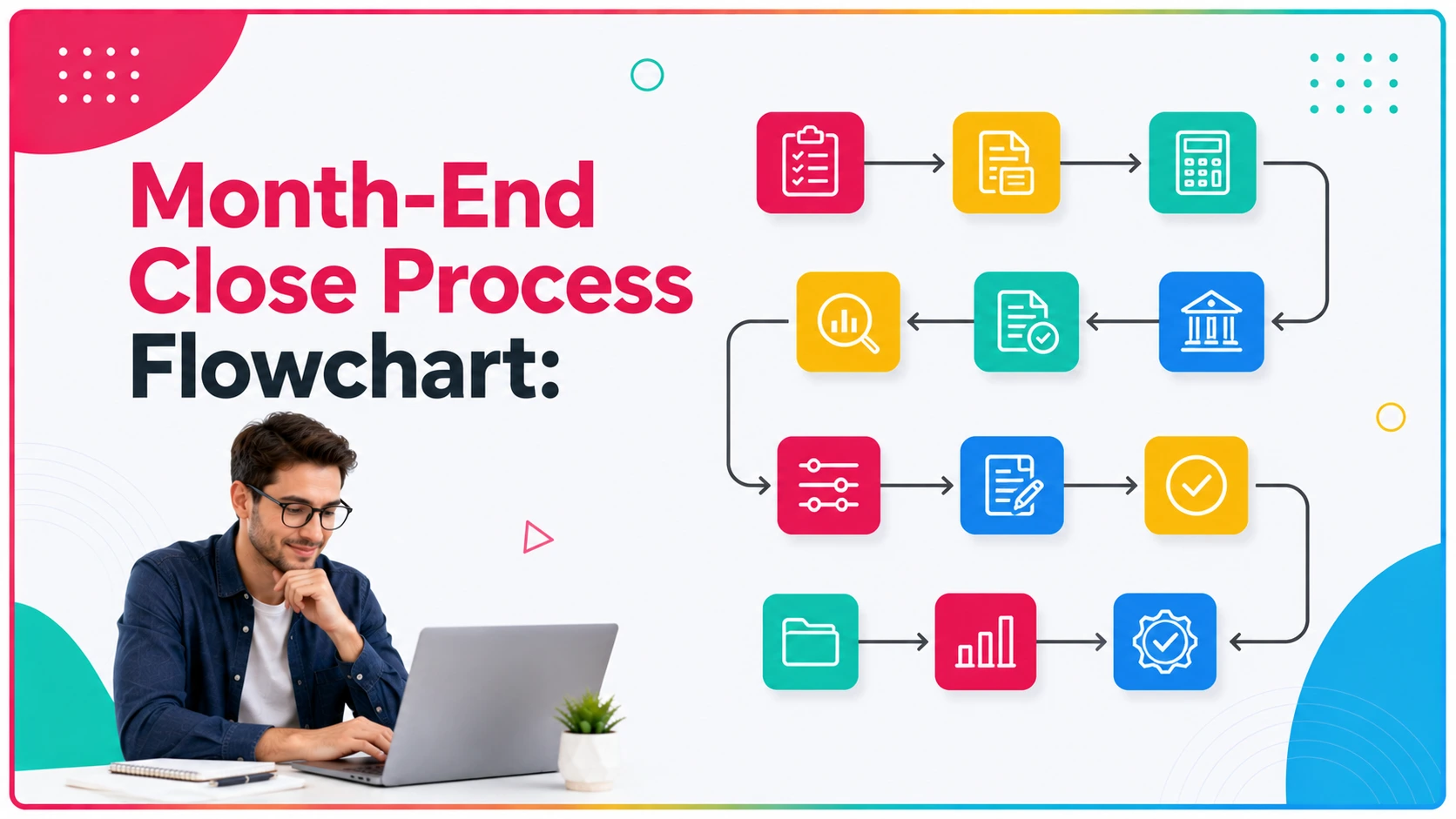
Below is a 9-step accounting close process you can reuse for month-end, quarter-end, and year-end. The order matters. It prevents you from explaining variances that disappear once you fix the balance sheet.
The 9-Step Financial Close Process
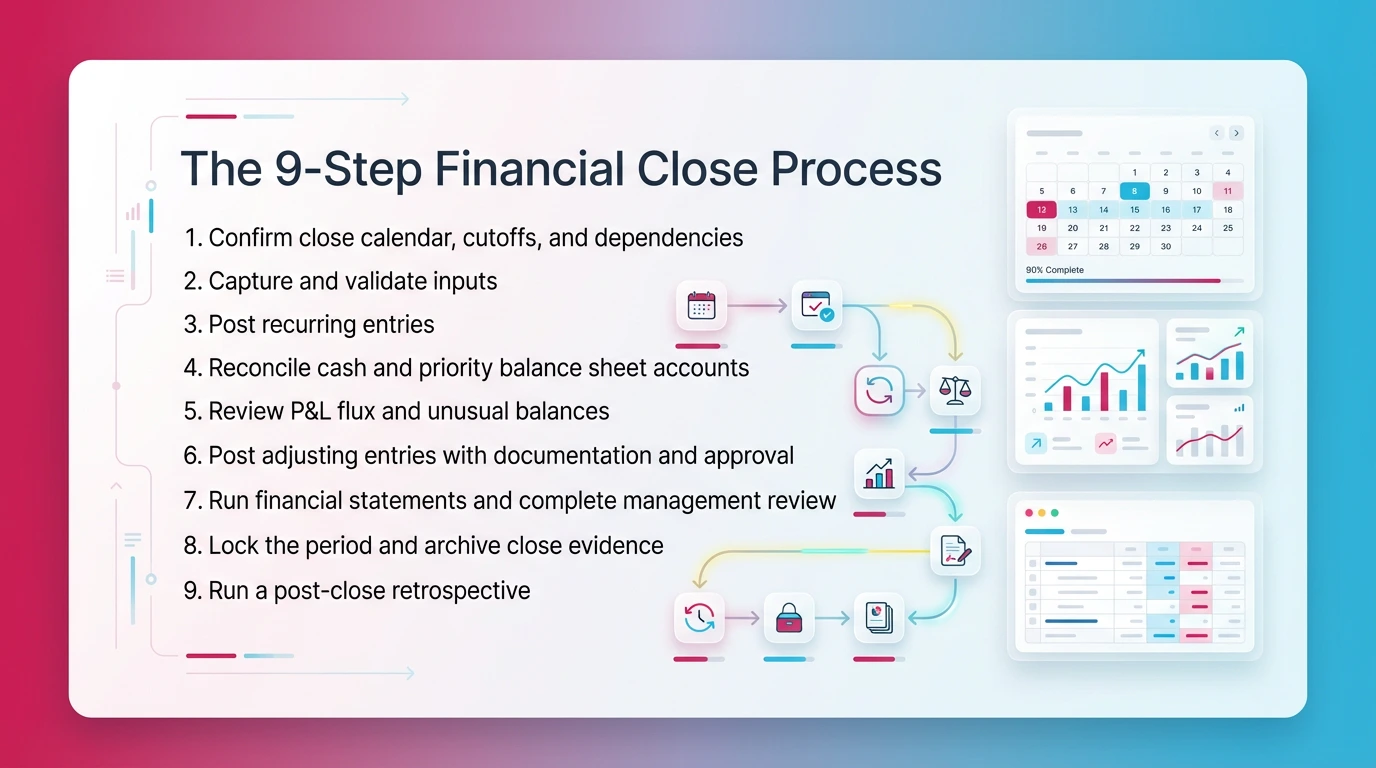
- Confirm close calendar, cutoffs, and dependencies
Define what is "in" and what is "next period." Confirm payroll dates, billing timing, inventory cutoffs, and bank feed status. - Capture and validate inputs (bank feeds, subledgers, payroll)
Check that integrations ran. Validate completeness. Confirm key subledger totals tie to expectations. - Post recurring entries (depreciation, amortization, accrual templates)
Use standard templates. Keep support consistent. Do not reinvent entries each month. - Reconcile cash and priority balance sheet accounts
Start with cash. Then clearings, payroll liabilities, debt, deferred items, and intercompany. - Review P&L flux and unusual balances (account-level review)
Apply thresholds. Look for accounts that behave differently than expected. - Post adjusting entries with documentation and approval
Attach support. Get reviewer approval. Track who approved and when. - Run financial statements and complete management review
Finalize the reporting pack. Document key explanations and risks. - Lock the period and archive close evidence
Restrict edits. Store reconciliations, approvals, and narratives together. - Run a post-close retrospective (issues, root causes, fixes)
List what caused delay. Fix the system, not the month.
Pre-Close vs Close vs Post-Close
Where most teams lose time is predictable. Late inputs create downstream rework. Reconciliation backlogs hide issues until the end. Review bottlenecks pile up because only one person knows what "good" looks like. Missing support slows approvals.
For a checklist companion you can align to these steps, use the month-end close checklist.
A Practical Financial Close Framework (Phases, Gates, and Ownership)
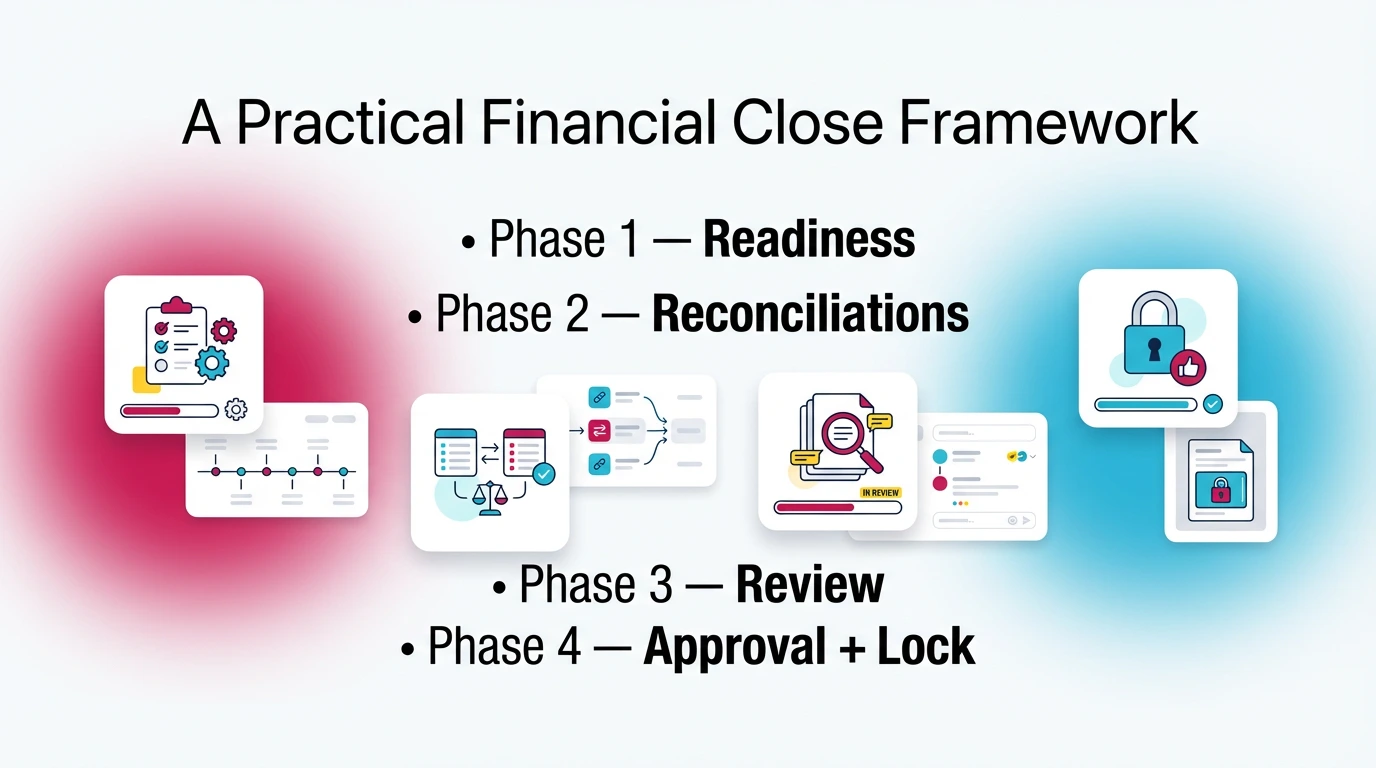
A financial close framework is the operating model behind your checklist. It defines phases, gates, and ownership so work moves forward because accounts are validated, not because tasks are checked off.
You can run the same steps every month and still get inconsistent results if gates are fuzzy. A framework fixes that. It answers: "What must be true before we move on?"
Phase 1 — Readiness (Inputs Complete)
Start by enforcing cutoffs and intake rules. If payroll posts late, you build that dependency into the calendar. If your billing system exports on day two, your review should not start on day one.
Define "inputs complete" for each source. For example: bank feeds updated, bill pay synced, payroll posted, inventory adjustments recorded, and revenue system exports validated.
Phase 2 — Reconciliations (Balance Sheet Integrity)
Next, protect the balance sheet. Prioritize accounts that create downstream noise:
- Cash and undeposited funds
- AR and AP aging ties
- Clearing accounts
- Payroll liabilities
- Loans and interest
- Deferred revenue and prepaid expenses
- Intercompany, if applicable
If these are wrong, your P&L review becomes guesswork.
Phase 3 — Review (Variance and Reasonableness)
Now you apply account-level review rules. Use flux thresholds and "expected behavior" by account. For example, payroll tax expense should follow payroll. A software expense account should not spike without a contract change.
Document conclusions, not just notes. Capture what you reviewed, what you found, and why you cleared it.
Phase 4 — Approval + Lock (Governance)
Finally, require sign-off before lock. Store evidence. Lock the period. If you need a post-close entry, use change control. Track who requested it, who approved it, and why it could not wait.
Ownership Model (RACI-Lite)
Keep it simple: Preparer, Reviewer, Approver. Then add cross-functional owners for inputs like payroll, sales ops, and inventory.
Close is done when:
- All priority reconciliations show reviewer sign-off
- Material flux has an explanation you can repeat next month
- Adjusting entries include support and approval
- Reporting pack is finalized and reviewed
- Evidence is archived and the period is locked
Month-End Close vs Year-End Close (What Changes, What Doesn't)
Month-end close and year-end close use the same backbone. Year-end expands documentation, scrutiny, and external requests, but it should not force a brand-new process.
If year-end feels completely different, your month-end controls are not strong enough. You end up rebuilding schedules, chasing support, and explaining variances under pressure.
Comparison Table
What Stays the Same
The steps stay the same. The controls stay the same. The review logic stays the same. You still reconcile first, then review flux, then approve, then lock.
What Expands at Year-End
Year-end usually adds more schedules and formal requests. You may see revenue recognition testing, fixed asset rollforwards, debt confirmations, legal letter coordination, and deeper support for reserves and accruals.
You also need clearer retention rules. Auditors and tax preparers will ask for the same support again next year. If you cannot find it quickly, you pay for it in time and stress.
For a dedicated walkthrough of year-end planning and execution, see this guide.
Financial Close Controls (What Makes the Close Defensible)
Financial close controls make your close defensible because they reduce risk and create evidence. They prove accuracy, completeness, authorization, cutoff, and auditability.
Without controls, you can still close fast. You just cannot trust the result. That is when you see reopened periods, late corrections, and reviewer disputes over what "done" means.
Control Objectives (Tie to Risks)
Controls map to common risks:
- Accuracy risk: wrong coding, wrong amounts
- Completeness risk: missing transactions, missing accruals
- Authorization risk: unapproved journal entries
- Cutoff risk: transactions in the wrong period
- Auditability risk: no evidence, no trail, no sign-off
Examples of Core Close Controls (Practical)
Standardize these controls first:
- Reconciliations prepared and independently reviewed with sign-off
- Journal entry approval workflow with required backup attached
- Segregation of duties for cash and payments
- Access controls and period lock after approval
- Flux thresholds and documented explanations for variances
Evidence Standards (What "Good" Looks Like)
Evidence is what you retain to prove the work. Keep it consistent:
- Reconciliation files and tie-outs
- Reviewer sign-offs and timestamps
- Journal entry support and approval
- Variance explanations tied to accounts
- Close checklist completion with owner names
- Audit trail of edits and reclass activity
Top 7 close controls to standardize:
- Cash reconciliation with independent review
- Clearing account policy and monthly clearing
- JE support requirement (no support, no post)
- JE approval and posting permissions
- Flux review thresholds by account type
- Period lock policy and access rules
- Post-close change control and log
Optional Close Controls Matrix:
For a practical breakdown of close issues and how teams fix them, see this guide.
Common Financial Close Challenges (And the Fix That Actually Works)
Most close problems repeat because teams treat them as "this month was messy." The real fix is a prevention mechanism: a cutoff rule, a control, a review standard, or an ownership change.
If you want a faster close, do not start by pushing people harder. Start by stopping avoidable rework. Rework usually comes from late inputs, weak reconciliations, and inconsistent review.
Late or Inconsistent Inputs → Fix: Cutoffs + Intake Workflow
Late inputs create fake variance work. Set clear cutoffs by source. Use an intake checklist that confirms each dependency is complete. Escalate when a dependency misses the cutoff. Do not "work around it" silently.
Reconciliation Backlog → Fix: Recon Cadence + Ownership
Backlogs happen when reconciliations only happen at close. Move key balance sheet accounts to a weekly cadence. Assign owners per account group. Track completion and review, not just prep.
Flux Surprises → Fix: Account-Level Review Rules + Thresholds
Flux surprises show up when review is unstructured. Define review rules. Set thresholds by account type. For example, payroll expense gets a lower threshold than office supplies. Require a written explanation for anything over threshold.
Manual JEs + Missing Support → Fix: Approval + Evidence Requirements
Missing support kills reviewer time. Require support before posting. Enforce approval routing. Standardize templates for accruals, deferrals, and reclasses. That reduces debate and speeds review.
Review Depends on One Person → Fix: Standard Review Checklists + Escalation Rules
If one senior reviewer is the system, you will bottleneck. Use a standard review checklist that junior reviewers can follow. Add escalation rules for exceptions. You protect quality and remove heroics.
Financial Close Best Practices to Improve Close Quality (Without Extending Close Days)
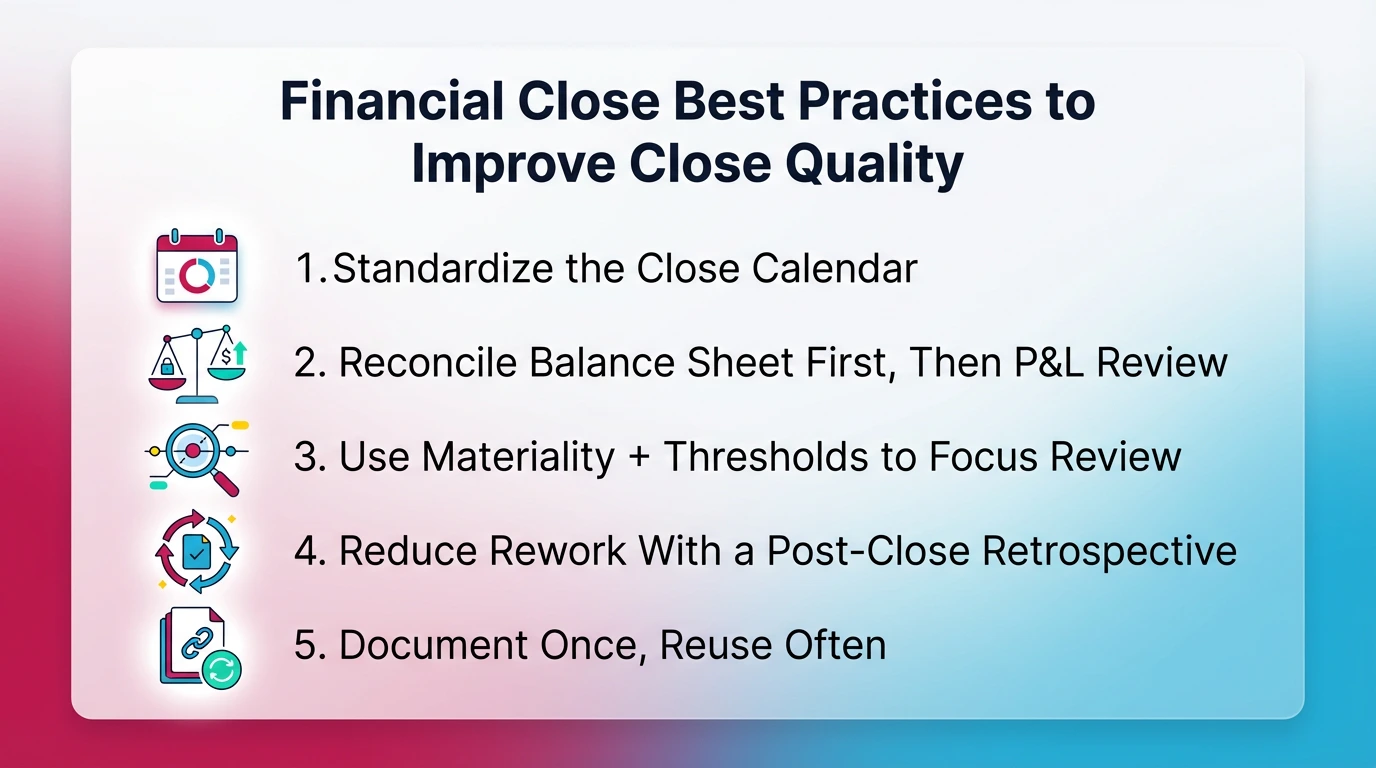
You improve close quality by tightening standards, not by adding steps. The goal is fewer surprises, fewer late adjustments, and less time spent explaining noise.
If your close takes longer after "improvements," you likely added review work without fixing the balance sheet first. Sequence and thresholds matter.
Standardize the Close Calendar (And Publish It)
Publish one calendar with owners and dependencies. Include sign-off timing, not just due dates. If payroll is late, show it. If bank recs must complete by day two, name the owner and reviewer.
A good calendar prevents quiet delays. It also gives you a clean escalation path.
Reconcile Balance Sheet First, Then P&L Review
Always protect balance sheet integrity first. When cash, clearing, payroll liabilities, and debt are right, P&L flux becomes clearer. You waste less time chasing variances caused by misposted balance sheet items.
Use Materiality + Thresholds to Focus Review
Define thresholds by account category. Do not review immaterial noise. Require explanations only when a change crosses the threshold or breaks expected behavior.
For example:
- Revenue and payroll: tighter thresholds
- Operating expenses: moderate thresholds
- Small spend accounts: higher thresholds
Reduce Rework With a Post-Close Retrospective
Run a short retrospective every close. List the top three causes of delay. Assign a fix. Track whether it worked next month. This is how you improve without adding headcount.
Document Once, Reuse Often (Templates)
Standardize templates for reconciliations, JE support, and review notes. Your goal is consistency across preparers and clients. Templates make review faster because reviewers know where to look.
Year-End Close Add-Ons (Audit-Ready Without Panic)
Year-end goes smoothly when you start earlier and standardize support. You do not need a new process. You need better packaging and earlier testing.
Think of year-end as month-end with more stakeholders and stricter evidence. If you treat it as a separate event, you will chase documents in January and explain decisions you made in May.
Pre-Year-End Planning Checklist (60–90 Days Out)
Start 60–90 days out with a short plan:
- Update the year-end calendar and lock dates.
- Confirm accounting policies that drive big judgments.
- Review schedules that auditors always request.
- Validate that support standards are consistent across accounts.
- Confirm retention rules and where evidence lives.
Interim Reviews (Test Early)
Interim reviews prevent last-minute corrections. Focus on areas that create year-end pain:
- Revenue recognition touchpoints and cutoffs
- Payroll liabilities and bonus accrual logic
- Fixed assets and depreciation methods
- Debt covenants and classification issues, if applicable
Audit Prep Pack (Checklist)
Organize an audit prep pack by account area:
- Cash: bank statements, reconciliations, restricted cash support
- AR: aging, allowance logic, significant customer balances
- AP: aging, subsequent payments, accrued expenses support
- Payroll: filings, liability reconciliations, bonus plans
- Fixed assets: rollforward, disposals, depreciation detail
- Debt: statements, amortization schedules, covenant calcs
- Equity: cap table changes, distributions, minutes
- Revenue: contracts, schedules, cutoff support
- Taxes: provision support, filings, deferred tax detail
Final Lock + Retention Policy
Lock the year when approvals finish. Then store the full evidence pack with a consistent naming scheme. Set retention based on your compliance needs and advisor guidance. The key is findability. If you cannot retrieve it fast, you will recreate it.
If you want a focused guide on how to streamline the year-end close, see this resource.
Tools That Support a Robust Financial Close (Automation Where It Matters)
Tools support a robust financial close process when they improve visibility, enforce approvals, and capture evidence. Tools fail when they only add checklists without improving account-level review.
You should buy software to remove friction in intake, routing, and evidence capture. You should not buy software expecting it to replace accounting judgment.
What to Automate vs What to Keep as Judgment
Automate:
- Input collection and reminders
- Task routing based on dependencies
- Evidence capture and storage
- Exception surfacing (unusual balances, missing recs)
- Approval workflows and audit trails
Keep as judgment:
- Materiality decisions
- Review conclusions and explanations
- Policy elections and estimates
- Final sign-off decisions
Tool Selection Criteria (Decision Lens)
Use this decision lens when evaluating close tools:
- Audit trail: can you see who changed what and when?
- Approvals: can you enforce reviewer sign-off?
- Integrations: does it connect to QBO or Xero cleanly?
- Review visibility: can you see account status, not just tasks?
- Evidence storage: can you attach support to JEs and recons?
- Permissions: can you restrict posting and lock periods?
- Exportability: can you export packs for audit and tax?
Pros and Cons of Close Automation Tools (General)
Pros:
- Fewer manual handoffs and fewer missed steps
- Cleaner evidence trails and faster approvals
- Better visibility into bottlenecks and ownership
- Earlier detection of exceptions if review is built in
Cons:
- Poor implementations add steps and slow teams down
- Checklist-only tools can hide bad accounts behind "complete"
- Weak integrations create duplicate work
- Over-automation can push you into false certainty
Who Should Buy Close Support Software
You should consider buying when:
- You reopen periods more than rarely.
- Reconciliations complete late.
- Flux review happens at the end.
- Review standards vary across reviewers or clients.
- Evidence lives in email, Slack, and personal drives.
Who Should Not Buy Yet
Wait if:
- You do not have basic cutoffs or a close calendar.
- You cannot assign clear owners for key accounts.
- Your team cannot agree on thresholds and sign-off rules.
Dealbreakers
Walk away if a tool cannot:
- Enforce approvals and capture evidence
- Support period lock workflows
- Provide a clear audit trail
- Integrate with your GL environment without fragile workarounds
Pricing Clarity (What to Expect)
Most close tools price by users, entities, or workflow volume. Some price by client count for firms. You should ask for a pricing model you can scale without surprise fees.
If pricing is opaque or changes after implementation, treat that as risk.
Switching Guidance (Low-Drama Migration)
Switching goes better when you migrate in phases:
- Start with one close cycle and one entity or a small client group.
- Standardize templates and thresholds before you import tasks.
- Require evidence attachment rules from day one.
- Run parallel for one month if needed.
- Lock the old process once the new evidence pack is stable.
Setup Checklist
- Connect systems and validate data flow.
- Define your close calendar and dependencies.
- Assign owners for priority balance sheet accounts.
- Set flux thresholds by account type.
- Document evidence standards for recons and JEs.
- Define approval routing and escalation rules.
- Schedule retrospectives and track recurring issues.
Real-world example:
If you always lose two days waiting on payroll, move payroll posting into a fixed cutoff. Then gate your close. You do not start P&L flux review until payroll liability rec is reviewed and signed off. That one change usually removes repeat rework.
How Xenett Can Help (When You Need More Review Discipline)
Xenett helps when your close breaks at the review layer, not the checklist layer. It supports a review-first approach by surfacing account-level findings and then tracking the resolution work until the accounts make sense.
This matters because tasks can be "complete" while accounts stay wrong. You need review to drive the workflow, not the other way around.
Signals Your Current Close Process Needs Stronger Review Discipline
You likely need stronger review discipline when:
- Reconciliations complete late or sit unreviewed.
- You catch flux surprises after statements go out.
- Reviewer standards vary across team members or clients.
- Cleanup repeats every month in the same accounts.
- You rely on one senior person to spot issues.
Where Xenett Fits in the Close (Review Findings → Resolution)
Xenett focuses on account-level review of the P&L and balance sheet. It helps you surface anomalies, missing entries, reconciliation gaps, and unusual flux earlier.
Then it supports routing and tracking the resolution work. You can assign findings to an owner, attach support, document the conclusion, and keep an evidence trail tied to the account behavior.
Xenett uses AI in an AI-assisted way. It can help reduce setup friction and help interpret patterns. It does not replace your judgment.
When "Checklist-Only" Close Management Breaks Down
Checklist-only systems fail when they treat close as task completion. You see "done" while clearing accounts still hold balances or cash recs lack sign-off.
A review-driven approach fixes that. You close because the accounts clear gates, not because the list is checked.
If you want to explore review-first close improvement in a QBO or Xero firm context, see our guides on close management software and how to streamline the year-end close.
FAQ: Robust Financial Close Process
What Are the Steps in the Financial Close Process?
A strong financial close process follows a repeatable sequence: confirm cutoffs, collect inputs from subledgers, post recurring entries, reconcile key balance sheet accounts, review P&L flux, post adjusting entries with support and approvals, run statements for review, lock the period, and complete a post-close retrospective.
What Makes a Robust Financial Close Process "Robust"?
A robust financial close process is defined by consistency and evidence. It has standardized steps, clear preparer/reviewer/approver ownership, documented financial close controls, and review gates that prevent late surprises. The outcome is fewer reopened periods, cleaner audit support, and more reliable reporting you can explain.
What Are the Most Important Financial Close Controls?
Core financial close controls include reconciliations prepared and independently reviewed, journal entry approvals with required backup, segregation of duties for cash and payments, restricted access and period locks, and variance thresholds with documented explanations. Together, these controls support completeness, accuracy, authorization, cutoff, and auditability.
How Do You Improve the Financial Close Process Without Adding Headcount?
Most close improvement comes from standardization and earlier detection. Tighten cutoffs, set a reconciliation cadence, define flux thresholds by account type, require support for all adjusting entries, and run a short post-close retrospective. Automation helps most when it surfaces exceptions early and routes resolution to the owner.
What's the Difference Between Month-End Close and Year-End Close?
Month-end close prioritizes timely internal reporting and repeatability. Year-end close expands documentation depth, external stakeholder needs (audit and tax), and formal approvals. The accounting close process steps stay similar, but year-end adds more schedules, confirmations, and evidence retention to support auditability and reduce follow-up requests.
What Is a Financial Close Framework?
A financial close framework is the operating model behind the checklist. It defines phases (readiness, reconciliations, review, approval/lock), the gates to move between phases, control requirements, and ownership roles. A framework turns close from heroics into a governed system that can scale across teams or clients.
How Can Software Support a Strong Financial Close Process?
Close software supports a strong financial close process by enforcing approvals, capturing evidence, and making review status visible. It works best when it improves account-level review by highlighting unusual balances, unexpected flux, and reconciliation gaps, then tracking resolution work to completion before the period is locked.
What Should Be Considered "Done" Before You Lock the Period?
"Done" means more than tasks completed. Inputs are final, priority reconciliations are complete with review sign-off, material flux is explained, and all adjusting entries include support and approval. The reporting pack is reviewed, evidence is archived, and access is restricted before you lock the period.
Conclusion
A robust financial close process gives you predictable results because it runs on gates, ownership, and evidence. You stop relying on memory and late nights. You start relying on standards you can repeat.
Key takeaways:
- Run a consistent 9-step close sequence every period.
- Use a close framework with clear phases and gates.
- Reconcile the balance sheet before deep P&L flux review.
- Standardize financial close controls and evidence requirements.
- Improve the system each month with a short retrospective.
If you want to go deeper on close execution, start here:
Ready to close faster?
Try Xenett free →


.jpg)