
.svg)

Financial Close Automation Software for Accounting Firms: A Practical Guide

Ask questions, get summaries, or uncover key takeaways from this article.

Blog Summary / Key Takeaways
- Understand what financial close automation software does and where human judgment still matters.
- Learn which month-end close tasks can be automated and which require accountant review.
- Compare Xenett with Karbon, Financial Cents, and Keeper across key close automation features.
- Discover how to evaluate the right close automation tool for your firm.
- See how one firm reduced close time by 60% in just 90 days.
- Get a phased implementation plan you can start this month.
I talk to bookkeeping firm owners every week who are spending 8–12 days per client on month-end close. Not because the team is slow. Because the process has no automation layer.
Manual reconciliations. Accruals calculated in spreadsheets. Review happening in Slack. Sign-off tracked in email. Every month the same work, the same errors, the same scramble.
Financial close automation software changes that. But most of the tools in this category were built for corporate finance teams not accounting firms on QBO and Xero. This guide cuts through that, shows you exactly what to automate, what to look for in a tool, and how Xenett compares to the alternatives.
Quick Answer: Financial close automation software handles reconciliations, accruals, review routing, exception detection, and close-to-report workflows automatically so accounting firms close faster with fewer errors and a full audit trail. For QBO and Xero firms, the right tool is one built natively for your stack not adapted from a corporate finance platform.
What Is Financial Close Automation Software?
Financial close automation software standardizes and executes the repeatable parts of month-end close reconciliations, journal entries, review routing, exception handling, and reporting so your team focuses on judgment, not manual execution.
The key word is standardizes. Automation without standards just executes the same bad process faster.
For accounting firms, the right close automation tool does three things: catches errors before you close, routes review to the right person with the right evidence, and produces reports from validated numbers not manually rebuilt from scratch each period.
What Financial Close Automation Is NOT
- Automation is not closing faster by skipping review steps
- Automation is not a checklist tool that shows task status without evidence
- Automation is not "AI does the close" accounting judgment stays with the professional
- Automation is not a tool built for Fortune 500 companies that you adapt for your 30-client bookkeeping firm
Most tools marketed as financial close automation software were designed for large corporate finance teams using NetSuite, SAP, or Oracle. If you run a bookkeeping or CAS firm on QBO or Xero, those tools will not fit your workflow, your pricing model, or your clients.
What Can Be Automated in the Financial Close and What Cannot
Not everything in a close should be automated. The rule: automate consistency, routing, and proof. Do not automate judgment, variance explanations, or sign-off accountability.
What Still Requires Accountant Judgment Always
- Variance explanations that tie to real business activity not just 'timing'
- Write-off decisions, reserve adjustments, and materiality calls
- Cutoff judgments for revenue, expenses, and accruals
- Client-facing commentary and financial narrative
- Any entry where the right answer depends on context software cannot read
Good automation makes these judgment moments easier by surfacing the right exceptions, in the right order, with the right evidence attached. It does not try to make the judgment itself.
What Financial Close Automation Actually Looks Like: A Real Scenario
Real Scenario
A CAS practice managing 38 QBO clients was running a 10-day close. Their senior bookkeeper was spending the first three days of every close on the same three tasks: calculating prepaid amortization, posting payroll accruals, and chasing bank statement confirmations from clients.
Those three tasks alone accounted for about 40% of their total close time. None of them required judgment. All of them were being done manually, in spreadsheets, every single month.
After implementing financial close automation software automating the accrual schedules, setting up bank feed confirmation rules, and running account-level AI review before manual review started their average close dropped from 10 days to 4.
The senior bookkeeper's time freed up for actual review work. They caught a $6,800 intercompany mismatch in month two that would have survived the old process entirely.
Same team. Same clients. The only change was removing manual execution from tasks that never needed a human in the first place.
Financial Close Automation Software Comparison: Xenett vs. Alternatives
Most accounting firms evaluate 3–4 tools before committing. Here is how the leading options compare on the features that matter most for close automation on QBO and Xero.
What the Comparison Table Tells You
Karbon and Financial Cents are strong workflow tools project pipelines, capacity management, client communication. They do not review the books. They manage the work around the books.
Keeper reviews books and has a good client Q&A workflow. It has no project pipeline, no capacity management, and no accrual automation.
Xenett is the only option in this comparison that does both. Practice management AND AI book review in one workspace. For firms that are currently paying for Karbon plus Keeper plus a client portal, Xenett replaces all three.
How to Evaluate Financial Close Automation Software - 8 Criteria
Most vendor demos look impressive. What you see in a 30-minute demo is rarely what you experience at month 3 with 40 clients. Use these eight criteria to stress-test any tool before you commit.
The One Question That Filters Out 80% of Tools
Ask this: "Show me what happens when a reconciliation item is unresolved. Who gets notified, what is the escalation path, and how is it logged in the audit trail?"
Most tools show you dashboards and completion rates. What you need to see is exception handling because that is where every close either holds together or falls apart.
How to Implement Financial Close Automation - Phased Approach
The most common implementation mistake is automating too much too fast. Teams automate the reporting layer before the review layer is stable and then they publish wrong numbers faster.
Start with the layer that prevents errors. Then work outward.
The Mistake That Wastes the First 60 Days
Teams spend their first two months configuring dashboards and report templates. They skip the exception queue setup entirely. Then they go live, run the first automated close, and spend two weeks in cleanup because no one owns the unresolved items.
Set up exception ownership before you set up reporting. Every unresolved item needs an owner, a due date, and a path to resolution before it can age into the next period.
Common Mistakes When Implementing Close Automation Software
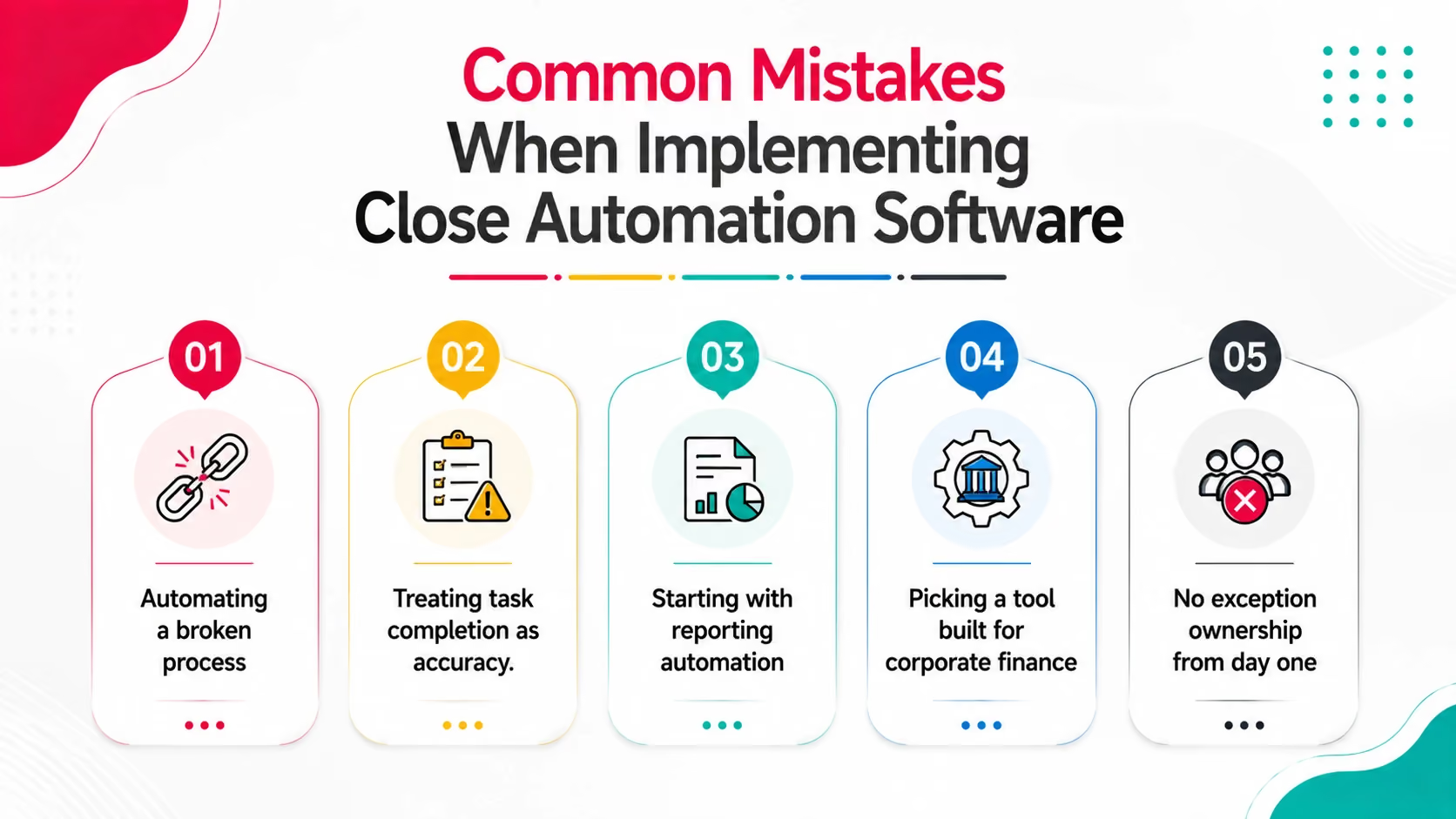
- Automating a broken process. Fix the review standard first. Then automate it. Automation accelerates whatever you already have good or bad.
- Treating task completion as accuracy. Tie every task to evidence. A status of 'done' without a linked reconciliation is not done.
- Starting with reporting automation. Stabilize account-level review first. Otherwise you publish faster and correct faster. That is not a win.
- Picking a tool built for corporate finance. If it was designed for NetSuite/SAP/Oracle teams, it will not fit your QBO/Xero workflow or your per-client pricing model.
- No exception ownership from day one. Every unresolved item needs one owner and one due date. If it does not have an owner, it does not get resolved.
How Xenett Can Help
Most financial close automation software is built for corporate finance teams arge companies with ERPs, dedicated controllers, and month-end close teams of 10 or more. If you run a bookkeeping firm or CAS practice on QBO or Xero, that software was not built for you.
Xenett was. It is the only platform that combines financial close automation with full practice management built natively for accounting firms on QuickBooks Online and Xero.
Here is what automation looks like inside Xenett:
✓ 50+ AI review checks run automatically across every client's P&L and Balance Sheet - you see exceptions, not the full GL
✓ AI Accruals - Prepaid, Payroll, and Deferred Revenue calculated and posted automatically, with support attached
✓ Intercompany Reconciliation mismatches flagged the moment they appear, not discovered at consolidation
✓ Entries checklist with full audit trail reviewer sign-off is tracked with timestamps, not typed into a spreadsheet
✓ Close Dashboard - all client close statuses in one view, with what is blocked and why
✓ Practice management built in project pipeline, capacity heat-map, client portal, Gmail/Outlook sync, document search
Across 1,000+ accounting firms, Xenett reduces review time by 70% and close cycle time by 3x. Accounting judgment stays with the professional. Xenett handles detection and governance.
Replaces: Karbon or Aero (workflow) + Keeper or Numeric (book review) + Liscio or SmartVault (client portal) + spreadsheets
→ Start your 14-day free trial at xenett.com no credit card required.
FAQs
What is financial close automation software?
Financial close automation software handles the repeatable parts of month-end close reconciliations, accrual posting, review routing, exception detection, and reporting so accounting teams focus on judgment rather than manual execution. For bookkeeping firms on QBO and Xero, the right tool is built natively for your stack, not adapted from a corporate finance platform.
What is the difference between financial close automation and accounting workflow software?
Accounting workflow software manages projects, tasks, deadlines, and team capacity it organizes the work around the books. Financial close automation software actually reviews and validates the books catching errors, routing exceptions, automating accruals, and ensuring reports come from reconciled numbers. The best tools for accounting firms, like Xenett, do both in one workspace.
Which close tasks can be automated and which still need an accountant?
You can automate: bank and credit card reconciliation matching, recurring accrual posting (prepaid, payroll, deferred revenue), exception routing and escalation, audit trail capture, and report refresh from validated numbers. You cannot automate: variance explanations tied to real business activity, materiality and write-off judgment calls, cutoff decisions, and any client-facing commentary that requires context software cannot read.
How is Xenett different from Karbon or Financial Cents for close automation?
Karbon and Financial Cents are workflow tools, they manage projects, tasks, and team capacity but do not review the books. Xenett is the only platform that combines full practice management with AI-powered book review. It runs 50+ automated review checks, automates prepaid, payroll, and deferred revenue accruals, flags intercompany mismatches, and manages the close checklist with a full audit trail all in one workspace on QBO and Xero.
How long does financial close automation software take to implement?
For accounting firms on QBO or Xero, a phased implementation takes 5–8 weeks to run fully. Week 1–2: define review standards and materiality thresholds. Week 2–4: set up exception queues and routing rules. Week 3–5: configure accrual automation and test reversals. Week 5–8: connect close readiness to reporting. Xenett setup for a single client can be completed in under 10 minutes. Full firm rollout across multiple clients takes 2–4 weeks depending on complexity.
What are the signs an accounting firm needs close automation software?
Watch for: closes that regularly take more than 6 business days, accruals calculated manually in spreadsheets every month, review standards that vary by which team member happens to be reviewing, unreconciled items that roll forward from one period to the next, and findings that surface after reports have already been sent to clients. If two or more of these are true, manual process is costing the firm more than software would.
Does financial close automation software work for small bookkeeping firms?
Yes - and it scales better for small firms than for large ones, because small firms have less redundancy to catch errors manually. A solo bookkeeper or 5-person firm benefits immediately from automated accruals and AI review checks, because those are the tasks that take the most time relative to the firm's capacity. Xenett works from 1 client to 200+ clients on the same platform.
Conclusion
Financial close automation software reduces review time and close cycles when you implement it in the right order exceptions and accruals first, reporting last.
For accounting firms on QBO and Xero, the tool that fits your workflow is the one built for your stack not adapted from a corporate finance platform.
See Xenett in your workflow: xenett.com/close-process
Read the month-end close checklist: xenett.com/blog/month-end-close-checklist
Financial close automation software handles the repeatable parts of month-end close reconciliations, accrual posting, review routing, exception detection, and reporting so accounting teams focus on judgment rather than manual execution. For bookkeeping firms on QBO and Xero, the right tool is built natively for your stack, not adapted from a corporate finance platform.
Accounting workflow software manages projects, tasks, deadlines, and team capacity it organizes the work around the books. Financial close automation software actually reviews and validates the books catching errors, routing exceptions, automating accruals, and ensuring reports come from reconciled numbers. The best tools for accounting firms, like Xenett, do both in one workspace.
You can automate: bank and credit card reconciliation matching, recurring accrual posting (prepaid, payroll, deferred revenue), exception routing and escalation, audit trail capture, and report refresh from validated numbers. You cannot automate: variance explanations tied to real business activity, materiality and write-off judgment calls, cutoff decisions, and any client-facing commentary that requires context software cannot read.
Karbon and Financial Cents are workflow tools, they manage projects, tasks, and team capacity but do not review the books. Xenett is the only platform that combines full practice management with AI-powered book review. It runs 50+ automated review checks, automates prepaid, payroll, and deferred revenue accruals, flags intercompany mismatches, and manages the close checklist with a full audit trail all in one workspace on QBO and Xero.
For accounting firms on QBO or Xero, a phased implementation takes 5–8 weeks to run fully. Week 1–2: define review standards and materiality thresholds. Week 2–4: set up exception queues and routing rules. Week 3–5: configure accrual automation and test reversals. Week 5–8: connect close readiness to reporting. Xenett setup for a single client can be completed in under 10 minutes. Full firm rollout across multiple clients takes 2–4 weeks depending on complexity.