.svg)

Month-End Close Process Flowchart: Every Step Mapped Out for Accounting Firms

Ask questions, get summaries, or uncover key takeaways from this article.
Blog Summary / Key Takeaways
• The month-end close process has five phases: transaction review, reconciliation, journal entries, review and approval, and delivery
• A flowchart maps the decision points not just the tasks so the team knows what to do when something is wrong or blocked
• Most close delays happen at handoff points: when work is done but the next person does not know it yet
• A well-structured flowchart reduces close time by removing ambiguity about who does what next
• Firms using Xenett run this process with automatic handoffs work moves to the next stage without anyone sending a message
• The fastest closing firms close in 3 to 5 days. The average is 8 to 10. The difference is almost always process-structure
A checklist tells you what to do. A flowchart tells you what to do when something goes wrong.
Most accounting firms have a version of a month-end close checklist. Fewer have a flowchart a mapped sequence that includes decision points, escalation paths, and clear ownership at every stage.
When the bookkeeper finishes the reconciliation and the account does not balance, what happens? Who gets notified? What is the decision tree? If there is no flowchart, the answer is usually: the bookkeeper figures it out, emails someone, and waits.
This guide maps the full month-end close process as a flowchart every step, every decision point, and every handoff.
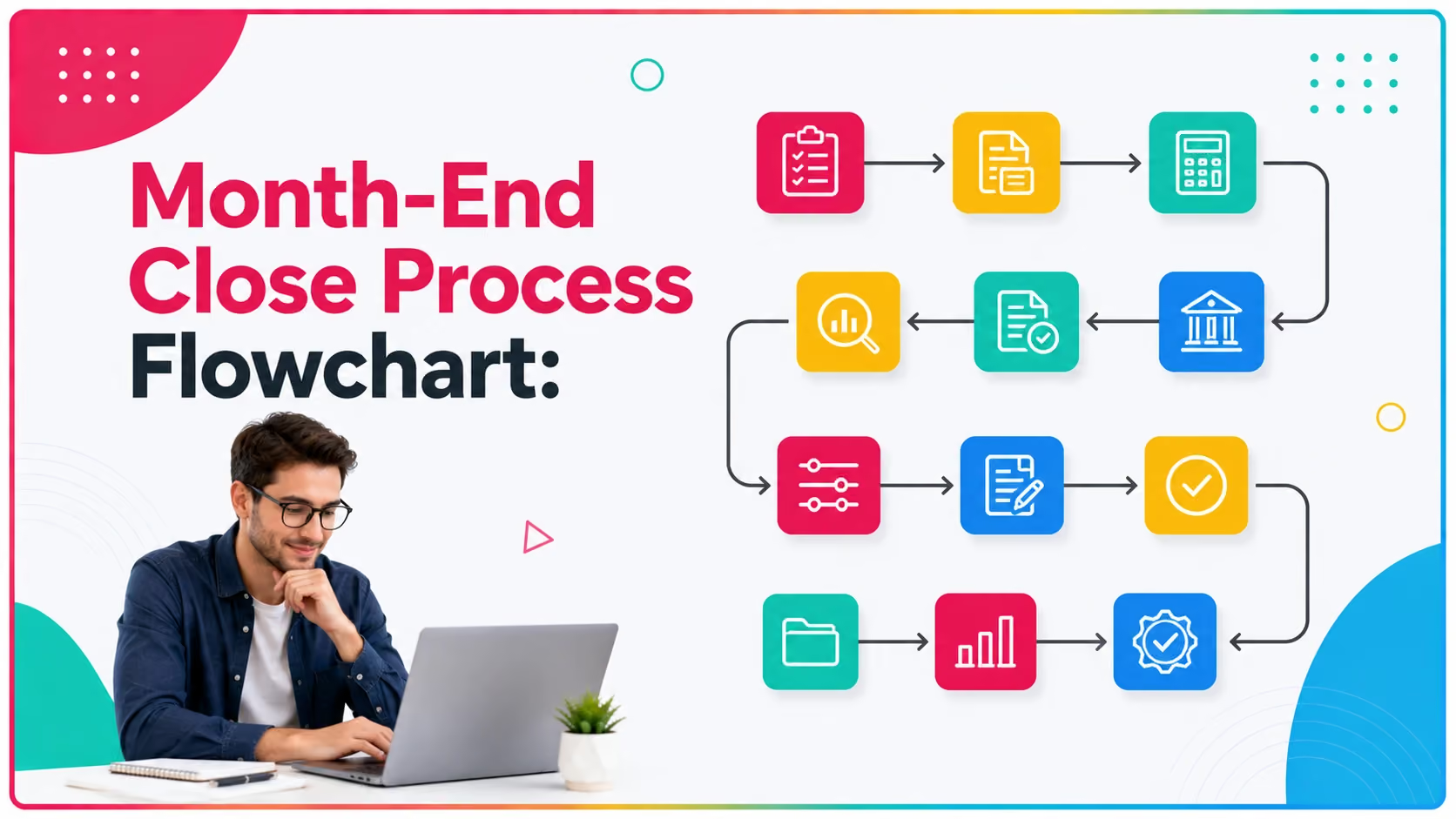
The 5 Phases of Month-End Close
The Month-End Close Process Flowchart
Phase 1: Transaction Review
START: Month begins. Recurring tasks auto-generate or are manually created for the client.
• Are all bank feeds connected and pulling transactions? If NO: reconnect feeds, request manual statements. If YES: proceed.
• Are all transactions from the prior month categorized? If NO: categorize outstanding items, request receipts from client for unclear transactions. If YES: proceed.
• Have all recurring transactions posted (rent, subscriptions, payroll, loan payments)? If NO: post missing recurring entries. If YES: proceed.
• Are there transactions requiring client clarification not yet resolved? If YES: send client request, set follow-up date, flag as blocked. If NO: proceed to Phase 2.
Phase 2: Reconciliations
• Begin bank reconciliation for each account. Does the account reconcile to zero difference? If NO: investigate -- timing item or error?
• Timing item (outstanding check, deposit in transit): document reconciling item and proceed.
• Error (duplicate transaction, wrong amount, missing entry): post correcting journal entry, re-run reconciliation.
• Balance sheet reconciliation: for each BS account, does the GL balance match the supporting schedule? If NO: investigate and correct. If YES: mark reconciled.
• Are all accounts reconciled? If NO: identify open items, flag, and escalate to senior or manager. If YES: proceed to Phase 3.
Phase 3: Journal Entries
• Post monthly depreciation per fixed asset schedule.
• Post prepaid amortization per prepaid schedule.
• Post accruals for expenses incurred but not yet invoiced.
• Reverse prior month accruals if applicable.
• Tie out trial balance: do all accounts balance and have explanations? If NO: investigate open items. If YES: proceed to Phase 4.
Phase 4: Review and Approval
• Bookkeeper marks work complete. Reviewer is notified automatically (Xenett) or manually via message.
• Reviewer opens workpapers. Are all reconciliations complete and documented? If NO: send back with specific comments. If YES: continue review.
• Does the P&L have any unusual items vs. prior month that cannot be explained? If YES: flag and request explanation. If NO: continue.
• Does the balance sheet have any negative balances or unexplained items? If YES: flag and investigate. If NO: continue.
• Reviewer approves. Work moves to partner. Does partner have questions or changes? If YES: send back with comments. If NO: partner approves.
Phase 5: Delivery and Billing
• Prepare financial statement package: P&L, balance sheet, cash flow if applicable.
• Add narrative or highlights memo if the engagement includes it.
• Deliver financials to client via portal or agreed delivery method.
• Has all billable time been logged for the period? If NO: log remaining time before proceeding. If YES: continue.
• Generate invoice from logged time.
• Mark close complete in practice management system.
• END: Recurring tasks for next month auto-generate or are scheduled.
The Most Important Decision Points in the Flowchart
Why Most Close Processes Break Down at Handoffs
The phases above are not difficult. The transitions between them are where most firms lose time.
When the bookkeeper finishes reconciliations, how does the reviewer find out? In most firms, the bookkeeper sends a message - Slack, email, text and the reviewer sees it when they happen to check. That gap between done and reviewed is where days disappear.
Real Scenario: A 10-Person Firm That Cut Close from 12 Days to 4
A ten-person CAS firm mapped their actual close process for the first time after repeatedly missing client delivery dates. What they found surprised them.
The actual work reconciliations, journal entries, review averaged 3.5 days of effort per client. The close was taking 12 days because work was sitting idle at each handoff point.
Reconciliations done at day 2, but reviewer not notified until day 5. Review complete at day 6, but partner not aware until the Monday standup at day 8. Delivery triggered at day 9.
After building the flowchart and automating the handoffs in Xenett, the same 3.5 days of work now closed in 4 days total. The 8 days of waiting time was eliminated.
They added six new clients the following quarter without hiring. The capacity was already there it was just stuck in transit.
How Xenett Can Help
Xenett is built around this exact flowchart. Every phase runs as a structured workflow with defined ownership, automatic handoffs, and real-time visibility.
• Close Dashboard: see which phase every client is in across your entire firm in one screen
• Automatic handoffs: when the bookkeeper marks work complete, the reviewer is notified immediately
• Review workflows: structured preparer to reviewer to partner with comments tied to work items
• Recurring tasks: every phase auto-generates at the start of each cycle for every client
• Blocked item tracking: when a client document is missing, it is flagged as blocked and visible to the whole team
Firms using Xenett report 3x faster close cycles and 70% less review time. Book a 15-minute demo at xenett.com/demo.
FAQs
What is a month-end close process flowchart?
A month-end close process flowchart maps every step of the financial close process in sequence, including decision points the moments where work either moves forward or triggers a specific action. It shows who does what, what happens when something is wrong, and how work transitions between people.
What are the steps in the month-end close process?
The five phases are: (1) transaction review and coding, (2) bank and balance sheet reconciliations, (3) journal entries and accruals, (4) internal review and partner approval, and (5) financial statement delivery and billing.
How long should month-end close take?
For a well-run firm with structured processes, 3 to 5 business days per client. The average firm takes 8 to 10 days. The difference is almost always process structure and handoff speed not the volume of work.
What is the difference between a close checklist and a close flowchart?
A checklist lists the tasks that need to be completed. A flowchart maps the sequence, decision points, and transitions including what to do when something goes wrong. A flowchart is more useful for training and reducing close time.
What causes month-end close delays?
The most common causes are: missing client documents, manual handoffs between team members that create waiting time, no visibility into what stage each client is at, and open items from prior months that were not resolved.
How do I speed up my month-end close?
Automate document collection through a client portal, implement automatic handoffs so reviewers are notified when work is ready, and use a close dashboard to see all client statuses in real time.
What is a close dashboard?
A close dashboard is a real-time view of the close status for all clients in the firm which phase each client is in, what is complete, what is in review, and what is blocked. It replaces manual status check-ins.
Conclusion
The month-end close process does not fail because accounting is hard. It fails because handoffs are slow, decision points are undefined, and nobody knows what phase each client is in until someone asks.
A clear flowchart solves the first problem. Automated handoffs solve the second. A close dashboard solves the third.
The firms that close in three days are not working faster than the firms that take twelve. They removed the waiting time between steps.
See how Xenett automates the close flowchart for your firm: xenett.com/demo
A month-end close process flowchart maps every step of the financial close process in sequence, including decision points the moments where work either moves forward or triggers a specific action. It shows who does what, what happens when something is wrong, and how work transitions between people.
The five phases are: (1) transaction review and coding, (2) bank and balance sheet reconciliations, (3) journal entries and accruals, (4) internal review and partner approval, and (5) financial statement delivery and billing.
For a well-run firm with structured processes, 3 to 5 business days per client. The average firm takes 8 to 10 days. The difference is almost always process structure and handoff speed not the volume of work.
A checklist lists the tasks that need to be completed. A flowchart maps the sequence, decision points, and transitions including what to do when something goes wrong. A flowchart is more useful for training and reducing close time.
The most common causes are: missing client documents, manual handoffs between team members that create waiting time, no visibility into what stage each client is at, and open items from prior months that were not resolved.
Automate document collection through a client portal, implement automatic handoffs so reviewers are notified when work is ready, and use a close dashboard to see all client statuses in real time.