Adjusting Journal Entries in QuickBooks Online and Xero

Ask questions, get summaries, or uncover key takeaways from this article.

Key Takeaways
Posting an adjusting entry in QuickBooks Online or Xero takes a few minutes. You pick the accounts, enter the debits and credits, date it, and save. What the software cannot do is tell you which entries are needed this month, or which ones you posted last month and forgot to reverse.
Below is how the entry works on each platform, a set of entries you can copy as a template, and where reversals and dates trip people up. For the accounting itself, the pillar guide on adjusting entries covers the types and the logic.
Adjusting Journal Entries in QuickBooks Online and Xero: What the Software Does
Neither platform has a separate adjusting entry type for most users. You use the standard journal entry form, which is called a journal entry in QuickBooks Online and a manual journal in Xero. The adjustment is defined by what you post and when, not by a setting.
Menu names and options change between releases and between plans, so confirm the exact steps in each platform's current help documentation. The sections below describe the accounting decisions, which do not change.
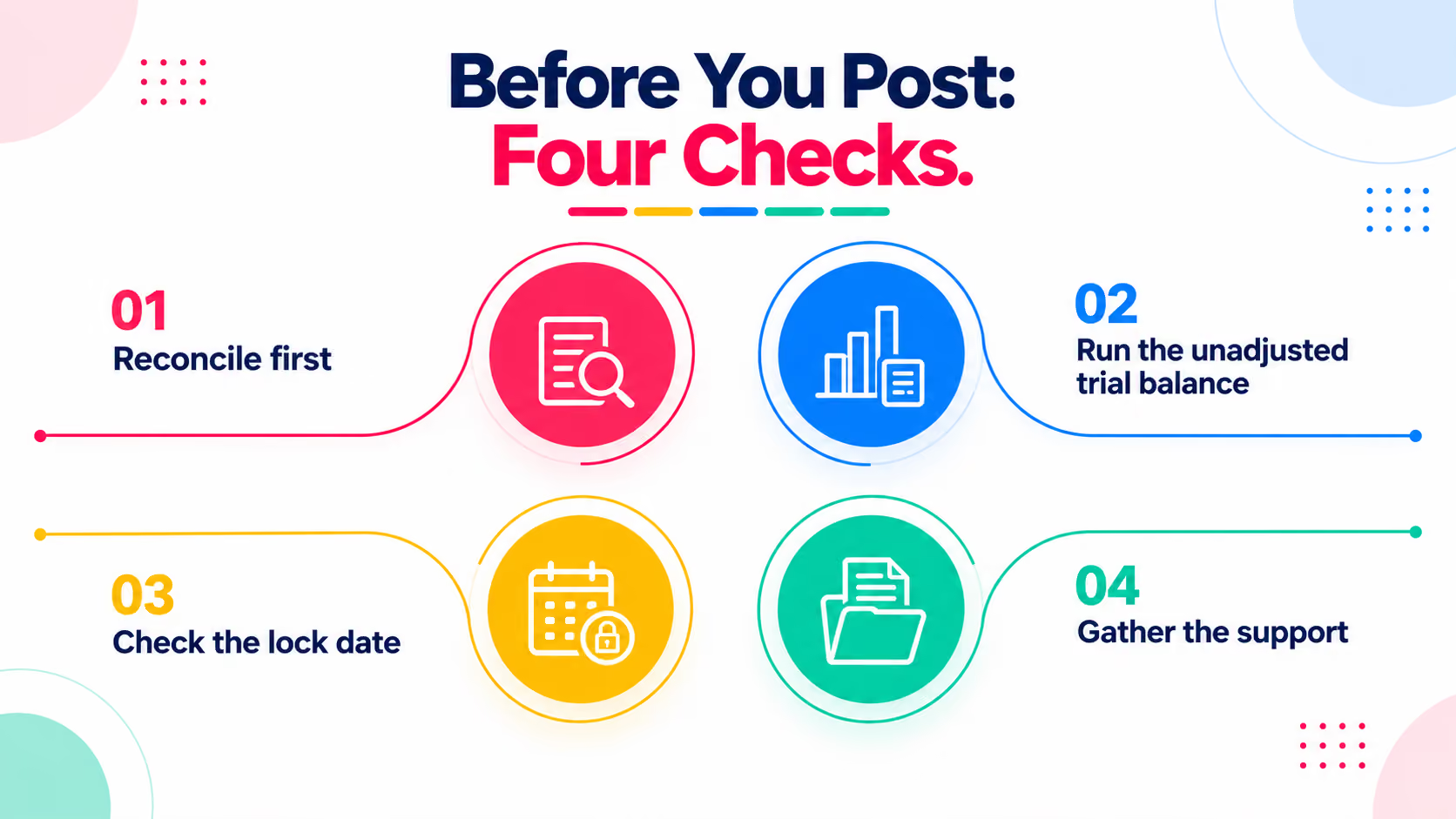
Before You Post: Four Checks
Worked Example: Month-End Adjustments for a Dental Practice
A dental practice is closing October 31. After reconciling, the bookkeeper identifies four adjustments. Each is posted as a journal entry dated October 31.
Together the four entries add $9,530 of expense in October, which is where that cost belongs. Without them, October looks $9,530 more profitable than it was, and November absorbs the cost instead.
One entry or several?
Both platforms allow multiple lines on one journal. Either approach works as long as the debits equal the credits. Many firms post one entry per adjustment type, so each has its own memo and can be reversed or corrected without touching the others. Others post one month-end entry with all lines. Pick one pattern and apply it to every client so reviewers know what to expect.
What to put in the memo
State the basis, not just the label. "Accrued payroll, Oct 20 to Oct 31, per payroll register" is something a reviewer can check. "Adjusting entry" is not. If the platform allows attachments on a journal, add the schedule or calculation.
Reversing Adjusting Entries
Accruals are often reversed at the start of the next period so the actual payment or invoice does not double count. How you do that depends on the platform.
QuickBooks Online. Intuit's help documentation describes a Reverse action on an existing journal entry, reached through the Chart of accounts and the account's history. According to that documentation, the reversal is a new entry. It keeps the original journal number with an R added and is dated the first day of the following month. Check that this date matches the period you want the reversal to hit, and confirm whether your version offers any other reversal option.
Xero. Xero's manual journals have an auto-reversing date that can be set when the journal is created. Discussions in Xero's own product forums indicate that adding an auto-reversing date to a posted journal is not straightforward. The workaround is to copy or reverse the journal into a new one. If you plan to reverse an accrual, set the date at the time you create it, and confirm the current behavior in Xero Central.
Not every adjustment is reversed. Deferrals such as prepaid expenses and depreciation are usually not. The pillar guide explains which entries are candidates for reversing.
Common Mistakes in the Software
One more point specific to QuickBooks Online. Lines posted to accounts receivable or accounts payable typically need a customer or vendor name attached. If you are adjusting those control accounts, confirm how your version handles it before you post. Where a regular invoice or bill would be the proper record, use that instead.
Who Can Post Adjusting Entries?
Any user with the right permissions can post a journal entry. Accountant-side versions of QuickBooks Online may offer additional options for marking an entry as an adjustment, and availability depends on the version and the user's role. If you work from a client's file as an invited accountant, check what your access allows. For the basics of the entry itself, our guide on how to write a journal entry covers the format.
What the Software Will Not Tell You
This is the gap. QuickBooks Online and Xero record entries accurately once you post them. Neither will warn you that a client's prepaid balance has not been released in three months, that depreciation was skipped, or that payroll accrued last month was never reversed. On one client file, a bookkeeper catches these by habit. Across fifty, they depend on a checklist and a reviewer.
A practical routine looks like this: reconcile, run the unadjusted trial balance, post the recurring adjustments, then have a second person review the movement account by account before statements go out. The month-end close guide shows where this sits in the full close.
How Xenett Can Help
Xenett is native to QuickBooks Online and Xero, and sits on top of the ledger you already use. AI Accruals identifies prepaid, payroll and deferred revenue items that may need an adjusting entry, so the list of missing entries does not depend on memory. The AI Financial Review scans every account against 50+ review points, and the entries checklist keeps an audit trail of what was posted and by whom.
You still decide the amount and post the entry in your own ledger. Xenett handles the part the software does not: making sure nothing is left off the list. Across a full client list, that is where firms report 70% less review time per file.
Conclusion
Adjusting entries in QuickBooks Online and Xero are ordinary journal entries, so the discipline has to come from the process. Reconcile first, date on the last day of the period, write a memo that states the basis, decide up front which accruals will be reversed, and review the result before statements leave the firm.
If you want a review layer on top of the close, start your 14-day free trial (no credit card, setup in under 10 minutes) or book a 15-minute demo.
FAQ: Adjusting Journal Entries in QuickBooks Online and Xero
How do you record an adjusting entry in QuickBooks Online?
You record it as a journal entry dated the last day of the period, with debits and credits to the correct accounts and a memo explaining the basis. Menu locations vary by version, so confirm the steps in QuickBooks help.
How do you reverse a journal entry in QuickBooks Online?
Intuit's documentation describes opening the entry from the account's history and using the Reverse action. The reversal is created as a new entry dated the first day of the following month, so confirm that date fits your period.
How do you record an adjusting journal entry in Xero?
You record it as a manual journal with the date set to the last day of the period, the accounts and amounts entered, and a narration stating the basis. Debits must equal credits before it can be posted.
Can you auto-reverse a manual journal in Xero?
Xero manual journals include an auto-reversing date that is set when the journal is created. Once a journal is posted, adding one later is limited, so decide on reversal before you post and confirm current behavior in Xero Central.
What is the difference between a journal entry and an adjusting entry?
A journal entry is any record of a transaction in the books. An adjusting entry is a journal entry posted at period end to put revenue and expenses in the correct period. All adjusting entries are journal entries, but not all journal entries are adjusting entries.
What date should an adjusting journal entry use?
Use the last day of the period being adjusted, such as October 31 for an October close. Dating it when you post it moves the amount into the wrong period.
Frequently Asked Questions About Adjusting Journal Entries in QuickBooks Online and Xero
You record it as a journal entry dated the last day of the period, with debits and credits to the correct accounts and a memo explaining the basis. Menu locations vary by version, so confirm the steps in QuickBooks help.
Intuit's documentation describes opening the entry from the account's history and using the Reverse action. The reversal is created as a new entry dated the first day of the following month, so confirm that date fits your period.
You record it as a manual journal with the date set to the last day of the period, the accounts and amounts entered, and a narration stating the basis. Debits must equal credits before it can be posted.
Xero manual journals include an auto-reversing date that is set when the journal is created. Once a journal is posted, adding one later is limited, so decide on reversal before you post and confirm current behavior in Xero Central.
A journal entry is any record of a transaction in the books. An adjusting entry is a journal entry posted at period end to put revenue and expenses in the correct period. All adjusting entries are journal entries, but not all journal entries are adjusting entries.