.svg)

Journal Entry in Accounting
.jpg)
Ask questions, get summaries, or uncover key takeaways from this article.

Blog Summary / Key Takeaways
- What a journal entry is and how it works
- The five main types of journal entries accounting firms use every month
- Real examples of the most common entries with debits and credits
- Where journal entry errors consistently show up at month-end
- How firms are reviewing GL entries at scale without checking every line manually
Introduction
Every financial statement your firm produces starts in the same place: a journal entry.
Revenue recognized. An expense incurred. A depreciation charge posted. A payroll run recorded. Each one is a journal entry. Each one touches the general ledger. And when one is wrong, wrong account, wrong amount, wrong period it doesn't just affect that one line. It affects every report, every ratio, and every decision made from those financials.
For a firm managing 30 or 40 clients simultaneously, that's thousands of journal entries to get right every month.
Most accountants understand journal entries well. The challenge isn't knowledge it's review. How do you verify that the entries your team or your client has posted are accurate, complete, and in the right period, without manually checking every single one?
That's what this guide covers.
What Is a Journal Entry in Accounting?
A journal entry is the record of a financial transaction in a company's books. It shows which accounts are affected, by how much, and in which direction, a debit or a credit.
Every journal entry follows the double-entry bookkeeping principle: for every debit, there must be an equal and offsetting credit. This keeps the accounting equation balanced: Assets = Liabilities + Equity.
A standard journal entry has four components:
According to AICPA standards on financial reporting, every transaction affecting a business's financial position must be recorded through a journal entry before it flows into the general ledger and financial statements.
No journal entry, no record. An unrecorded transaction is, for accounting purposes, a transaction that didn't happen.
Why Do Journal Entries Matter for Accounting Firms?
Journal entries are the foundation of everything accounting firms produce. Every balance sheet number, every income statement line, every cash flow figure traces back to journal entries that were posted somewhere.
When a journal entry is wrong, the error travels:
- Wrong account → misclassified expense or revenue
- Wrong amount → overstated or understated financials
- Wrong period → misstated results for the month, quarter, or year
- Missing entry → understated liabilities or revenue gaps
For accounting firms, the risk is compounded by volume. Based on data from 1,000+ accounting firms using Xenett, firms managing 30+ clients at peak close periods are reviewing thousands of GL entries simultaneously. Without a systematic review process, errors reach the financial statements and the client regularly.
The AccountingToday research on close process quality consistently shows that GL entry review is the step most likely to be rushed under deadline pressure. It's also the step where the most material errors originate.
Who Creates Journal Entries and Who Should Review Them?
Who creates them: Journal entries are created by bookkeepers, accountants, and sometimes automated by accounting software like QuickBooks Online or Xero when transactions are synced from bank feeds. Manual entries are typically posted by the accounting team during the close.
Who should review them: Someone other than the person who created them. This is a basic internal control and it's especially important for manual journal entries, which carry a higher error risk than automated ones.
The higher the dollar amount and the more manual the entry, the more important independent review becomes. Intuit's guidance on QBO journal entries notes that manual entries bypass the standard transaction workflows which means they also bypass most of the built-in error checks.
When Are Journal Entries Posted?
Journal entries are posted throughout the month but the highest volume and highest risk entries happen during the close cycle.
During the month:
- Sales transactions recorded as they happen
- Vendor bills and payments entered as received
- Payroll entries posted on pay dates
- Bank feed transactions categorized and matched
At month-end close:
- Adjusting entries for accruals and prepaid expenses
- Depreciation entries
- Inventory adjustments
- Deferred revenue recognition entries
- Reversing entries from prior period
The close-cycle entries are where errors concentrate. They're made under deadline pressure, they're often manual, and they involve judgment calls about amounts and periods. Your month-end close checklist should include a dedicated GL entry review step before any statements are produced.
What Are the Main Types of Journal Entries?
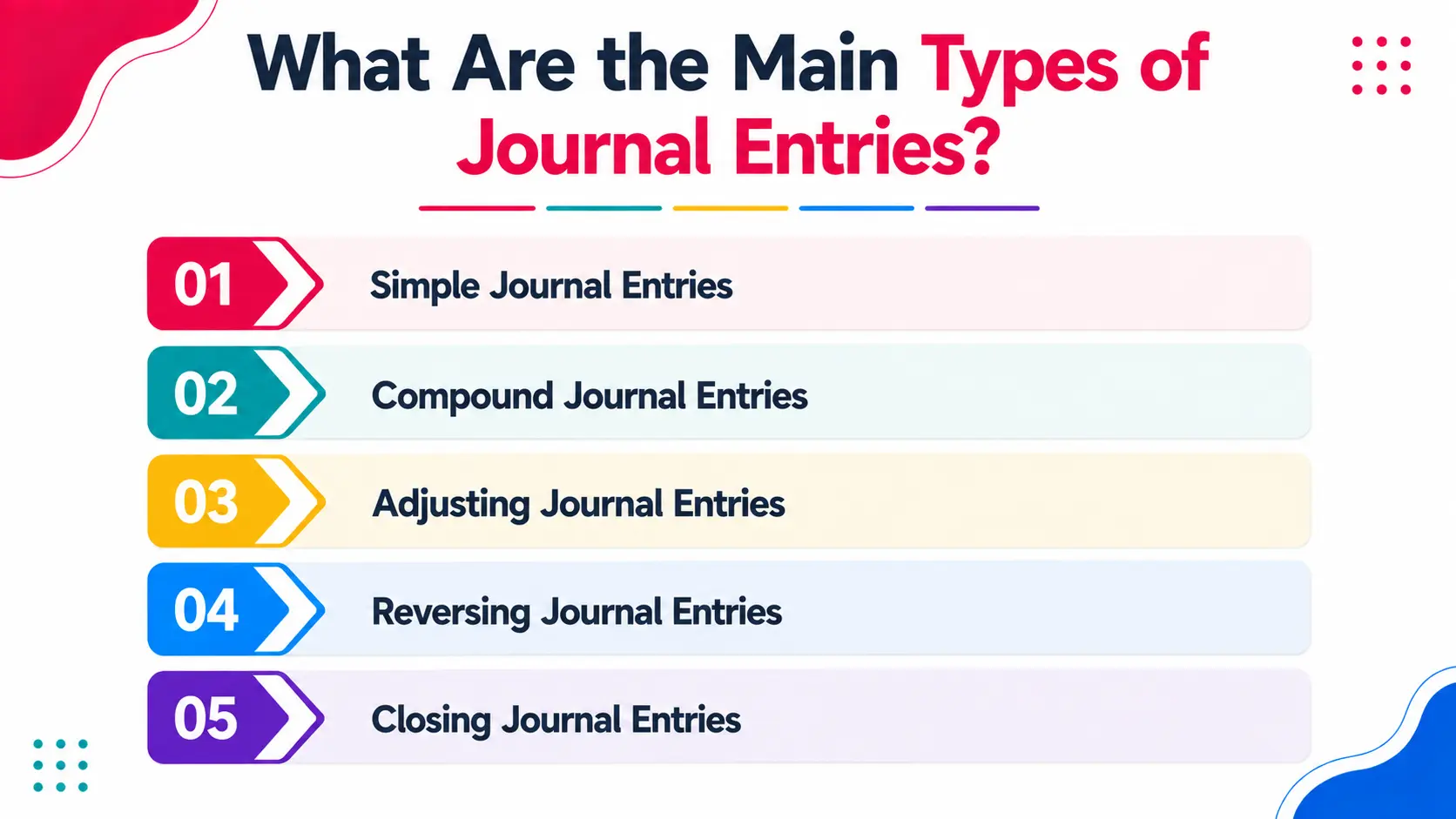
There are five types of journal entries that accounting firms deal with every month. Each serves a different purpose in the close cycle.
1. Simple Journal Entries
One debit, one credit. The most common type. Used for straightforward transactions like recording a payment received or an expense paid.
Example: Recording a client payment received.
- Debit: Cash $5,000
- Credit: Accounts Receivable $5,000
2. Compound Journal Entries
Multiple debits, multiple credits or one debit against multiple credits (or vice versa). Used when a single transaction affects more than two accounts.
Example: Recording payroll.
- Debit: Salaries Expense $10,000
- Credit: Cash $8,500
- Credit: Payroll Tax Payable $1,500
3. Adjusting Journal Entries
Posted at the end of the accounting period to record revenues earned or expenses incurred that haven't been captured yet. These are the entries most closely tied to accrual accounting.
Examples: Accrued salaries, prepaid expense amortization, depreciation charges, unearned revenue recognition.
4. Reversing Journal Entries
Posted at the start of the new period to undo an adjusting entry from the prior period. This prevents double-counting when the actual transaction is recorded later.
Example: Reversing December's accrued salary entry on January 1st, before January payroll runs.
5. Closing Journal Entries
Posted at year-end to zero out temporary accounts (revenue, expenses, dividends) and transfer the net result to retained earnings. These reset the income statement accounts for the new fiscal year.
How to Record a Journal Entry: Step-by-Step
Recording a journal entry correctly is the same process every time. Here's the sequence:
Step 1: Identify the transaction What happened? What accounts does it affect? Is it an asset, liability, equity, revenue, or expense transaction?
Step 2: Determine which accounts are debited and credited Use the basic rules: assets and expenses increase with debits; liabilities, equity, and revenue increase with credits.
Step 3: Confirm the amounts Total debits must equal total credits. If they don't, the entry is wrong before it's even posted.
Step 4: Add a clear narration Write a description that explains what the entry is for. "Payroll for period ending Dec 31" is useful. "JE 247" is not. Future reviewers and auditors depend on narrations.
Step 5: Post to the general ledger Once reviewed, the entry posts to the GL and updates the relevant account balances.
Step 6: Review before close All manual journal entries especially adjusting and accrual entries should be reviewed by a second person before the close is finalized.
Journal Entry Examples (The Ones Firms Use Every Month)
These are the most common journal entries accounting firms post across their client base:
For a detailed walkthrough of depreciation journal entries specifically one of the trickier recurring entries see our guide: Journal Entry for Depreciation.
Common Journal Entry Errors and How to Catch Them
Even experienced teams make journal entry errors. The problem is usually not understanding it's volume and speed. Here are the five patterns that show up most consistently:
1. Wrong account classification An expense goes to the wrong account advertising posted as utilities, for example. The total is correct but the categorization isn't. This distorts every expense line on the P&L.
How to catch it: Run a GL account detail report and review accounts where the entries don't match expected transaction types.
2. Transposition errors $2,750 entered as $7,250. The accounts are right but the amount is wrong. Classic under deadline pressure.
How to catch it: Discrepancies divisible by 9 often signal transposition errors. Also flag any entry that's significantly higher or lower than the prior period equivalent.
3. Posting to the wrong period A December expense posted in January. Or a November entry that gets corrected in December but the correction hits the wrong month. This affects period-specific reporting.
How to catch it: Review the posting date vs. the transaction date on all manual entries at close.
4. Duplicate journal entries The same entry posted twice usually when a transaction is entered manually and also picked up from the bank feed. Results in double the expense or double the revenue.
How to catch it: Sort GL entries by amount and date. Look for exact duplicates on the same account.
5. Missing reversals An adjusting entry from last month was never reversed. The original accrual is still sitting on the books while the actual transaction has also been recorded.
How to catch it: Review the prior month's adjusting entries at the start of each close. Every accrual entry should have a corresponding reversal unless intentionally kept open.
Real Scenario: How One Firm Caught 14 Incorrect GL Entries Before Close
A 10-person accounting firm in British Columbia was managing 38 clients using QBO and a manual review process. Their GL review at month-end consisted of a senior accountant spot-checking entries for the largest clients, with smaller clients receiving little or no manual GL review.
The problem: Over three consecutive months, errors were slipping through on mid-size clients. Misclassified expenses, one duplicate payroll entry that doubled a $9,400 salary line, and two adjusting entries posted to the wrong period. None of them were caught before statements went out.
The errors only surfaced when a client's in-house controller flagged an unexpected variance in their operating expenses. The firm spent 11 hours across two accountants tracing and correcting the entries across three months of already-delivered financials.
After implementing Xenett's GL review:
In the first close cycle, Xenett's automated review flagged 14 journal entry issues across 12 clients before any statements were produced:
- 6 misclassified expense entries
- 3 duplicate entries
- 4 entries posted to the wrong period
- 1 missing reversal from the prior month
All 14 were resolved before close. No corrected statements. No client calls about variances. The senior accountant's review time dropped from 6 hours per close to under 90 minutes.
How Xenett Helps Firms Review Journal Entries at Scale
Xenett's AI reviews every journal entry across your client base during the close not a sample, not the largest clients only. Every entry, every client, every period.
What Xenett flags automatically:
- Entries posted to accounts that don't match the transaction type
- Duplicate entries on the same account, amount, and date
- Manual entries posted to the wrong period
- Adjusting entries from prior months with no corresponding reversal
- Unusual amounts compared to the same entry type in prior periods
- Top-side entries that lack narration or documentation
How the review process changes with Xenett:
For accrual entries specifically, Xenett's accrual AI handles the detection of missing accruals and unreversed entries which are the highest-risk journal entry category in any close cycle.
Results from 1,000+ accounting firms using Xenett:
Ready to see what Xenett catches in your clients' books? Book a 15-minute demo we'll run through your actual close process and show you exactly where errors are currently slipping through.
FAQs
What is a journal entry in simple terms?
A journal entry is the record of a financial transaction in a company's books. It shows which accounts are affected, in which direction (debit or credit), and by how much. Every transaction a sale, a payment, a payroll run starts as a journal entry before it flows into the general ledger and financial statements.
What is the difference between a journal entry and a ledger?
A journal entry is the original record of a transaction, posted in chronological order. The general ledger (GL) is the organized summary of all journal entries grouped by account. Journal entries feed the GL; the GL feeds the financial statements.
What are the golden rules of journal entries?
The three golden rules: (1) Debit what comes in, credit what goes out for real accounts. (2) Debit the receiver, credit the giver for personal accounts. (3) Debit all expenses and losses, credit all income and gains for nominal accounts. The overriding principle is that total debits must always equal total credits.
What is an adjusting journal entry?
An adjusting journal entry is posted at the end of an accounting period to record revenues earned or expenses incurred that haven't been captured yet. Common examples include accrued salaries, prepaid expense amortization, and depreciation charges. They're essential for producing accurate period-end financial statements.
What is a reversing journal entry?
A reversing entry is posted at the start of a new accounting period to undo an adjusting entry from the prior period. It prevents double-counting when the actual cash transaction is recorded later. For example, if you accrued $5,000 in salaries on December 31st, you'd reverse that entry on January 1st before the actual payroll posts.
What is the most common journal entry mistake?
The most common mistakes are: posting to the wrong account (misclassification), entering the wrong amount (transposition errors), posting to the wrong period, creating duplicate entries, and forgetting to reverse prior-period accruals. Most are caught easily with a systematic GL review the problem is that under deadline pressure, that review often gets skipped.
How do accounting firms review journal entries at month-end close?
The best practice is a two-level review: the bookkeeper who posted the entries does an initial self-check, and a senior accountant independently reviews all manual and adjusting entries before close. Firms using Xenett's automated GL review run a systematic check across their entire client base flagging misclassifications, duplicates, wrong-period entries, and missing reversals, before any statements are produced.
Conclusion
Journal entries are the starting point of everything. Every financial statement, every client deliverable, every tax return your firm produces began as a journal entry in the general ledger.
The entries themselves are not complicated. Debit and credit, equal and opposite. The challenge is reviewing them reliably at scale across 30 or 40 clients, at month-end, when everyone is working to deadline and the easiest thing to skip is the manual GL check.
That's where errors live. Not in complex transactions. In the routine ones that nobody checked because there wasn't time.
The firms that close cleanly have solved the review problem not by working longer hours, but by building a process where every entry gets checked systematically, not selectively.
Journal entries will always need human judgment for the hard calls. The routine review duplicates, misclassifications, wrong-period postings, missing reversals shouldn't depend on someone having the time to look.
A journal entry is the record of a financial transaction in a company's books. It shows which accounts are affected, in which direction (debit or credit), and by how much. Every transaction a sale, a payment, a payroll run starts as a journal entry before it flows into the general ledger and financial statements.
A journal entry is the original record of a transaction, posted in chronological order. The general ledger (GL) is the organized summary of all journal entries grouped by account. Journal entries feed the GL; the GL feeds the financial statements.
The three golden rules: (1) Debit what comes in, credit what goes out for real accounts. (2) Debit the receiver, credit the giver for personal accounts. (3) Debit all expenses and losses, credit all income and gains for nominal accounts. The overriding principle is that total debits must always equal total credits.
An adjusting journal entry is posted at the end of an accounting period to record revenues earned or expenses incurred that haven't been captured yet. Common examples include accrued salaries, prepaid expense amortization, and depreciation charges. They're essential for producing accurate period-end financial statements.
A reversing entry is posted at the start of a new accounting period to undo an adjusting entry from the prior period. It prevents double-counting when the actual cash transaction is recorded later. For example, if you accrued $5,000 in salaries on December 31st, you'd reverse that entry on January 1st before the actual payroll posts.
The most common mistakes are - posting to the wrong account (misclassification), entering the wrong amount (transposition errors), posting to the wrong period, creating duplicate entries, and forgetting to reverse prior-period accruals. Most are caught easily with a systematic GL review the problem is that under deadline pressure, that review often gets skipped.