.svg)

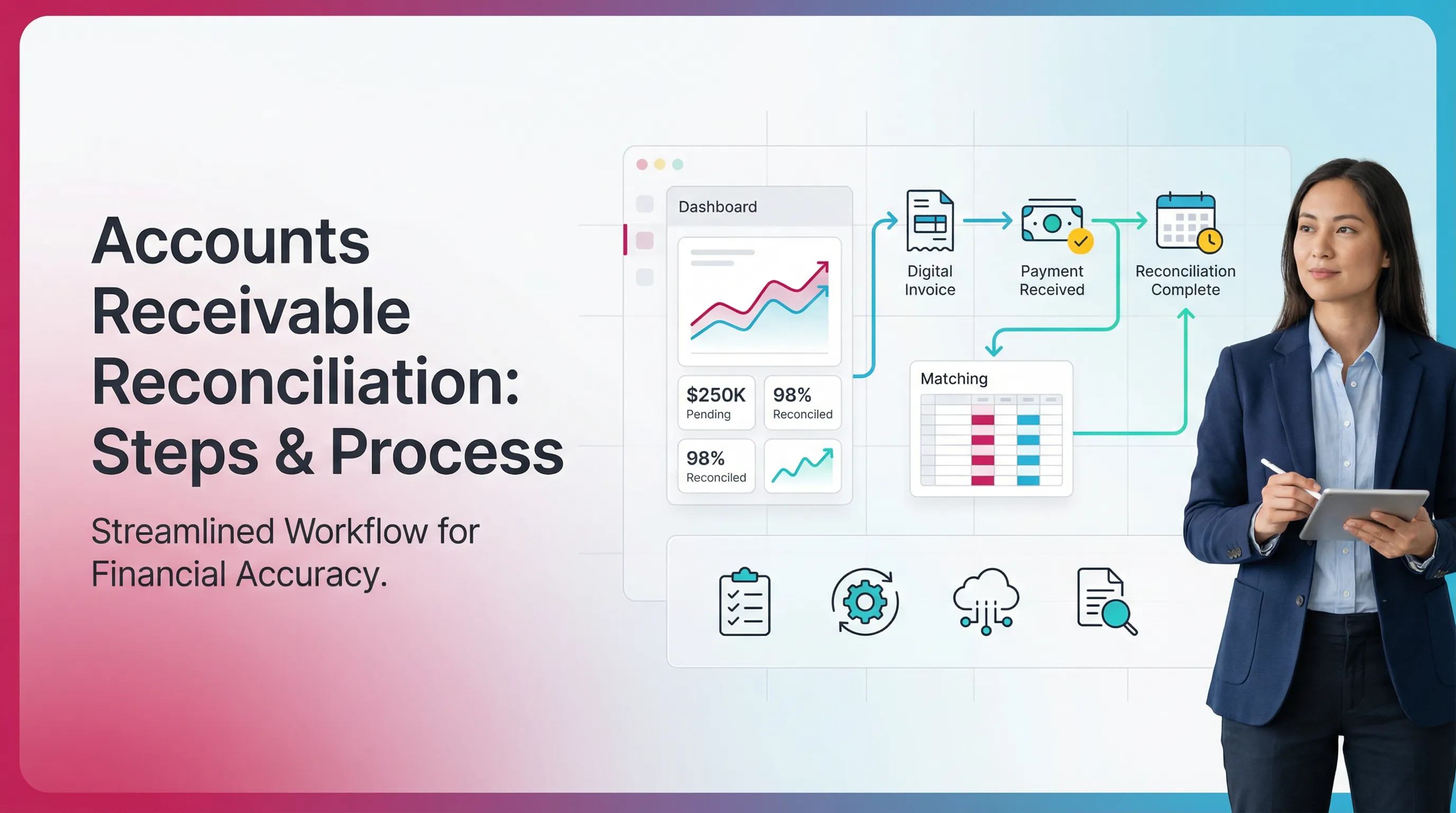
Accounts Receivable Reconciliation: Steps & Process

Ask questions, get summaries, or uncover key takeaways from this article.
Blog Summary / Key Takeaways
- AR reconciliation ties the AR subledger to the GL control account.
- “Done” means tie-out, exceptions, and owned corrective actions.
- Unapplied cash and cut-off drive most breaks in practice.
- A tight close uses the same reports, filters, and as-of timing.
- Xenett helps teams run AR reconciliations the same way every month.
What Is Accounts Receivable Reconciliation?
What Is Reconciliation in Accounts Receivable?
Accounts receivable reconciliation means you prove AR is correct.
You match customer detail to the GL A/R control account.
People also call this:
- A/R reconciliation
- reconciliation of accounts receivable
- reconciliation of accounts receivable account
- AR reconciliation
General “reconciliation” can mean many things.
For example, bank to GL, or subledger to GL.
AR reconciliation stays focused on AR detail and the AR control.
Why AR Reconciliation Matters
AR drives cash timing. It also drives revenue and reserves.
If AR is wrong, several areas move with it.
AR reconciliation improves:
- Cash flow visibility and collections prioritization
- Revenue recognition and cut-off accuracy
- Bad debt and allowance accuracy
- Close speed, because errors stop compounding
In real month-end close work, AR breaks late.
It breaks after billing changes, imports, or manual fixes.
If you wait, you chase issues under deadline pressure.
What You’re Reconciling (The 3 Records That Must Agree)
A clean AR reconciliation requires three records to align.
- Sales subledger / AR aging
- Customer detail and open items
- Invoice, credit memo, payment application
- General ledger AR control account
- The summarized AR balance in the GL
- This feeds the balance sheet
- Cash receipts / bank activity
- Bank deposits, lockbox files, merchant payouts
- Sometimes indirect, through clearing accounts
If those three disagree, you lose confidence in the number.
Therefore, you need a repeatable method to find why.
When Should You Reconcile Accounts Receivable?
Reconcile AR as often as your volume demands.
At minimum, reconcile monthly before you close the period.
A practical cadence looks like this:
- Daily or weekly for high-volume AR teams
- Weekly for merchant or lockbox-heavy collections
- Monthly for most SMB and mid-market teams
- Year-end with stricter documentation expectations
Trigger Events That Require Immediate Reconciliation
Some events raise AR risk right away.
Reconcile immediately when they happen.
Common triggers:
- ERP, QBO, or Xero migrations
- Large waves of credit memos, refunds, or write-offs
- Payment processor changes, like Stripe or a new lockbox
- Material late close adjustments by finance
I have seen migrations create “silent” AR splits.
For example, two AR control accounts by class or entity.
The aging looks right. The GL looks right.
They still do not match because filters differ.
Accounts Receivable Reconciliation Process
Standard AR Reconciliation Workflow (High-Level)
The accounts receivable reconciliation process follows four phases.
You confirm opening. You capture activity. You tie out. You sign off.
High-level workflow:
- Start-of-period: confirm the opening balance
- In-period: capture and classify AR activity
- End-of-period: tie-out and resolve exceptions
- Sign-off: retain support in an audit trail format
This structure prevents last-minute spreadsheet heroics.
It also makes handoffs easier between billing and accounting.
Inputs You Need Before Starting
Pull inputs first. Do not start with a variance guess.
Start with consistent reports and consistent timing.
You need:
- AR aging report as of period end
- Customer transaction listing (invoice, CM, payment, adjustments)
- GL detail for AR account(s)
- Cash receipts detail (deposits, lockbox, merchant payouts)
- Write-off and adjustments log, with approver
How to Reconcile Accounts Receivable
To how to reconcile accounts receivable, do one thing first.
Compare the period-end AR aging total to the GL AR control balance.
Then explain and fix every variance until the totals match.
This section covers accounts receivable reconciliation steps
in a practical, month-end sequence.
Step 1: Confirm the Prior Period Closing Position
Start from the last reconciled balance. Not from today’s guess.
Confirm last month’s tie-out and any open exceptions.
Do this:
- Verify the prior period reconciled AR balance
- Review outstanding exceptions and due dates
- Check for backdated entries to prior periods
Backdating breaks trust fast.
It also creates “phantom” variances that never clear.
Step 2: Pull the Period-End AR Aging and Customer Detail
Run the AR aging as-of the period end.
Lock the as-of date and time if your system allows it.
Controls to apply:
- Confirm as-of date equals period end
- Confirm entity, currency, and location filters
- Confirm AR account mapping in the report settings
- Export the aging to CSV and save a PDF snapshot
If your aging supports it, also export open item detail.
That detail helps you trace issues to one customer or document.
Step 3: Pull the GL AR Control Account Balance
Export the GL AR control account detail for the same period.
Confirm you use the correct account(s).
Also confirm what is not “true AR.”
Many systems hold cash timing in separate accounts.
Common non-AR accounts that confuse the tie-out:
- Undeposited funds
- Cash clearing
- Payment processor clearing
- Customer deposits or deferred revenue
Risk indicator: manual journal entries posted to AR.
Manual JEs can be valid. However, they need evidence and approval.
Step 4: Perform the Tie-Out
Now do the core A/R reconciliation tie-out.
Compare total AR aging to the GL AR control ending balance.
Compare:
- Total AR aging (subledger total)
- GL AR control ending balance
Document:
- The totals
- The variance amount
- The report names and as-of timing
A good recon makes the variance obvious in one line.
Then it breaks the variance into explainable parts.
Step 5: Build the Exception List
Do not stop at “difference exists.”
Explain the variance in an exception log.
Common exception categories:
- Timing differences
- Mispostings to wrong account
- Missing transactions
- Duplicate transactions
- FX revaluation timing
- Processor settlement timing
Each exception needs an owner and a due date.
Otherwise, it returns next month.
Step 6: Investigate and Correct Discrepancies
Fix issues at the source when you can.
Use JEs only when you must.
Corrective actions often include:
- Reclass entries for wrong account coding
- Apply or unapply payments correctly
- Reverse duplicates from imports
- Create missing invoices or credit memos
- Fix customer mapping or item tax setup
Practical insight from real closes:
Start with unapplied cash. It often explains 50% of breaks.
It also affects collections behavior and customer messaging.
Step 7: Re-run Reports and Reconfirm the Tie-Out
Re-run the same reports after fixes.
Use the same filters and as-of timing.
Repeat until:
- Variance equals $0, or
- Variance falls under an approved threshold with sign-off
If you accept an immaterial variance, document why.
Document who approved it. Document when.
Step 8: Document, Sign Off, and Store Support
Finish by packaging the work.
Make it easy for a reviewer to reperform the logic.
Save:
- AR aging PDF and CSV export
- GL detail export
- Exception log with resolutions
- Journal entry support and approvals
This step turns reconciliation into a control.
It also reduces rework during year-end and due diligence.
Accounts Receivable Reconciliation Methods
Method 1: AR Aging Total to GL Control Account
This method compares the AR aging total to the GL control balance.
It answers, “Does customer detail equal the balance sheet number?”
Best for:
- Most SMB and mid-market teams
- QBO and Xero environments
- Teams that manage open item AR
Risk: aging report configuration errors.
For example, wrong as-of date or wrong AR account filter.
Method 2: Rollforward
This method proves AR through a rollforward.
It explains change, not just the ending number.
Use a rollforward table:
- Beginning AR
- Invoices
- – Payments
- – Credit memos
- ± Adjustments and FX
- = Ending AR
Best for:
- High-change environments
- Teams with many adjustments
- Teams that want tighter period-over-period logic
This method also helps you spot cut-off errors.
Ending matches can still hide wrong-period activity.
Method 3: Customer Reconciliation Process
The customer reconciliation process ties key customers in detail.
You compare statements, open items, and payment application.
Use it for:
- Key accounts
- Disputed balances
- High-risk customers
- Chronic unapplied cash
Output:
- Customer statement alignment
- Clear list of unapplied and misapplied cash
Method 4: Processor/Lockbox Net Settlement Reconciliation
This method reconciles merchant settlements to AR activity.
It focuses on timing, fees, and chargebacks.
Best for:
- Card-heavy AR
- Stripe or similar processors
- Lockbox setups with batching
Key risk: settlements are net of fees.
Method vs When to Use vs Common Failure Points
Accounts Receivable Reconciliation Example
Scenario: Subledger Does Not Match GL
Here is an accounts receivable reconciliation example.
The AR aging total does not match the GL AR control account.
- AR Aging total: $512,400
- GL AR control: $505,900
- Variance: $6,500
Treat the $6,500 as work to explain.
Do not plug it. Do not ignore it.
Example Exception Categories (What to Show)
Break the $6,500 into specific items.
Use customer, document number, and root cause.
For example:
- $3,000 payment posted to cash but not applied to invoices
Category: unapplied cash - $2,500 credit memo dated next month
but included in current GL via manual JE
Category: cut-off - $1,000 invoice posted to revenue
but coded to the wrong AR account
Category: mapping error
Example Corrective Actions
Fix each item with a clear action and owner.
- Apply the $3,000 payment to the correct invoice(s)
- Reverse and repost the $2,500 cut-off entry in the right period
- Reclass the $1,000 to the correct AR account
then re-run the aging and GL reports
Suggested visual: Exception log table
(Date | Customer | Doc # | Issue | Owner | Fix | Status)
This example reflects what I see most at month-end.
Payments and credit memos usually drive the first variance.
Account mapping issues show up after system changes.
Common Accounts Receivable Discrepancies
The Most Frequent AR Reconciliation Breakpoints
Most accounts receivable discrepancies fall into a few buckets.
Fixing them becomes faster once you categorize consistently.
Common breakpoints:
- Unapplied cash and misapplied payments
- Duplicate invoices or duplicate payment imports
- Credit memos not linked to invoices
- Manual journal entries posted to the AR control account
- Sales tax or VAT posting issues affecting invoice totals
- Multi-currency revaluation timing
- Processor and lockbox timing differences
- Incorrect cut-off at period end
How to Troubleshoot Faster
Start with what moves the number most.
Then focus on what humans touched.
A fast diagnostic order:
- Largest variances by amount
- Manual JEs to AR and manual edits
- Unapplied cash and negative AR lines
- Credits dated near period end
- Duplicate imports and integration errors
- Processor settlement timing and fees
- FX revaluation and rounding
This order reduces noise.
It also helps you avoid chasing pennies first.
Accounts Receivable Reconciliation Checklist
Pre-Reconciliation Checklist
- Confirm close window and cut-off rules
- Ensure AR aging “as-of” equals period end
- Export GL AR detail for the same period
- Gather write-off approvals and adjustments
Tie-Out Checklist
- AR aging total matches GL control
- Unapplied cash reviewed and explained
- Credits reviewed for date and validity
- Manual JEs to AR flagged and justified
Post-Reconciliation Checklist
- Exception log completed and cleared or approved
- Correcting entries posted with support
- Final reports archived with timestamps
- Reviewer sign-off documented
Suggested downloadable asset:
“Accounts receivable reconciliation template”
(exception log + rollforward + sign-off)
Accounts Receivable Reconciliation Template
Template Components
An accounts receivable reconciliation template should do three things.
It should tie out. It should track exceptions. It should prove review.
Minimum components:
- Header: entity, period end, preparer, reviewer, dates
- Tie-out section: AR aging total vs GL balance
- Rollforward section (optional but recommended)
- Exception log with owner, due date, and resolution notes
- Sign-off and storage links to support
Template field list (Field | Purpose | Example)
AR Reconciliation Best Practices
1) Treat AR as a Control Account
Treat AR as a true control account.
Limit manual JEs that bypass the subledger.
Practical policy:
- Do not post JEs to AR without rationale and approval
- Post AR from billing and cash application processes
- Review any exception approvals monthly
This reduces recurring tie-out problems.
It also improves auditability of the AR balance.
2) Standardize the Cut-Off and “As-Of” Reporting
Standardization solves many AR breaks.
It also reduces “same data, different report” debates.
Do this every month:
- Run aging at the same time of day
- Use the same filters every period
- Document currency handling and revaluation timing
3) Use an Exceptions-First Mindset
The objective is not to run reports.
The objective is to explain and resolve the variance.
Therefore, your recon should start with:
- Tie-out line
- Variance amount
- Exception list
Everything else supports those items.
4) Assign Clear Ownership by Discrepancy Type
AR reconciliation requires cross-team help.
Assign owners by issue type.
A workable ownership model:
- Collections owns unapplied cash follow-ups
- Billing owns invoice and credit memo fixes
- Accounting owns classification, controls, and JEs
This prevents “everyone owns it,” which means no one does.
5) Keep Evidence Tight
Keep evidence simple and consistent.
Make it easy to reperform the tie-out.
Store:
- Exports with timestamps
- Approvals for write-offs and credits
- Exceptions and resolution notes
Use one storage location per period.
Use the same naming convention every month.
6) Automate Where It Reduces Noise
Automation helps with repeatability.
However, it should not replace review judgment.
Good automation targets:
- Report pulls and exports
- Tie-out math
- Exception tracking and routing
- Reminder workflows and due dates
Humans still own:
- Root cause analysis
- Revenue cut-off decisions
- Approval decisions
Common Mistakes in AR Reconciliation (And How to Avoid Them)
AR reconciliations fail for predictable reasons.
Fix the process, not just the month’s variance.
Common mistakes:
- Reconciling to the wrong AR accounts
For example, mixing AR with undeposited funds - Using an aging report that is not truly as-of period end
- Ignoring small variances that accumulate
- Clearing discrepancies with plug entries
- Not tracking unapplied cash as a first-class exception category
- Skipping review and sign-off
Avoid them with three rules:
- Standard reports. Standard filters. Standard timing.
- Exceptions logged with owners and due dates.
- Review sign-off required before close completion.
How Xenett Supports a More Repeatable AR Reconciliation
Xenett helps teams operationalize AR reconciliation as part of close.
It standardizes steps, evidence, and review.
It does not replace accounting judgment.
Important note: Xenett supports review and close management.
It is not an audit tool and does not provide audit services.
Turning AR Reconciliation Into a Reviewable, Trackable Close Standard
Define one standard AR reconciliation package per entity.
Use the same package every month.
That package usually includes:
- AR aging export and PDF
- GL AR detail export
- Tie-out and rollforward, if used
- Exception log and resolutions
- Sign-off evidence
In Xenett, teams can keep this package consistent.
They can also link support directly to the close task.
Close Task and Checklist Management
AR reconciliation breaks when steps drift over time.
Xenett helps by turning your steps into a checklist.
You can set up tasks with:
- Dependencies, like aging export before tie-out
- Due dates aligned to the close calendar
- Required attachments, like exports and exception logs
Therefore, the process stays stable even when staff changes.
Review and Approval Workflows
AR reconciliation needs clear prepared and reviewed roles.
Xenett helps you separate responsibilities.
Teams can standardize what “review complete” means.
For example:
- Tie-out equals zero or approved threshold
- Exceptions cleared or approved
- Support attached and readable
This reduces close risk and rework.
Visibility Into Close Status and Bottlenecks
AR work often waits on other teams.
For example, billing corrections or write-off approvals.
Xenett gives visibility into:
- What is done
- What is blocked
- Who owns the next action
Therefore, AR does not become a late-stage close surprise.
Quick Reference Tables
AR Discrepancy Types and Typical Fix
AR Reconciliation Deliverables (What “Done” Looks Like)
FAQ
What Is Accounts Receivable Reconciliation?
Accounts receivable reconciliation matches customer-level AR records
(invoices, payments, credits, adjustments) to the AR control account
in the general ledger to confirm the balance is complete and accurate.
How Do You Reconcile Accounts Receivable?
Pull the period-end AR aging and the GL AR control balance.
Compare totals. Document the variance. Investigate discrepancies.
Post corrections. Re-run reports until the totals match.
What Are the Key Accounts Receivable Reconciliation Steps?
Confirm prior close balance. Export AR aging. Export GL AR detail.
Tie out totals. Create an exception list. Resolve and post fixes.
Re-run reports. Document sign-off with retained support.
What Causes Accounts Receivable Discrepancies?
Unapplied payments, duplicates, credit memo application issues,
manual JEs to AR, cut-off timing, processor settlement timing,
and multi-currency revaluation differences cause most breaks.
What Is the Difference Between AR Aging and AR Control Account?
AR aging shows customer-level open invoices and items.
The AR control account shows the summarized AR in the GL.
Reconciliation ensures they agree.
What Is a Good AR Reconciliation Checklist?
A good checklist includes correct as-of reporting and GL export.
It includes tie-out confirmation, an exception log, corrections,
approvals, and final reviewer sign-off with archived support.
Which AR Reconciliation Method Is Best?
Most teams start with AR aging total to GL control account.
Add a rollforward when volume or change makes breaks harder to find.
Can AR Reconciliation Be Automated?
Yes. You can automate report pulls, tie-out math, and routing.
However, root-cause analysis and approvals need judgment.
What to Look for in Accounts Receivable Reconciliation Software
Look for software that enforces a consistent reconciliation standard.
It should support evidence, review, and exception ownership.
Required capabilities:
- Standardized tie-outs and rollforwards
- Exception logs with owners and due dates
- Attachments for aging, GL detail, and support
- Approvals and reviewer sign-off
- Status visibility across entities and periods
Red flags:
- Workflow tools that track tasks but not evidence
- Tools that allow “complete” without sign-off
- Systems that scatter support across chats and emails
- No way to link exceptions to corrective entries
Conclusion
Accounts receivable reconciliation protects cash visibility and revenue.
It also keeps month-end close from becoming a cleanup project.
Use the steps above to build a repeatable AR reconciliation process.
Start with a clean tie-out. Then work the exception list to zero.
If you want the process to stay consistent across months and entities,
standardize your checklist, evidence, and review workflow.
Xenett can help teams manage that close execution and documentation
in one place, while keeping judgment with your accounting team.