.webp)
.svg)

Accounts Payable Reconciliation: Process, Examples, and Best Practices

Ask questions, get summaries, or uncover key takeaways from this article.
Blog Summary / Key Takeaways
- Accounts payable reconciliation ties three views of AP. Vendor statements, AP subledger, and the AP control account in the GL.
- You need one cut-off. One report set. One exception log.
- Most variances come from direct-to-GL postings, timing, or unapplied items.
- A clean AP close needs documentation and sign-off. Not heroics.
- Xenett helps teams run the AP reconciliation process the same way every month. With owners, evidence, and review steps.
What Is Accounts Payable Reconciliation?
Accounts payable reconciliation is the process of confirming that what you owe vendors (vendor statements and supporting documents) matches what your accounting system shows (AP subledger and the AP general ledger control account).
What “reconciled” means in accounts payable (clear pass/fail criteria)
You reconcile AP when these conditions hold true:
- The AP aging total equals the AP control account balance.
- Key vendor statements agree to your vendor detail.
- You explain every difference in an exception log.
- You attach support for every correction.
- A reviewer signs off with a date and timestamped reports.
Why AP reconciliation matters at month-end close (accuracy, cash planning, duplicate-payment prevention)
AP errors hit cash and trust fast. They also create rework.
AP reconciliation supports:
- Accurate financial statements and liabilities.
- Better cash forecasting for payment runs.
- Fewer duplicate payments and vendor disputes.
- Faster close with fewer “mystery balances.”
What Are You Reconciling, Exactly? (AP Subledger vs General Ledger vs Vendor Statements)
AP Subledger Reconciliation
AP subledger reconciliation confirms your vendor-level detail is complete.
It also ensures the total supports the AP control balance.
What the AP subledger typically includes (open bills, vendor credits, unapplied payments, bill payments in transit)
Your AP subledger usually includes:
- Open bills by vendor and invoice.
- Vendor credits and credit memos.
- Unapplied payments.
- Payments in transit or pending settlement.
- Voids and adjustments, depending on your system.
The output you need: AP aging / AP detail report by vendor
Pull both reports. Use the same cut-off timestamp.
- AP Aging Summary. For the total.
- AP Detail or AP Aging Detail. For line-level testing.
Accounts Payable General Ledger Reconciliation
Accounts payable general ledger reconciliation ties AP detail to the GL.
It validates that AP flows through the control account correctly.
AP control account purpose and why it must tie to subledger
The AP control account holds the total liability.
The AP subledger holds the vendor detail that supports it.
If they do not tie, your books lack integrity.
You also lose clean audit trails and review trails.
What breaks the tie (posting directly to AP control, mis-mapped accounts, journal entries)
These items usually break the tie:
- Journal entries posted directly to AP control.
- Bills coded to the wrong liability account.
- Integrations posting to the control account without vendor detail.
- Reclasses that move liability without subledger impact.
Vendor Reconciliation Process
Vendor statement reconciliation validates vendor balances.
It also catches missing invoices and unrecorded credits.
What Is Vendor Reconciliation in Accounts Payable? (definition-style)
Vendor reconciliation process in accounts payable compares a vendor statement to your AP detail. It identifies missing invoices, unapplied credits, misapplied payments, and timing differences.
When vendor statements are the best source of truth vs when they are not (timing, missing invoices, pending credits)
Vendor statements help most when:
- The vendor invoices often.
- The vendor issues credit memos or rebates.
- Your team disputes invoices or returns goods.
However, vendor statements lag when:
- The vendor posts late.
- Credits stay pending approval.
- Payments sit in processing at the vendor.
Therefore, treat statements as strong evidence. Not always final truth.
Accounts Payable Month-End Reconciliation: The Practical Workflow
Goal: a repeatable month-end AP reconciliation process that ties vendor statements → AP subledger → AP GL.
This workflow matches how high-performing teams close.
It also reduces back-and-forth with approvers and vendors.
Pre-Reconciliation Checklist
Do these steps first. They prevent false variances.
- Confirm AP cut-off date and close calendar.
- Ensure all batches and approvals post. Bills, credits, payments.
- Confirm bank and card feeds are current, if applicable.
- Confirm payment files or settlement reports import.
- Lock down “no direct posting to AP control” during the window.
Practical insight from close work:
Most “variances” come from late posting.
A strict cut-off eliminates that noise.
The Accounts Payable Reconciliation Process (10 Steps)
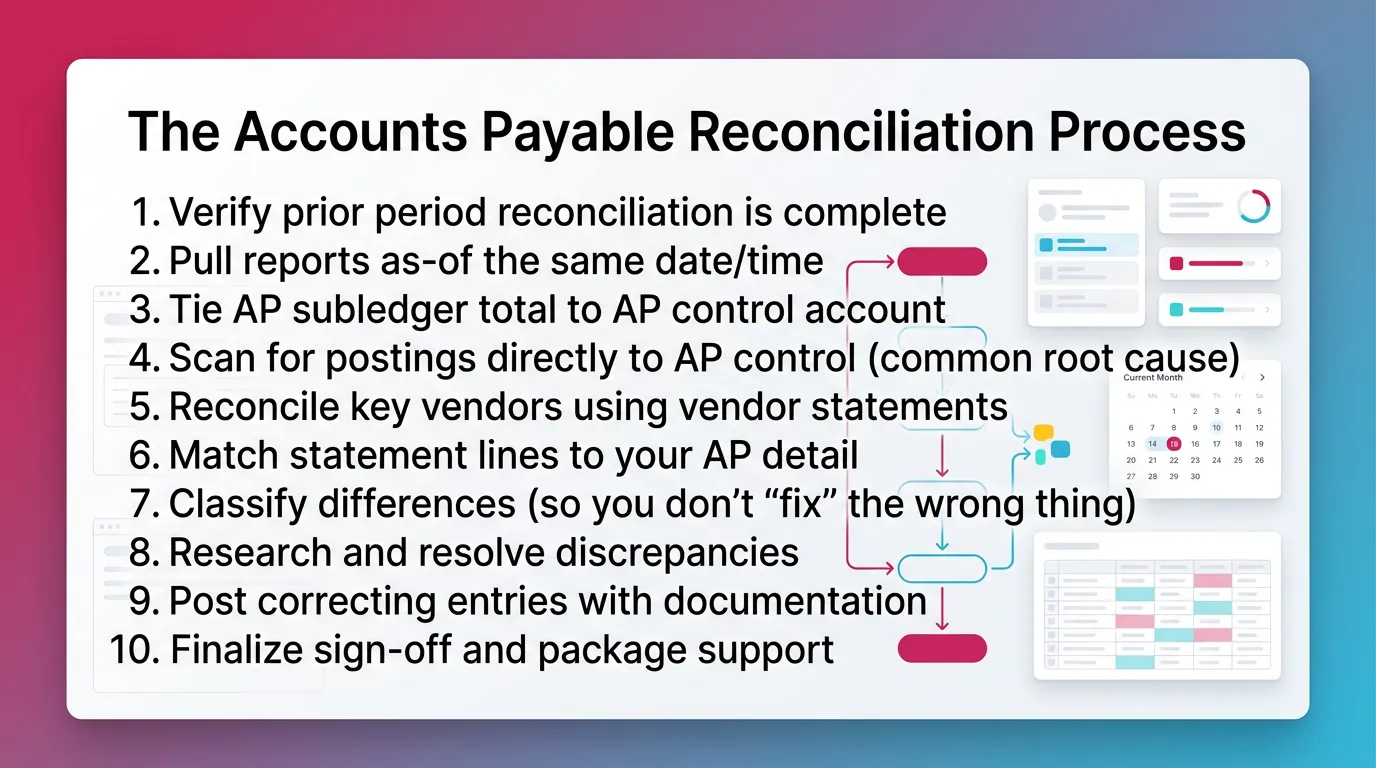
- Verify prior period reconciliation is complete (rollforward sanity check)
Confirm last month tied out. Confirm it has sign-off.
Then confirm this month starts from that ending balance. - Pull reports as-of the same date/time
Use the same timestamp for all reports. Save PDFs.
Pull:
- AP aging summary and AP detail (subledger).
- GL trial balance and AP control account detail.
- Tie AP subledger total to AP control account
Compare the AP aging total to the AP control ending balance.
Record the variance amount and direction. - Scan for postings directly to AP control (common root cause)
Review GL detail for the AP control account.
Filter for:
- Manual journal entries.
- Misc receipts or adjustments.
- Integration postings.
- Reconcile key vendors using vendor statements
Start with the vendors that drive risk and volume.
Use a consistent list month to month. - Match statement lines to your AP detail
Tick and tie each item. Keep it simple.
Match:
- Invoices.
- Credits.
- Payments.
- Adjustments and write-offs.
- Classify differences (so you don’t “fix” the wrong thing)
Tag each variance as one of these:
- Timing difference.
- True error.
- Missing documentation.
- Mapping issue or posting method issue.
- Research and resolve discrepancies
Work from evidence. Not assumptions.
Common resolutions include:
- Enter missing bills with correct dates.
- Void duplicates and document why.
- Apply credits and unapplied cash correctly.
- Fix misapplied payments to wrong invoices.
- Post correcting entries with documentation
Post corrections only after research.
Attach support for each entry.
Keep a clear reference to the variance item ID. - Finalize sign-off and package support
Save:
- Reports used for tie-out.
- Reconciliation schedule and exception log.
- Vendor statement tick marks and notes.
- Copies of posted entries and approvals.
How To Reconcile Accounts Payable To the General Ledger
Tie-Out Method (Subledger-to-GL) — The Standard Approach
To reconcile accounts payable to the general ledger, tie AP aging total to AP control ending balance. Use the same cut-off and the same accounting basis.
- Compare AP aging summary total to AP control account ending balance.
- Confirm same basis. Accrual vs cash reporting can mislead.
- Confirm the same period cut-off. Date and time matter.
If It Doesn’t Tie: A Root-Cause Checklist
If it does not tie, assume a process issue first.
Then move to vendor-level items.
Check these common drivers:
- Entries posted directly to AP control account.
- Bills coded to expense but not routed through AP, or vice versa.
- Vendor credits not applied correctly.
- Payments recorded in bank but not applied to bills.
- Multi-currency or FX revaluation differences, if relevant.
- Integration timing gaps between tools and the GL.
“Variance type → where to look → typical fix”
Vendor Reconciliation Process in Accounts Payable
When Should You Do Vendor Statement Reconciliations?
Do vendor statement reconciliations monthly for high-risk vendors. Do them quarterly for low-volume vendors. Always do them when disputes repeat.
Monthly for: critical suppliers, frequent invoices, complex credits/returns
Quarterly/periodic for: low-volume vendors
Always for: vendors with recurring disputes or frequent credit memos
In practice, I see the best results from a “top 10” list.
Keep it stable. Rotate one or two vendors each month.
Step-By-Step: Reconcile a Vendor Statement
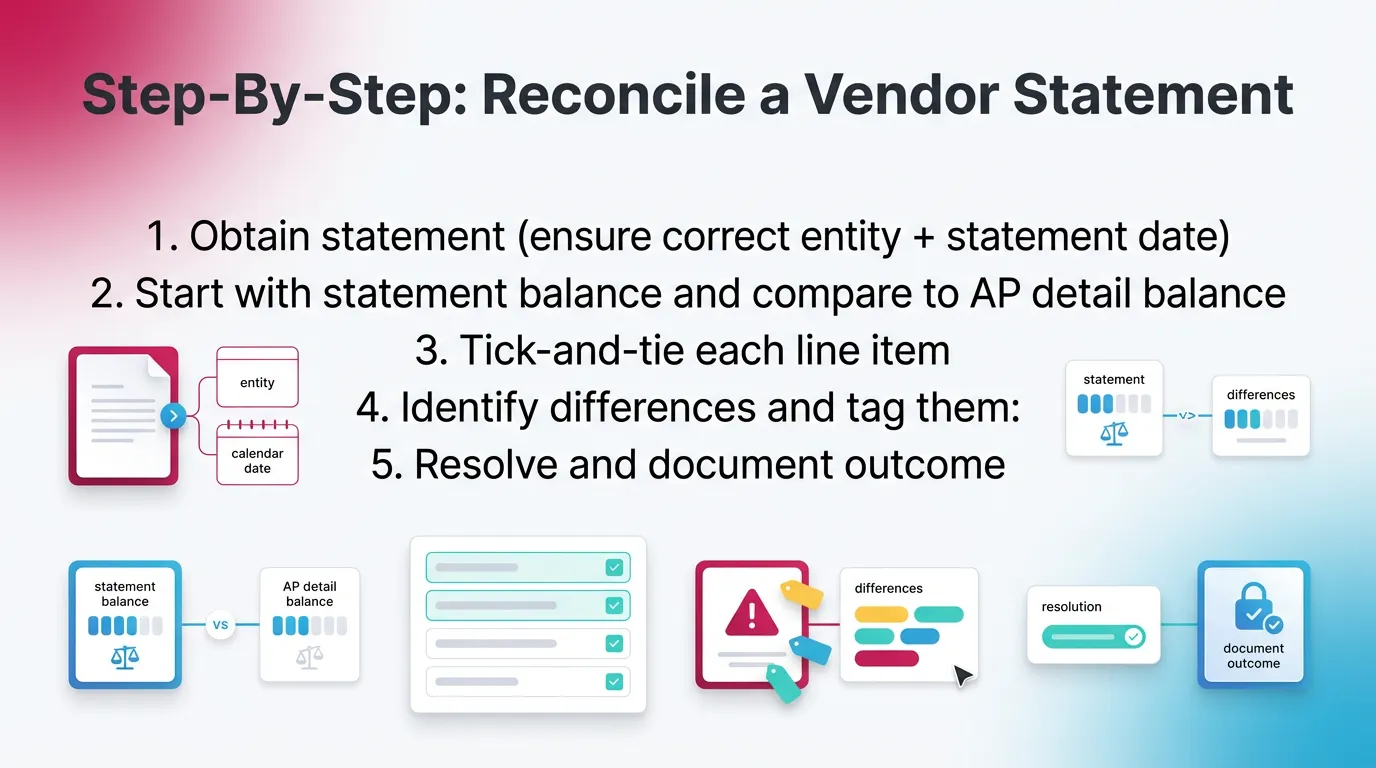
- Obtain statement (ensure correct entity + statement date)
- Start with statement balance and compare to AP detail balance
- Tick-and-tie each line item:
- Invoices
- Credit memos
- Payments (including in-transit)
- Identify differences and tag them:
- Missing invoice in your system
- Invoice on your books not on statement (timing/processing)
- Credit memo not received/recorded
- Payment not applied / applied to wrong invoice
- Resolve and document outcome
Tip that saves time:
Sort both lists by invoice number and amount.
Then match the easy items first.
Common Vendor Statement Discrepancies
- Vendor shows invoice; you don’t → unrecorded bill or wrong vendor account
- You show invoice; vendor doesn’t → pending dispute or vendor processing delay
- Statement shows payment; you don’t → bank posted but AP not applied
- Statement shows credit; you don’t → credit memo missing or misapplied
Accounts Payable Reconciliation Example
Example Scenario (Use Realistic Numbers)
- AP aging total (subledger): $248,950
- AP control account (GL): $246,450
- Variance: $2,500 (subledger higher than GL)
How You’d Resolve It
Start with the GL. Look for entries that bypass AP detail.
Then confirm the variance matches a specific posting.
- Check GL detail for direct postings to AP control.
- Find a $2,500 JE posted to AP control instead of an accrual account.
- Correct by reclassing the JE out of AP control.
- Re-run AP aging and GL TB. Confirm the tie-out.
This happens more than teams expect.
Someone “parks” an accrual in AP control to save time.
It breaks the tie and creates vendor-level confusion.
Insert: “Before vs after” balances and adjustment reference ID
Accounts Payable Reconciliation Template (Excel/Google Sheets Layout)
What to Include in an AP Reconciliation Template
An accounts payable reconciliation template should document totals, variances, owners, and evidence. It should also support review without extra meetings.
Include:
- Period end date and system timestamp.
- AP subledger total (AP aging summary).
- AP GL control account balance (trial balance).
- Reconciling items schedule with owner and status.
- Vendor statement reconciliation tab per key vendor.
- Evidence links. Statements, invoices, and JE support.
Suggested Columns
- Item ID
- Type (timing / error / reclass / missing doc)
- Vendor (if applicable)
- Amount
- Source report (AP detail / GL detail / statement)
- Proposed action
- Entry posted? (Y/N) + date
- Reviewer sign-off
AP Reconciliation Best Practices
Process Controls
AP reconciliation best practices start with consistency. A repeatable process beats a smart scramble every time.
- Standardize cut-off timing and your report set.
- Use the same timestamp every month.
- Control posting methods to the AP control account.
- Keep an exception log. Do not rely on memory.
Quality Checks That Catch Errors Early
These checks prevent ugly surprises:
- Review old or unusual credits monthly.
- Review unapplied payments monthly.
- Trend check AP flux by vendor and category.
- Reconcile top vendors first. Use the Pareto rule.
A practical approach:
Pick a dollar threshold. For example, test all variances over $500.
Then sample smaller items by vendor risk.
Documentation & Audit-Readiness
Keep documentation to support internal review and clean closes.
Do not treat this as audit work.
Save a reconciliation package:
- Reports and timestamps.
- Vendor statement tick marks and notes.
- Variance explanations.
- Copies of posted entries and approvals.
Common Mistakes When Reconciling Accounts Payable
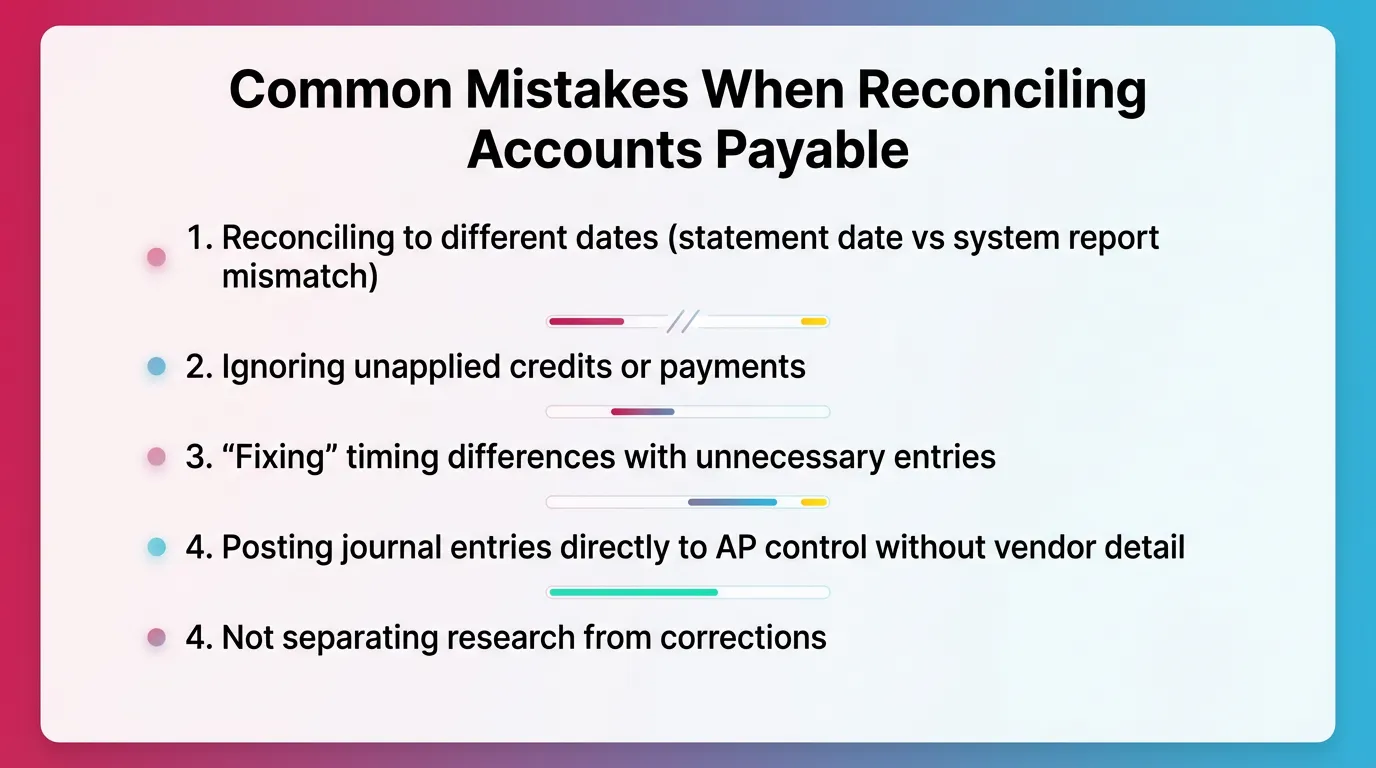
Most AP issues repeat because teams repeat the same mistakes.
Fix the workflow. The numbers follow.
- Reconciling to different dates (statement date vs system report mismatch)
- Ignoring unapplied credits or payments
- “Fixing” timing differences with unnecessary entries
- Posting journal entries directly to AP control without vendor detail
- Not separating research from corrections
Insert (table): Mistake → symptom → prevention control
How Xenett Supports a More Repeatable AP Reconciliation Close
Xenett helps you run the accounts payable reconciliation process with control. It adds execution, visibility, and review structure. It does not replace accounting judgment.
Xenett is not an audit tool. Xenett does not provide audit services.
Close Task And Checklist Management
Xenett turns accounts payable month end reconciliation into a defined deliverable.
You can standardize the ap reconciliation process across entities and clients.
- Build a monthly checklist for AP subledger reconciliation and GL tie-out.
- Assign owners, due dates, and dependencies.
- Require “AP aging finalized” before “GL tie-out” starts.
- Reduce status meetings with clear task states.
Related reading:
Review And Approval Workflows
Xenett supports consistent review and approval workflows.
That helps you keep sign-off clean and repeatable.
- Route tie-out files and variance explanations for review.
- Require reviewer completion before marking AP “done.”
- Apply the same review standard across staff and teams.
Visibility Into Close Status And Bottlenecks
Xenett makes blockers obvious. Therefore you fix them sooner.
- See which step blocks close. Missing statements or unposted entries.
- Track recurring variances month over month.
- Use patterns to fix root causes, not symptoms.
Summary: The “Tie-Out Triangle” For AP Reconciliation
A strong accounts payable reconciliation ties three sources. Vendor statements, AP subledger, and AP control in the GL. Then you document exceptions and sign off.
- Vendor statements (selected and high-risk vendors)
- AP subledger (AP detail and AP aging)
- AP control account (GL)
- Exception log + documented corrections + sign-off package
Insert (one table): “What to run each month”
FAQ: Accounts Payable Reconciliation
What Is Accounts Payable Reconciliation?
Accounts payable reconciliation is confirming that vendor balances and AP detail agree with the accounts payable balance in the general ledger, and investigating and resolving any differences.
How Do You Do Reconciliation of Accounts Payable?
Run AP aging and AP detail plus the GL AP control account as-of the same cut-off. Tie totals, reconcile key vendor statements, classify differences, post documented corrections, and complete reviewer sign-off.
What Is Reconciliation in Accounts Payable?
It’s the control activity that verifies AP records are complete and accurate by matching subledger details and vendor support to the GL balance.
What Is Vendor Reconciliation in Accounts Payable?
Vendor reconciliation compares a vendor’s statement to your AP detail to identify missing invoices, unapplied credits, misapplied payments, or timing differences.
What Is AP Subledger Reconciliation?
AP subledger reconciliation verifies that the total of all vendor-level AP balances ties to the AP control account in the general ledger.
How Do You Reconcile Accounts Payable to the General Ledger?
Compare the AP aging total to the AP control account ending balance. If they don’t match, look for direct postings to AP control, unapplied items, or timing gaps, then correct and re-run.
What Are the Most Common Accounts Payable Reconciliation Issues?
Missing invoices, duplicate bills, unapplied vendor credits, payments not applied to bills, and journal entries posted directly to the AP control account.
How Often Should You Perform Accounts Payable Month-End Reconciliation?
Perform it monthly as part of close. Do vendor statement reconciliations monthly for high-risk vendors and periodically for low-volume vendors.
Conclusion
Accounts payable reconciliation works best when you run it the same way every month. Use one cut-off. Tie the subledger to the GL. Then confirm key vendors with statements. Document exceptions and get sign-off.
If your team wants a more repeatable close, standardize your AP reconciliation process in a checklist. Then track exceptions and reviews in one place, such as Xenett, so nothing slips at month-end.