.svg)

Accounting Practice Management Software: 2026 Guide

Ask questions, get summaries, or uncover key takeaways from this article.

Blog Summary / Key Takeaways
- Most firms run 4+ disconnected tools practice management software replaces them with one platform
- Manages tasks, deadlines, client comms, documents, review, and billing (not a replacement for QuickBooks/Xero)
- Solves: missed deadlines, unclear ownership, review bottlenecks, billing leakage
- Must-haves: workflows, client portal, time tracking, review sign-off, recurring tasks, dashboards
- Xenett differentiators: bookkeeping + close dashboards, 70% less review time, per-firm pricing, accounting-first build
- Case study: Bright Advisory cut review cycle from 4 days → 24 hours, saved 3 days of monthly close prep
I talk to a lot of firm owners who are running four tools just to manage one client engagement.
There's a spreadsheet for task tracking. A separate portal for client documents. An inbox thread for review notes. And a billing system that no one updates until the end of the month.
Everything technically works. Nothing actually fits together.
That's the problem accounting practice management software is supposed to solve. But whether it actually does depends almost entirely on which tool you pick and what you expect from it.
This guide breaks down what practice management software is, what it should do, and how to tell the difference between tools that simplify your firm versus tools that just add another login.
What Is Accounting Practice Management Software?
Accounting practice management software is a platform that centralizes how your firm manages clients, work, deadlines, and team communication in one place.
It typically covers task assignment, workflow tracking, document management, client communication, time tracking, and billing all tied to a client record.
The goal isn't to replace your accounting software. QuickBooks, Xero, or whatever GL you use stays in place. Practice management sits on top of that it manages how work moves through your firm, not the financial data itself.
Think of it as the operating layer between your team and your clients.
What Problems Does It Actually Solve?
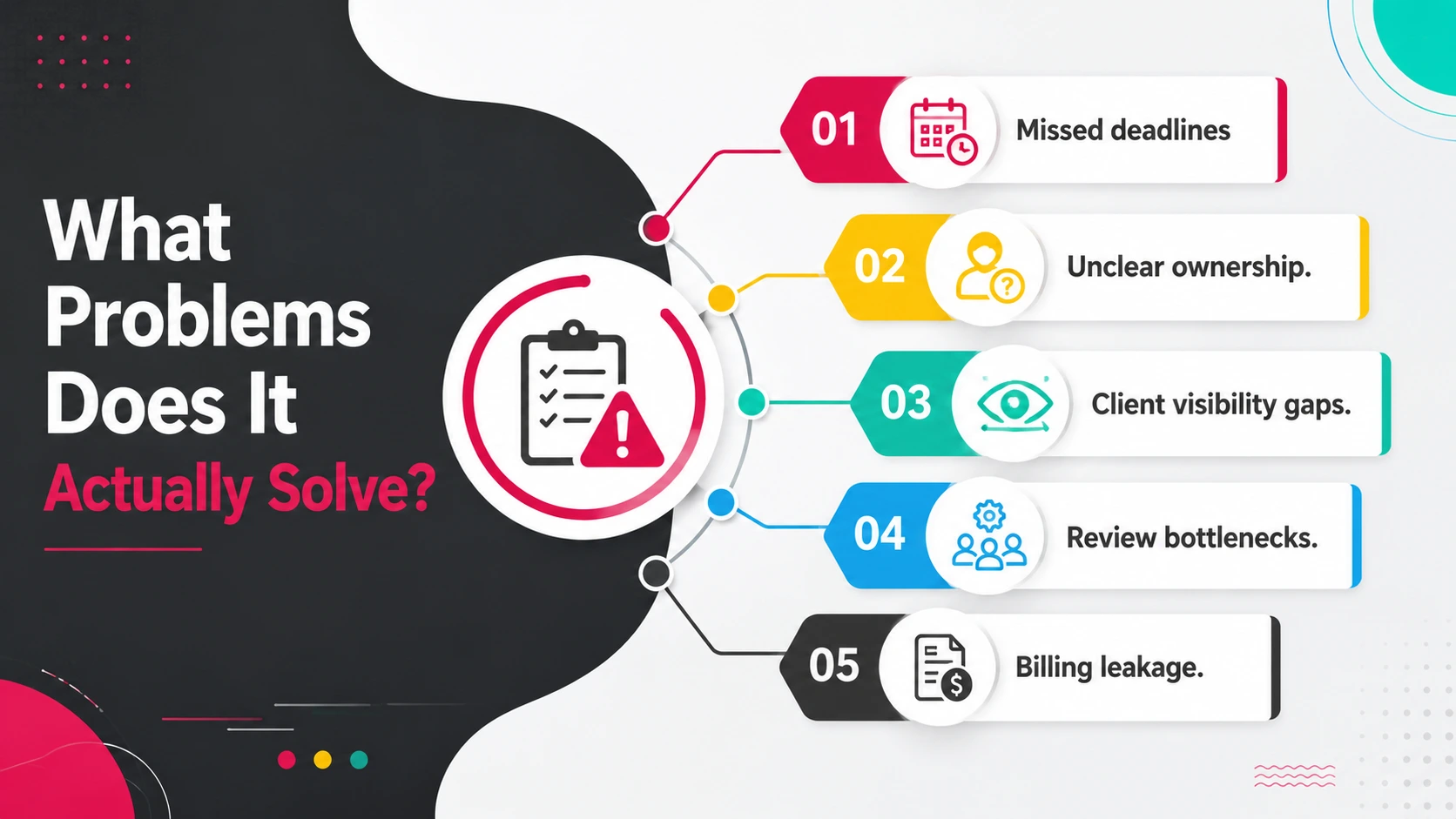
Most firms don't struggle with accounting. They struggle with managing the business of accounting.
Missed deadlines. When tasks live in individual inboxes and spreadsheets, nothing surfaces until it's overdue. Practice management software gives everyone a shared view of what's due, who owns it, and where it's stuck.
Unclear ownership. "I thought you were handling that" is a phrase that shouldn't exist in a well-run firm. Task assignment with accountability changes that.
Client visibility gaps. Without a structured system, clients either get radio silence or chased-up emails. Both erode trust. A client portal with status visibility removes that friction.
Review bottlenecks. Partners and managers reviewing work through email threads is slow and error-prone. Structured review workflows with comments tied to specific items move things faster.
Billing leakage. Time that's worked but not captured doesn't get billed. Practice management software with integrated time tracking reduces that gap.
Core Features Every Firm Should Expect
Not all practice management tools offer the same depth. Here's what a full-featured platform should include and what a partial one will leave out.
If a tool is missing the first eight, you'll be patching the gap with something else. That's the exact problem you're trying to solve.
Nice-to-Have vs. Must-Have Features
Vendors love listing every feature at equal weight. Here's a clearer way to think about it.
The must-haves determine whether your core operations run smoothly. The nice-to-haves add polish. Don't pay a premium for polish if the foundation is missing.
How to Evaluate Practice Management Software Before You Buy
Most software demos show you the best-case scenario. The right questions reveal the edges.
What does the onboarding process look like? Migration from spreadsheets or an existing tool takes time. Ask for a realistic timeline not a "you'll be live in a day" promise.
How does it handle recurring work? Monthly bookkeeping, quarterly reviews, year-end filings your work repeats. The tool should create recurring tasks automatically, not require you to rebuild them each cycle.
What does the client experience look like? Open the client-facing portal before you sign. If you'd feel awkward sending that to a client, your clients will feel awkward using it.
How does review actually work? Ask them to show you what happens when a preparer finishes work and needs manager sign-off. That specific flow is where most tools break down.
What integrations exist and how deep are they? A native QBO sync is different from a Zapier connection. Understand what actually syncs, in which direction, and in real time versus on a schedule.
What does pricing look like at scale? Per-user pricing compounds fast. A tool that's $15/user at 5 staff is $150/user at 50 if pricing tiers aren't clear.
What does support look like post-sale? "Onboarding support" and "ongoing support" are different things. Ask what happens in month four when your team hits a wall.
Xenett vs. The Rest: A Side-by-Side Comparison
Here's how the major platforms compare on the features that matter most for accounting firms.
Xenett's standout differentiators are its dedicated bookkeeping and close dashboards designed specifically for the way accounting work moves through a firm and the 70% reduction in review time reported by firms using it.
Most other tools are built around project management first and adapted for accounting. Xenett is built accounting-first.
Real Scenario: How Bright Advisory Went from 4 Tools to 1
Bright Advisory is a seven-person CPA firm in Austin, Texas.
Before adopting Xenett, their stack looked like this: Asana for tasks, Google Drive for documents, email for client communication, and a separate billing tool. Every month-end close required manually moving information between all four. Partners spent time tracking down status rather than reviewing work.
The specific pain: a manager would finish a set of workpapers, email the partner, the partner would open Drive in a separate tab, leave comments in a doc, email back, and the loop would start again. The average review cycle ran four days.
After switching to Xenett, all four functions tasks, documents, review, and billing ran in one place. Review comments were tied directly to the work item. The partner could approve or push back without leaving the platform. The average review cycle dropped to under 24 hours.
They also cut monthly close preparation time by three days across the team not because they worked faster, but because the handoffs stopped creating friction.
That's not unusual. It's close to what 1,000+ firms using Xenett report.
How Xenett Can Help
Xenett is built for accounting and bookkeeping firms that want to consolidate their tools, speed up review, and get full visibility into their practice — without spending weeks on implementation.
Key capabilities:
- Bookkeeping Dashboard - Real-time view of every client's bookkeeping status, outstanding items, and review stage. No more spreadsheet trackers.
- Close Dashboard - Tracks month-end close progress across all clients in one view. See what's open, what's blocked, and what's ready to deliver.
- Workflow Automation - Recurring tasks auto-create on schedule. Handoffs trigger automatically when work is marked complete.
- Client Portal - Clients submit documents, respond to requests, and see status without emailing your team.
- Review Workflows - Structured preparer → reviewer → partner sign-off. Comments tied to work items. No email chains.
Firms using Xenett report 70% less review time, 3x faster close cycles, and consolidation from an average of 4 tools down to 1.
If you're evaluating tools, book a 15-minute demo and we'll show you exactly how your firm's workflow would look inside Xenett.
FAQ
What is accounting practice management software used for?
It's used to manage client work, deadlines, team tasks, document requests, reviews, and billing all from one platform. It replaces the combination of spreadsheets, email threads, and standalone tools most firms currently rely on.
Is practice management software the same as accounting software?
No. Accounting software (QuickBooks, Xero, Sage) handles financial data transactions, reconciliations, reporting. Practice management software handles how work moves through your firm tasks, workflows, client communication, and review. They serve different functions and typically integrate with each other.
How much does accounting practice management software cost?
Most tools charge per user per month, ranging from $15 to $65 per user depending on the feature set. Some platforms like Xenett offer firm-based pricing. At 5–10 users, expect $100–$400/month depending on the tool and tier.
What's the difference between Xenett and Karbon?
Karbon is built around email threading and is designed for larger, enterprise-level firms. Xenett is built specifically around the accounting workflow bookkeeping and close dashboards, structured review, and tool consolidation and is designed for small to mid-size firms. Xenett also reports a 70% reduction in review time, which Karbon doesn't publish comparable data for.
How long does implementation take?
With a well-structured onboarding process, most firms are operational in 1–2 weeks. Migration complexity depends on how much historical data you're bringing in and how many existing tools you're replacing.
Can small accounting firms afford practice management software?
Yes. Tools like Xenett and Jetpack Workflow are priced for firms with 2–15 staff. The time saved in review and coordination typically offsets the cost within the first month for most firms.
What happens if I already use QuickBooks for billing?
Most practice management platforms integrate with QuickBooks. You can typically continue using QBO for billing while running workflow, tasks, and client communication through your practice management tool. Check whether the integration is native or connector-based before committing.
Conclusion
If your firm is still managing work through a combination of email, spreadsheets, and disconnected tools, you're spending time on coordination that should go to client work.
Practice management software doesn't guarantee efficiency. The wrong tool can add complexity instead of removing it.
The right tool gives your team one place to see everything what's due, who owns it, what's waiting on a client, and what's ready to bill.
Xenett is built for exactly that.
Book a 15-minute demo and see what your firm's workflow looks like when it's all in one place. No pitch deck. Just your workflow, inside the product.
It's used to manage client work, deadlines, team tasks, document requests, reviews, and billing all from one platform. It replaces the combination of spreadsheets, email threads, and standalone tools most firms currently rely on.
No. Accounting software (QuickBooks, Xero, Sage) handles financial data transactions, reconciliations, reporting. Practice management software handles how work moves through your firm tasks, workflows, client communication, and review. They serve different functions and typically integrate with each other.
Most tools charge per user per month, ranging from $15 to $65 per user depending on the feature set. Some platforms like Xenett offer firm-based pricing. At 5–10 users, expect $100–$400/month depending on the tool and tier.
Karbon is built around email threading and is designed for larger, enterprise-level firms. Xenett is built specifically around the accounting workflow bookkeeping and close dashboards, structured review, and tool consolidation and is designed for small to mid-size firms. Xenett also reports a 70% reduction in review time, which Karbon doesn't publish comparable data for.
With a well-structured onboarding process, most firms are operational in 1–2 weeks. Migration complexity depends on how much historical data you're bringing in and how many existing tools you're replacing.


.webp)