
.svg)

How to Do a Bank Reconciliation: A Complete Guide for Accountants

Ask questions, get summaries, or uncover key takeaways from this article.

Blog Summary / Key Takeaways
- Bank reconciliation compares the GL cash balance to the bank statement to confirm they match and explain any differences
- It should be done monthly for every bank account your client holds
- The most common errors are outstanding checks, deposits in transit, bank fees, and duplicate transactions
- In QuickBooks Online, reconciliation runs through the Banking menu and takes 20 to 60 minutes per account when the books are current
- Xenett's Close Dashboard tracks reconciliation status across all clients so nothing gets missed or delayed
Bank reconciliation is one of the first things accounting students learn and one of the last things firms systematize.
Most bookkeepers know how to reconcile a bank account. The problem is not the skill. The problem is doing it consistently, across every account, for every client, every month and tracking that it happened.
This guide covers how bank reconciliation works, the step-by-step process, the most common errors, how to run it in QuickBooks Online, and how to manage it at scale when you have 30 or 40 clients to close each month.
What Is a Bank Reconciliation?
A bank reconciliation is the process of comparing your client's general ledger cash balance to their bank statement to confirm they are consistent, explain any differences, and ensure the books accurately reflect the actual cash position.
It is completed monthly for every bank account checking, savings, money market, and any other accounts with transaction activity.
When reconciliation is complete, the adjusted GL balance and the adjusted bank statement balance match. Any differences are explained by timing items transactions that appear in one record but not yet in the other.
Why Bank Reconciliation Matters
Bank reconciliation is not a formality. It is the primary mechanism for catching cash-related errors and fraud before they compound.
It catches errors. Duplicate transactions, transposed amounts, and miscoded entries all surface when you compare the GL to the bank statement. Catch them monthly and they take minutes to fix. Miss them for six months and the cleanup is a significant project.
It detects fraud and unauthorized transactions. When you review bank activity systematically every month, unauthorized transactions and unusual patterns surface quickly. Firms that skip reconciliation often discover fraud through an audit rather than through their own process.
It confirms the cash balance is real. Every other financial statement depends on accurate cash balances. A P&L and balance sheet built on an unreconciled bank account are estimates, not facts.
It keeps the books audit-ready. Clients with monthly reconciled accounts are straightforward to audit or review. Clients with months of unreconciled activity require reconstruction before the real work can start.
Bank Reconciliation vs. Account Reconciliation
These terms are sometimes used interchangeably. They are not the same thing.
Bank reconciliation is one component of full account reconciliation. Firms that reconcile only the bank accounts are leaving risk on the rest of the balance sheet.
How to Do a Bank Reconciliation: Step by Step
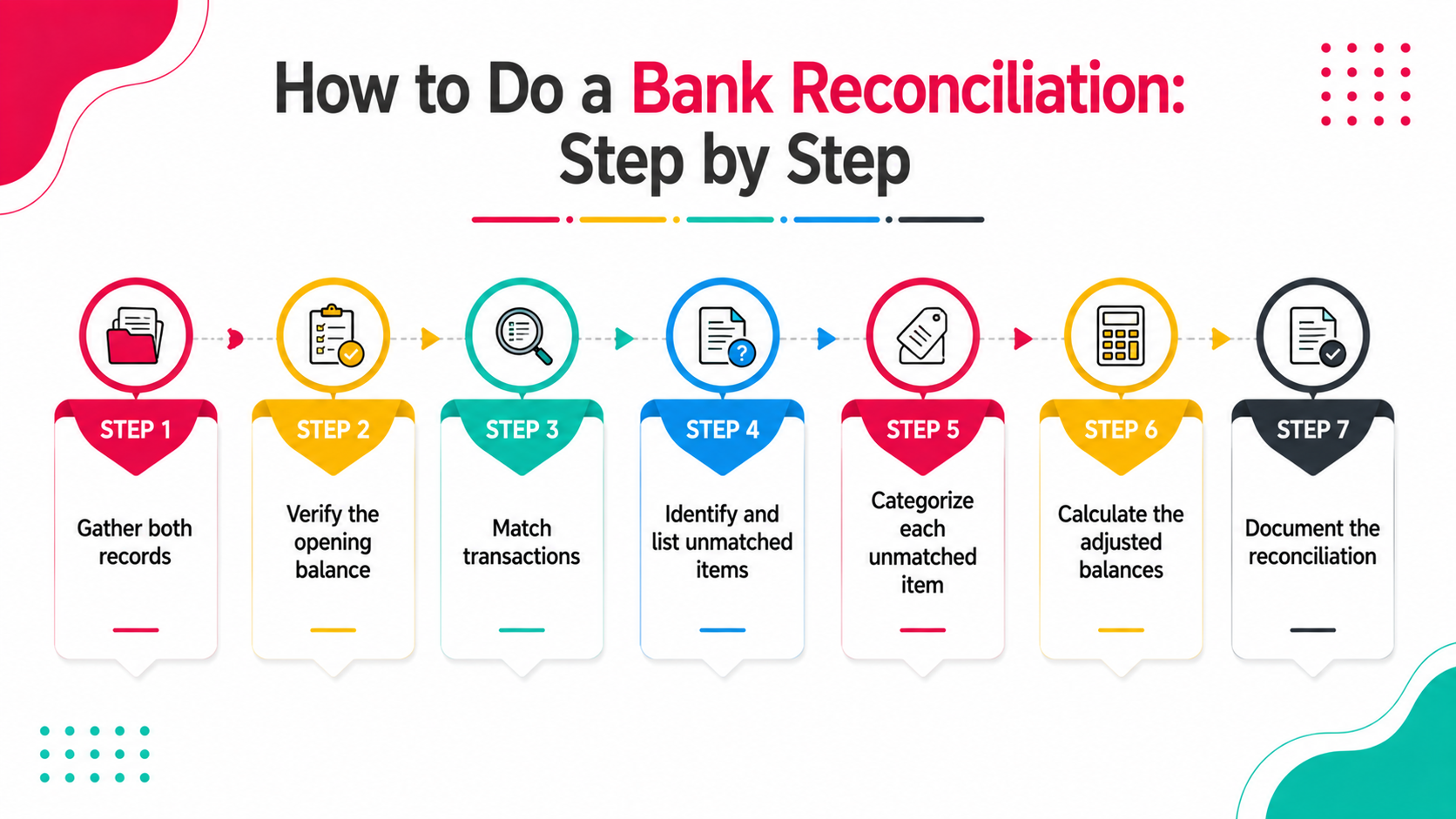
The process is consistent whether you are working manually, in QuickBooks, or in Xero.
Step 1: Gather both records. You need two things: the GL cash balance as of the statement end date and the bank statement for the same period. Both must cover the same date range.
Step 2: Verify the opening balance. The opening balance on your reconciliation should match the ending balance from last month's reconciliation. If it does not, last month's reconciliation has an error or was not completed.
Step 3: Match transactions. Go through each transaction on the bank statement and confirm it appears in the GL with the same date, amount, and description. Mark each matched transaction as cleared.
Step 4: Identify and list unmatched items. Any transaction in the GL that has not cleared the bank is an outstanding item. Any transaction on the bank statement that does not appear in the GL is an unrecorded item.
Common outstanding items in the GL:
- Outstanding checks issued but not yet cleared
- Deposits recorded in the GL but not yet posted by the bank
- Wire transfers in transit
Common bank statement items not in the GL:
- Bank service charges and fees
- Interest earned
- Returned checks (NSF)
- Automatic payments not yet recorded
Step 5: Categorize each unmatched item. Timing differences are expected they will clear next month. These are noted and explained.
Errors need to be corrected now: duplicate entries, wrong amounts, missing transactions. Post adjusting journal entries for each error.
Step 6: Calculate the adjusted balances. Start with the GL balance. Add any deposits in transit. Subtract any outstanding checks. Add or subtract any correction entries. This is the adjusted GL balance.
Start with the bank statement balance. Subtract outstanding checks not yet cleared. Add deposits in transit. Subtract bank errors (if any). This is the adjusted bank balance.
Both adjusted balances must match. If they do not, there is still an unresolved item.
Step 7: Document the reconciliation. Record the reconciliation with: statement date, opening balance, all reconciling items, adjusted ending balance, preparer name, reviewer name, and date completed. This is the audit trail.
Bank Reconciliation Formula
The two standard formulas used to confirm reconciliation:
Bank side: Bank statement ending balance Plus: Deposits in transit Less: Outstanding checks Plus or less: Bank errors = Adjusted bank balance
Book side: GL cash balance Plus: Interest earned (not yet recorded) Less: Bank service charges (not yet recorded) Less: NSF checks returned Plus or less: Book errors = Adjusted book balance
Adjusted bank balance = Adjusted book balance. If they are equal, the account is reconciled.
How to Reconcile in QuickBooks Online: Step by Step
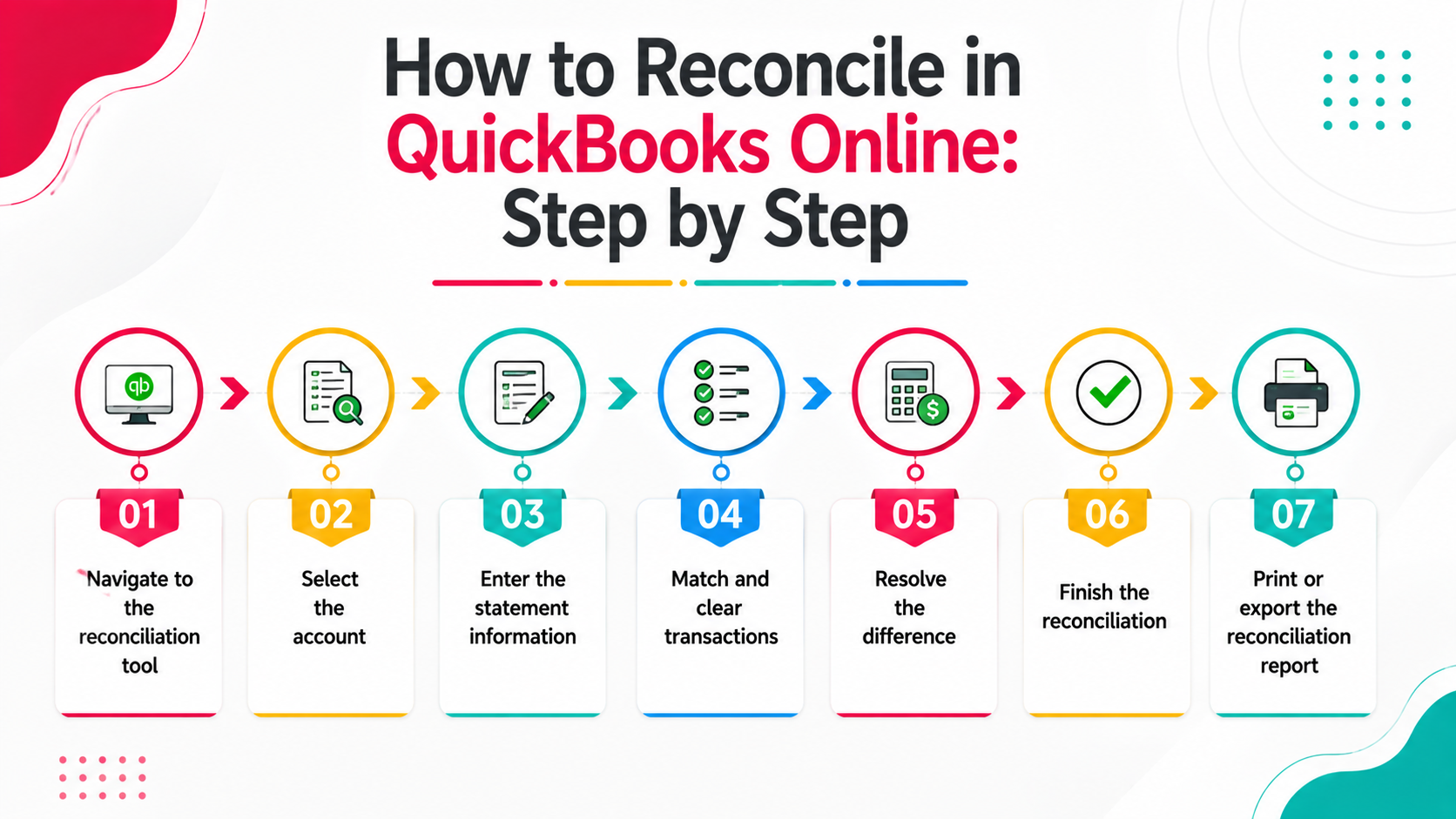
QBO has a built-in reconciliation tool that handles the matching process with bank feed data.
Step 1: Navigate to the reconciliation tool. Go to Accounting in the left menu, then select Reconcile.
Step 2: Select the account. Choose the bank account you are reconciling from the dropdown.
Step 3: Enter the statement information. Enter the statement ending date and ending balance from the bank statement. QBO will populate the beginning balance automatically from the prior reconciliation.
Step 4: Match and clear transactions. QBO displays all transactions in that account. Match each transaction on the bank statement to a transaction in QBO and click to clear it. QBO updates the difference in real time.
Step 5: Resolve the difference. When all matched transactions are cleared, the Difference field should show 0.00. If it does not, you have either an unmatched transaction, an amount error, or a timing item that needs documentation.
Step 6: Finish the reconciliation. When the difference is zero, click Finish Now. QBO records the reconciliation date and locks reconciled transactions so they cannot be edited without generating a discrepancy.
Step 7: Print or export the reconciliation report. Save the reconciliation report for your files. This is the documentation your reviewer and the client may need.
Common Bank Reconciliation Errors and How to Fix Them
The most common recurring issue at most firms is the bank fee a $15 or $25 monthly charge that is never recorded until reconciliation. Setting a recurring journal entry or rule in QBO to capture bank fees automatically eliminates this.
Bank Reconciliation at Scale: Managing 30+ Clients Per Month
For a firm doing bank reconciliation across 30 or 40 clients monthly, the mechanics of reconciliation are not the challenge. The challenge is:
- Tracking which accounts are reconciled and which are not
- Ensuring reconciliations are reviewed before close is finalized
- Following up on clients whose bank feeds are disconnected or statements have not been received
- Making sure reconciliations are documented consistently across the team
Without a system, this is managed through spreadsheets and memory. With a system, it is managed through a close dashboard
Real Scenario: A Disconnected Bank Feed That Cost 3 Days
A bookkeeping firm was managing a restaurant client with six bank accounts two checking, two savings, one payroll account, and a merchant services sweep account.
In month four of the engagement, the bank feed for the payroll account disconnected silently. No alert. No notification. The bookkeeper did not notice until reconciliation which was three days into the close cycle.
Pulling four months of payroll account transactions manually, matching them to GL entries, and reconciling the backlog took two full days and pushed the client's close back by a week.
The fix was not a new tool or a different process. It was adding a step at the start of each month to verify all bank feeds are active before any coding begins. Now it is a task that triggers automatically on the 1st.
One two-minute check at the start of each cycle. Three days of rework eliminated.
How Xenett Can Help
Xenett's Close Dashboard gives firms real-time visibility into reconciliation status across every client -- so nothing gets missed and nothing goes into review unreconciled.
Key capabilities:
- Close Dashboard - See which accounts are reconciled, in progress, or have open items across all clients in one screen. No manual status checks.
- Reconciliation task tracking - Each account's reconciliation is a tracked task with a status, owner, and due date. Overdue items surface automatically.
- Structured review workflows - Reconciliation workpapers move from bookkeeper to reviewer to partner with comments tied to the work. No email.
- Recurring task automation - Reconciliation tasks auto-generate at the start of each cycle for every client. Nothing needs to be set up manually each month.
- Document management - Reconciliation reports and supporting documentation stored and versioned in one place.
1,000+ accounting and bookkeeping firms use Xenett to manage close and reconciliation at scale.
Book a 15-minute demo to see the Close Dashboard in action.
FAQs
What is a bank reconciliation?
A bank reconciliation is the process of comparing the cash balance in your client's general ledger to their bank statement to confirm they match, explain any differences, and ensure the books accurately reflect the actual cash position. It is completed monthly for every bank account.
How long does a bank reconciliation take?
For a well-maintained account with an active bank feed, a monthly bank reconciliation typically takes 20 to 45 minutes. Accounts with high transaction volume, disconnected feeds, or months of backlog can take significantly longer.
What is the difference between a bank reconciliation and a balance sheet reconciliation?
A bank reconciliation compares the cash balance in the GL to the bank statement. A balance sheet reconciliation covers all balance sheet accounts not just cash each compared to its own supporting documentation. Bank reconciliation is one step within the broader balance sheet reconciliation process.
What are reconciling items in a bank reconciliation?
Reconciling items are differences between the GL balance and the bank statement balance that have a known, documented explanation. Common examples: outstanding checks issued but not yet cleared, deposits recorded in the GL but not yet posted by the bank, and bank fees recorded by the bank but not yet in the GL. Timing items clear in the next period. Errors must be corrected.
How do you reconcile in QuickBooks Online?
In QuickBooks Online, go to Accounting, then Reconcile. Select the account, enter the statement ending balance and date, mark off cleared transactions, and finish when the difference reaches zero. QBO locks reconciled transactions and generates a reconciliation report.
What happens if a bank reconciliation does not balance?
If the adjusted bank balance and adjusted book balance do not match, there is an unresolved item. Common causes are duplicate transactions, missing entries, amount errors, or a bank error. The reconciliation should not be finalized until the difference is zero and explained.
How often should bank accounts be reconciled?
Monthly, for every account with transaction activity. Accounts with high transaction volume operating checking accounts, payroll accounts should ideally be reviewed weekly even if formal reconciliation happens monthly. Accounts that go unreconciled for more than one period accumulate errors that are significantly harder to untangle.
Conclusion
Bank reconciliation is one of the most fundamental tasks in bookkeeping. It is also one of the most frequently delayed.
The process itself is not complicated. The challenge at scale is doing it every month, for every account, for every client, with consistent documentation and a structured review without it becoming a bottleneck that holds up close.
Firms that manage this well have two things: a clear process that every bookkeeper follows, and a system that tracks whether it happened.
A bank reconciliation is the process of comparing the cash balance in your client's general ledger to their bank statement to confirm they match, explain any differences, and ensure the books accurately reflect the actual cash position. It is completed monthly for every bank account.
For a well-maintained account with an active bank feed, a monthly bank reconciliation typically takes 20 to 45 minutes. Accounts with high transaction volume, disconnected feeds, or months of backlog can take significantly longer.
A bank reconciliation compares the cash balance in the GL to the bank statement. A balance sheet reconciliation covers all balance sheet accounts -- not just cash -- each compared to its own supporting documentation. Bank reconciliation is one step within the broader balance sheet reconciliation process.
Reconciling items are differences between the GL balance and the bank statement balance that have a known, documented explanation. Common examples: outstanding checks issued but not yet cleared, deposits recorded in the GL but not yet posted by the bank, and bank fees recorded by the bank but not yet in the GL. Timing items clear in the next period. Errors must be corrected.
In QuickBooks Online, go to Accounting, then Reconcile. Select the account, enter the statement ending balance and date, mark off cleared transactions, and finish when the difference reaches zero. QBO locks reconciled transactions and generates a reconciliation report.


