
.svg)

Month-End Close Process Flowchart (Visual Guide)

Ask questions, get summaries, or uncover key takeaways from this article.
.webp)
Ever feel like the month-end close process eats up your entire week? Sometimes your sanity too? You’re definitely not alone.
Between reconciling accounts, reviewing entries, and fixing last-minute issues, closing the books can feel endless. However, accurate financial statements are what keep decisions sharp and businesses stable.
Therefore, the month-end close process exists for a reason. It creates reliable reports that leaders can actually trust.
Why Does the Month-End Close Feel So Overwhelming?
The month-end close often feels complex because everything happens at once. Tasks pile up, reviews are rushed, and errors surface when time is already gone.
Repetition adds frustration. Stress adds pressure. Accuracy competes with speed every single month.
However, 2025 has changed the game. AI-driven accounting automation tools now handle much of the heavy lifting.
When automation supports your close, you gain time, accuracy, and peace of mind. Yes, peace of mind still exists in accounting.
What Is the Month-End Close Process?
Question: What exactly is the month-end close process?
It is everything your accounting team does to wrap up the month accurately before moving forward.
This includes recording transactions, reconciling balances, reviewing data, and finalizing reports. Every number must align before the next period begins.
The month-end close is the backbone of accurate financial reporting and long-term business success.
Typical Steps in the Month-End Close Process
Most finance teams follow a similar structure each month. While tools may differ, the core steps remain consistent.
- Review and reconcile account balances
- Make necessary adjustments
- Examine data for accuracy and completeness
- Create and analyze financial reports
The process requires coordination across teams. It is demanding but essential for sound decision-making.
Why Use a Month-End Close Process Flowchart?
Question: Why is a month-end close process flowchart important?
Because clarity beats chaos every single time.
A flowchart provides a clear, visual view of each step in the close. Everyone sees what happens, when it happens, and who owns it.
Therefore, confusion drops. Accountability rises. Errors decrease naturally.
Benefits of a Month-End Close Process Flowchart
A well-designed flowchart turns complexity into structure. It simplifies even the most stressful close cycles.
Here’s why it matters:
- It visually maps every step in the close process
- It helps identify bottlenecks and inefficiencies
- It ensures consistency across accountants and teams
- It reduces errors through standardization
- It supports training for new hires
- It increases transparency and accountability
- It allows continuous improvement over time
Simply put, a flowchart keeps everyone aligned and moving forward.
What Should You Add to a Month-End Close Process Flowchart?
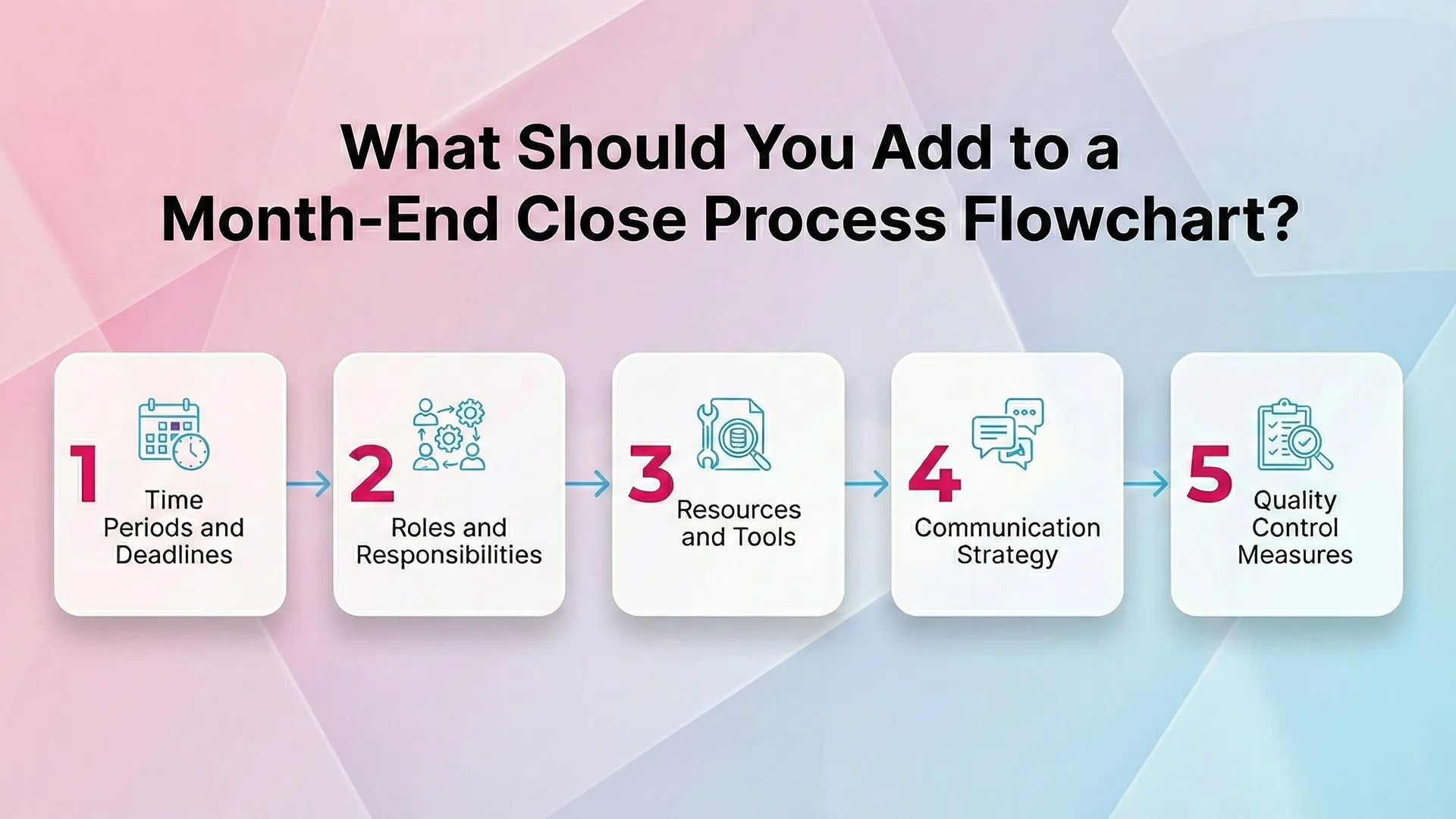
Now comes the practical part. Building a flowchart is not about boxes and arrows alone. It is about usefulness.
Below are the essentials every effective month-end close process flowchart should include.
Time Periods and Deadlines
Question: Why define timelines in a flowchart?
Because undefined timelines stretch forever.
Each task should have a clear deadline and expected duration. This keeps the close from expanding beyond control.
Clear timelines help teams prioritize work and avoid last-minute pileups.
Roles and Responsibilities
Every step should clearly show ownership. Who prepares? Who reviews? Who approves?
When roles are visible, confusion disappears. Overlaps reduce. Accountability becomes natural.
This prevents the classic, “I thought you were handling that” moment.
Resources and Tools
Your flowchart should list the tools used at each step. This includes accounting systems, reporting tools, and automation platforms.
With AI-driven platforms like Xenett, much of the manual review and reconciliation disappears.
Automation handles repetitive checks, teams focus on analysis instead of busywork.
Communication Strategy
Question: Why include communication in a flowchart?
Because silence slows everything down.
Define how updates, questions, and approvals move between team members. This prevents delays caused by missed messages.
Centralized collaboration keeps the close moving without endless email threads.
Quality Control Measures
No close process is complete without quality checks. Reviews protect accuracy and trust.
Include steps for approvals, validations, and error detection. These act as safety nets before reports are finalized.
Catching issues early prevents costly corrections later.
How Automation Elevates the Flowchart
A flowchart shows the process. Automation strengthens it.
When AI continuously reviews transactions, many steps shrink or disappear entirely. Errors are flagged in real time, not at month-end.
Therefore, the flowchart becomes leaner, faster, and far less stressful.
Key Takeaway
A month-end close process flowchart brings order to a chaotic process. Combined with automation, it transforms close from painful to predictable.
Clear steps. Clear ownership. Clean books. Fewer headaches.
That is what a modern close should feel like.
Best Practices for Month-End Close Process Flowchart
Creating a month-end close process flowchart is not just about structure. It is about making the close predictable, repeatable, and far less painful.
When done right, best practices turn a stressful close into a controlled routine. Let’s break them down in a practical, human way.
Why Best Practices Matter in Month-End Close
The month-end close process flowchart only works if it reflects reality. Without best practices, even the prettiest flowchart falls apart under pressure.
Best practices help teams reduce errors, save time, and stay aligned. Therefore, they are essential for consistency and confidence.
Think of them as guardrails. They keep the process moving smoothly, even during busy periods.
Create a Detailed Checklist
Question: Why is a checklist critical for month-end close?
Because memory is unreliable during deadlines.
A checklist outlines every task required for the close. Nothing gets skipped. Nothing gets rushed accidentally.
This ensures tasks are completed on time and accurately, even when workloads spike.
Assign Clear Responsibilities
Every task should have an owner. No exceptions.
Clear responsibility eliminates overlap, confusion, and delays. Each team member knows exactly what to do and when.
Therefore, accountability becomes natural instead of enforced.
Communicate Early and Clearly
Question: Why does communication break down during close?
Because assumptions replace clarity.
Effective communication keeps everyone aligned on deadlines, deliverables, and potential blockers.
Regular updates prevent surprises and reduce last-minute panic across departments.
Use the Right Technology
Manual processes slow everything down. Technology speeds it up safely.
Accounting software and automation tools reduce repetitive work and improve accuracy.
With platforms like Xenett, manual reviews shrink dramatically. AI handles detection while teams focus on decisions.
Review and Improve After Every Close
The close does not end when reports are done. Improvement starts afterward.
Analyze what worked and what did not. Identify bottlenecks and recurring issues.
This feedback loop makes every future close faster and more efficient.
How Long Does the Month-End Close Process Take?
Question: How long should month-end close take?
It depends on company size, complexity, and tools used.
On average, close can take a few days to over a week. Some teams take much longer.
According to APQC, 25 percent of finance teams report needing ten or more days. Automation can shorten this significantly without sacrificing accuracy.
What Are the 6 Steps in the Month-End Close Process?
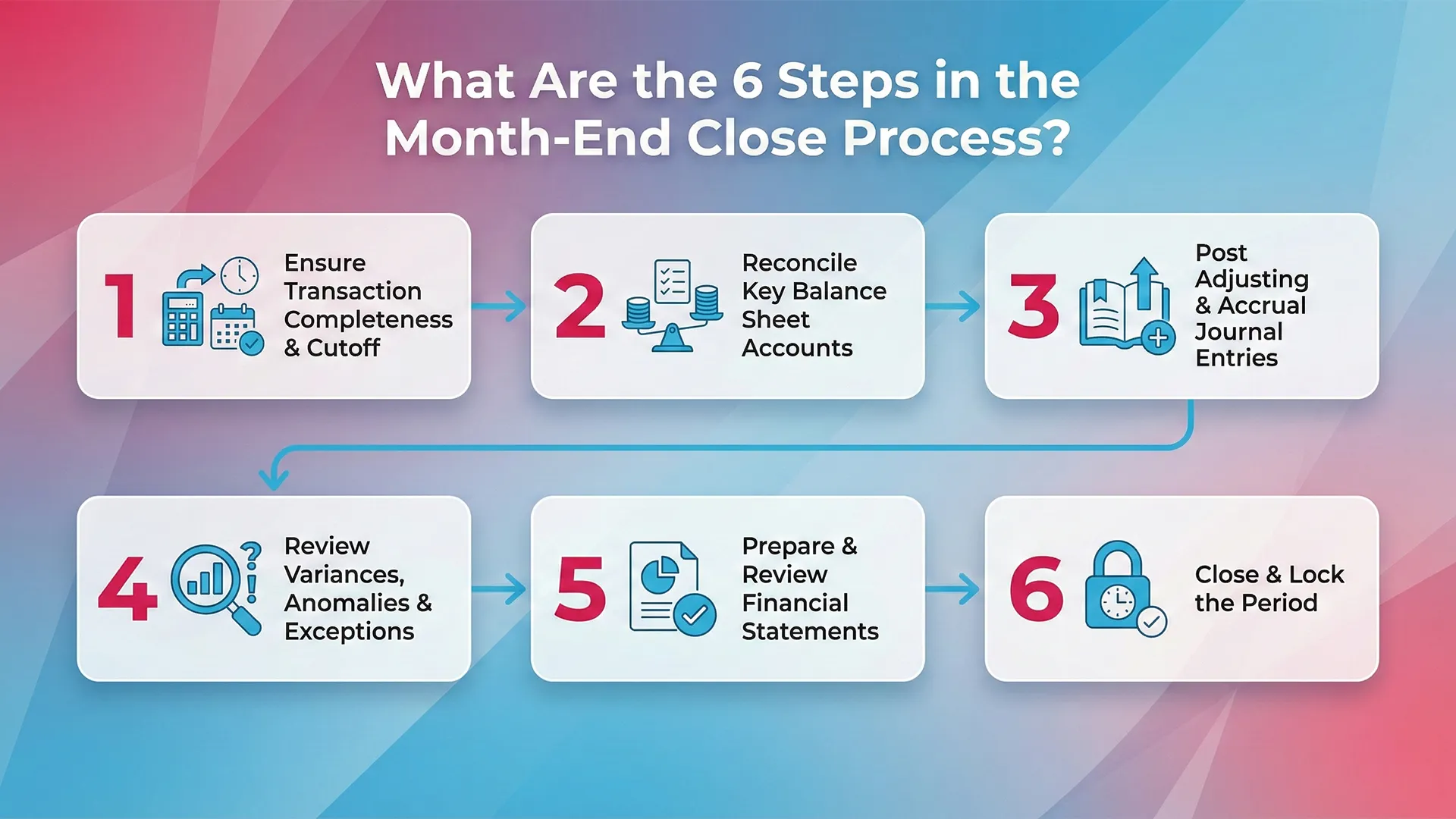
The month-end close process follows a structured sequence. Each step builds on the previous one.
Below are the six most common steps used by accounting teams.
1. Ensure Transaction Completeness & Cutoff
This step confirms that all transactions belonging to the current period are fully captured—and only those transactions.
- Verify that all invoices, bills, payroll, expenses, and revenue entries are recorded
- Confirm proper cutoff so late or early transactions don’t distort results
- Review unposted or pending transactions in source systems
Goal: Prevent missing entries or period misstatements before reconciliation begins.
2. Reconcile Key Balance Sheet Accounts
Reconciliations validate that your ledger balances match external or supporting records.
- Reconcile cash, bank accounts, credit cards, AR, AP, and intercompany balances
- Investigate and resolve discrepancies
- Document explanations for reconciling items
Goal: Ensure balance sheet accuracy and detect errors early.
3. Post Adjusting & Accrual Journal Entries
Not all financial activity is captured automatically—this step fills the gaps.
- Record accruals (expenses incurred but not yet billed)
- Post deferrals, depreciation, amortization, and corrections
- Ensure entries are reviewed and approved
Goal: Align financials with the accrual accounting principle.
4. Review Variances, Anomalies & Exceptions
Here, you step back and analyze the numbers for reasonableness.
- Compare actuals vs. prior periods, budget, or forecasts
- Identify unusual spikes, drops, or trends
- Investigate exceptions and correct issues if needed
Goal: Catch anomalies before they reach leadership or external stakeholders.
5. Prepare & Review Financial Statements
Once the data is clean, reporting begins.
- Generate income statement, balance sheet, and cash flow statement
- Perform internal reviews for accuracy and consistency
- Validate disclosures and supporting schedules
Goal: Produce reliable, decision-ready financial reports.
6. Close & Lock the Period
The final step secures the integrity of your numbers.
- Lock the accounting period to prevent unauthorized changes
- Archive working papers and reconciliations
- Confirm audit trail completeness
Goal: Finalize results and protect financial data from post-close changes.
How Can Automation Help in the Month-End Close Process?
Automation reduces manual work and minimizes errors. That alone changes everything.
With the right tools, teams close faster and with greater confidence.
Below are the biggest benefits of automation.
Reduced Errors
Question: Does automation really reduce errors?
Yes. Significantly.
Repetitive tasks like data entry and reconciliation are automated. This reduces human oversight and fatigue-related mistakes.
AI also detects issues early, before they grow into serious problems.
Increased Efficiency
Automation accelerates workflows.
Tasks that once took hours now take minutes. Reviews become focused on exceptions, not volume.
This frees teams to analyze data and support strategic decisions.
Improved Financial Data Accuracy
Automation ensures consistency and completeness across financial data.
It reduces the risk of fraud and misstatements.
Accurate data leads to better decisions and stronger business outcomes.
Common Month-End Close Pitfalls
Month-end close is full of hidden risks. Knowing them helps teams avoid them.
Here are the most common pitfalls finance teams face.
Time Crunch
Deadlines compress workloads into short windows.
Rushed work increases mistakes and stress.
Poor planning makes this problem worse every month.
Cash Flow Challenges
Balancing inflows and outflows is difficult during close.
Late reconciliations can distort cash visibility.
Accurate tracking is critical at this stage.
Accruals and Adjustments
Accrual calculations are complex and time-consuming.
Errors here affect multiple reports.
Automation helps standardize and speed this step.
Reporting Complexity
Changes in operations make reporting harder.
Manual processes struggle to keep up.
Communication Gaps
Large teams struggle with coordination.
Missed updates cause delays.
Centralized tools improve collaboration significantly.
The Bottom Line
The month-end close is a critical accounting process that keeps financial records accurate and reliable. A clear flowchart simplifies complexity, improves consistency, and highlights inefficiencies before they slow everything down.
With the right practices, better communication, and smarter technology, the close becomes predictable instead of painful. Depending on complexity, it may take days or longer. However, tools like Xenett help teams save time, improve accuracy, and close faster than ever.
Ready to move from stress to confidence?
Request a Xenett demo and see how month-end close can finally feel under control.
FAQs(Frequently asked questions)
The biggest challenge is late error detection. Issues are often found at the end, creating stress, rework, and delayed reporting. AI helps catch problems early.
AI continuously reviews transactions, detects duplicates and anomalies, and flags issues in real time. This reduces manual effort and speeds up close significantly.
Yes. Automation shifts work from month-end to daily review. As a result, many teams move from week-long closes to just a few days or even hours.
Absolutely. Modern platforms use explainable AI, showing why something is flagged. Accountants stay in control of every decision.
Xenett works alongside your accounting systems to automate reviews, detect errors early, and turn month-end close into a fast, confident confirmation process.


.webp)