.svg)

Cloud-Based Accounting Practice Management Software Explained

Ask questions, get summaries, or uncover key takeaways from this article.
Blog Summary / Key Takeaways
- Cloud-based practice management software runs entirely online, giving accounting and tax firms access from anywhere without local installation or manual updates.
- Beyond the cloud vs. on-premise question, the real decision most growing firms face today is choosing between unified practice management and a fragmented stack of specialized cloud-hosted tools.
- This guide explains both distinctions and how AI and automation now factor into that decision.
- It also shows how to evaluate a platform based on your firm's operational needs, regardless of firm size.
What Is Cloud-Based Practice Management Software?
Cloud-based practice management software runs on remote servers rather than installed locally on office computers. Your team accesses it through a web browser, with client information and document management handled centrally by the provider rather than on individual machines.
This differs from traditional on-premise software, which requires installation on each machine and manual server maintenance. On-premise systems were once standard in accounting and tax firms, but the model has shifted considerably as firm operations increasingly happen outside a single office location. Practice management software built for the cloud era assumes staff will work from home, from a client site, and from the office, often within the same week, rather than assuming everyone sits at a fixed desk on a fixed network.
Why Firm Size Shouldn't Determine Whether You Go Cloud
A common misconception is that cloud-based practice management makes sense only past a certain firm size. In reality, solo practitioners benefit just as directly as fifty-person firms, since the core advantages, access from anywhere and automatic updates, apply regardless of headcount. What changes with firm size isn't whether cloud makes sense, but which specific features matter most, with larger firms weighting team collaboration and customizable dashboards more heavily than a solo practitioner would.
Cloud-Based vs. On-Premise: The Basics
Access and location. Cloud software works from any device with internet access. On-premise software typically ties you to specific machines or requires VPN setup.
Updates and maintenance. Cloud providers push updates automatically. On-premise systems require manual updates that someone in the firm has to plan for and execute.
Data backup and security. Reputable cloud providers handle backup, redundancy, and security patching, including audit trails and version control, as part of the service.
Upfront cost. Cloud software typically uses a subscription model with lower upfront cost, spreading total cost over time rather than requiring a large initial outlay.
The Bigger Question: All-in-One vs. All-Over-the-Place
Once a firm accepts that cloud-based software is the right direction, a second and arguably more important question follows: should the firm run one unified platform, or a collection of specialized tools that each happen to be cloud-hosted?
Many accounting and tax firms end up app-hopping between separate tools, one for workflow tracking, another for time tracking, another for document requests and client uploads, and yet another for tax software integration. Each tool might be excellent individually, but the firm ends up managing data silos, juggling separate logins, and re-entering client details across multiple systems that were never designed to talk to each other.
A unified practice management system consolidates task management, document management, time tracking, and client communication into one platform, eliminating the log-in fatigue and manual processes that come from stitching together specialized tools yourself. Client management specifically benefits from this consolidation, since a client's full history, documents, and communication live in one record rather than scattered across separate tools that each hold a partial picture.
Practice management software built around this unified philosophy tends to include a similar core set of essential features across vendors, even as the specific execution and polish varies considerably.
Why Firms Are Moving to Cloud-Based, Consolidated Systems

Remote and hybrid work became standard. Teams working from multiple locations need software that doesn't depend on office network access.
Client expectations changed. Clients expect a smooth, digital experience for document requests and client uploads, which a single, well-designed platform delivers more consistently than several disconnected specialized tools.
IT overhead became harder to justify. Maintaining multiple vendor relationships and separate tools costs more in administrative overhead than most firms account for when they add up subscriptions one at a time. Cloud accounting platforms enhance operational visibility and reduce administrative costs by centralizing what used to require several separate systems.
Automation moved from nice-to-have to expected. Workflow automation and recurring task automation, once considered advanced features, are now baseline expectations for growing firms serious about automating tasks and reducing manual work across the entire practice. Cloud accounting solutions now automate routine tasks, reducing administrative workload by up to 30% for firms that adopt them fully. Tax practices in particular benefit from this shift, since tax season concentrates enormous volumes of repetitive tasks into a compressed window, and any tool that can automate repetitive tasks during that period pays for itself quickly.
Team collaboration became a real requirement, not a bonus. As firms grew more distributed, real-time team collaboration on a single client file stopped being a nice extra and became something firms actively evaluate platforms on.
How AI Is Changing Practice Management and Month-End Close
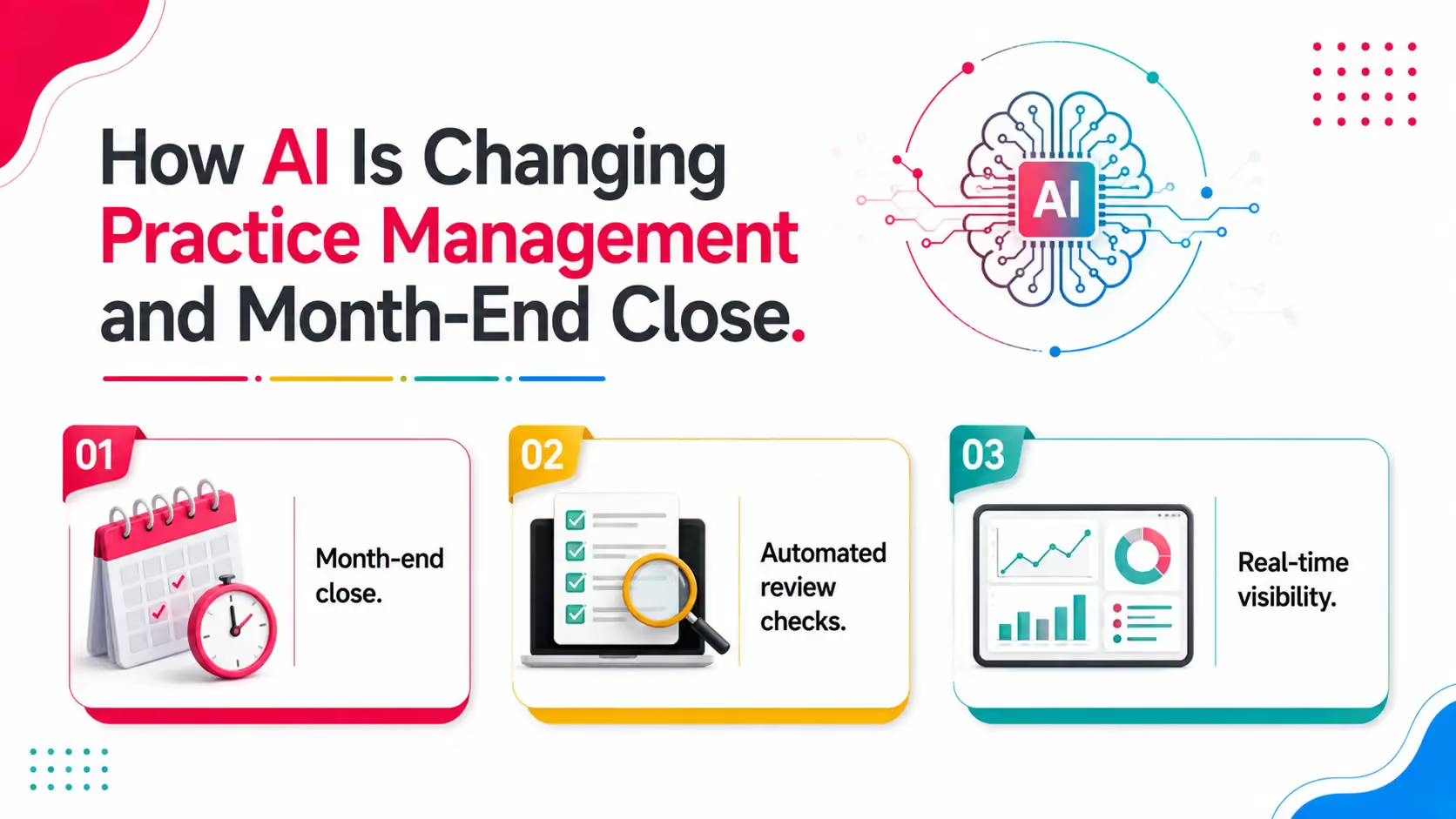
AI has moved from a marketing buzzword into a genuinely practical layer within cloud practice management platforms, particularly around month-end close and financial statement review.
Month-end close. Automation in month-end close reduces errors and saves time by handling the repetitive reconciliation and review steps that used to eat up staff hours every cycle. Because AI-driven month-end close improves accuracy and reduces manual work, firms can close books faster without sacrificing the review rigor clients expect.
Automated review checks. Leading platforms now build AI integration directly into the review process, running over 50 automated review checks against a client's books to catch anomalies before a reviewer ever opens the file. These AI features enhance accuracy in financial statement reviews and meaningfully reduce manual work in general ledger reviews, freeing senior staff to focus on judgment calls rather than line-by-line checking.
Real-time visibility. Real-time financial visibility allows users to view cash flow, profit and loss, and other key metrics instantly rather than waiting on a manual report to be pulled together, which matters most during the exact busy periods when firms have the least time to spare.
For firms evaluating platforms, AI-assisted review isn't a nice-to-have anymore, it's becoming a genuine differentiator between tools that simply store client data and tools that actively help staff catch problems earlier.
Key Features to Expect in Cloud Practice Management Software
Real-time collaboration. Multiple team members can view and update the same client record simultaneously.
Mobile access. Staff can check deadlines or client status from a phone while away from their desk.
Deadline tracking and workflow tracking. Automated deadline calculation and clear visibility into where every job actually stands.
Time tracking tied to billing. So firms can collect payments faster without a disconnected billing tool as a separate step.
Client portals. A modern client portal provides 24/7 online access to services, so clients aren't limited to business hours to check status or drop off documents. Client portals allow secure file sharing with clients and enable electronic signatures for documents, cutting out the back-and-forth of emailed attachments and physical signature requests. Together, these capabilities mean client portals improve service delivery and save time for both staff and clients.
Customizable dashboards. Different roles within the firm, from partner to staff accountant, need different views into firm operations, and a single platform with configurable dashboards serves this better than exporting reports from multiple specialized tools.
Integration with core accounting software. Whether that's QuickBooks Online, Xero, or tax-specific platforms like Thomson Reuters Practice CS, a modern platform should connect cleanly rather than requiring manual data re-entry. Notably, Practice CS allows creating new client portals on the fly, which matters for firms onboarding new clients frequently during busy season.
Is Cloud-Based Software Secure Enough for Client Data?
Reputable cloud providers use encryption, multi-factor authentication, audit trails, and regular third-party security audits. Many maintain SOC 2 compliance. In practice, cloud providers often maintain stronger security than a firm's own on-premise setup, since dedicated security is their core business function.
That said, verify a provider's specific security certifications before signing a contract, rather than assuming all cloud software offers equal protection.
How to Evaluate a Cloud Practice Management Platform
Check uptime guarantees. Look for at least 99.9% uptime commitments.
Ask about data ownership and export. Confirm you can export your full client data without vendor lock-in, and understand what an annual commitment actually requires if you want out early.
Review security certifications. SOC 2 Type II compliance is a reasonable baseline.
Test mobile access if your team works remotely. Log in from a phone during your trial to confirm the mobile experience actually works.
Ask how the platform handles data migration. Moving client information and contact details from separate tools into one platform is often the single biggest source of friction when consolidating, so understand this process before committing.
Ask what's actually automated versus manual. With AI-assisted review checks and month-end close automation becoming standard features rather than premium add-ons, it's worth confirming exactly what a platform automates out of the box versus what still requires manual setup.
How to Think About Consolidating From Separate Tools
Firms currently running separate tools for workflow, billing, and client communication often hesitate to consolidate, worried about the disruption of a single migration versus the ongoing cost of running multiple specialized tools indefinitely.
A few questions help clarify the decision. How much time does staff currently spend switching between tools or re-entering client details that already exist somewhere else in the stack? How many separate vendor relationships and renewal dates does someone at the firm need to track? Would a single platform's advanced reporting actually replace what multiple specialized tools currently provide, or would the firm lose specific functionality it depends on?
For many growing firms, the answer favors consolidation once the firm has outgrown the earliest, simplest stage of operations, since the compounding cost of data silos and app-hopping tends to grow faster than firms expect. An all in one platform, done well, can strengthen client relationships directly by improving client experience: fewer duplicate document requests, faster turnaround, and a single point of contact rather than a client wondering which of five tools to check for an update.
Allowing firms to standardize their core features across every client and every team member, rather than each staff member developing their own workaround across separate tools, also reduces the training burden every time new software gets introduced. Instead of onboarding a new hire to five disconnected systems, one platform with a consistent interface shortens that ramp-up considerably, and it means the firm's institutional knowledge about how to actually use the software lives in one place rather than scattered across whoever happened to set up each individual tool originally.
Common Misconceptions About Cloud Software
"Cloud software is less secure than on-premise." In most cases, the opposite is true.
"We will lose access if the internet goes down." True temporarily, but most firms already depend on internet access for daily tools regardless.
"Cloud software costs more over time." Subscription costs add up, but they typically remain lower than the combined cost of servers, IT staff, and on-premise licenses.
"Consolidating onto one platform means losing specialized functionality." This was truer several years ago. Modern all-in-one platforms have closed much of the functionality gap that used to exist against best-of-breed specialized tools, particularly as AI-driven review and automation features get built directly into unified platforms rather than bolted on separately.
How Cloud Software Handles Multi-Office or Remote Team Structures
Firms operating across multiple offices, or with a fully remote team, benefit from a consistent experience regardless of location, simplified IT support through a single subscription, and easier expansion to new locations without additional server setup.
What This Means for Firms Still Deciding
Firms sitting on the fence between staying with a familiar set of separate tools and moving to a unified cloud platform often benefit from mapping out the true total cost of their current setup first. Add up every subscription, every hour spent on manual data entry between systems, and every instance of a client having to ask which platform to check for an update. That total, compared honestly against a single platform's pricing and the annual commitment it may require, usually makes the decision clearer than it first appears, especially once the hidden time costs across the whole team are counted properly and fairly.
FAQs
What is the best cloud-based accounting software?
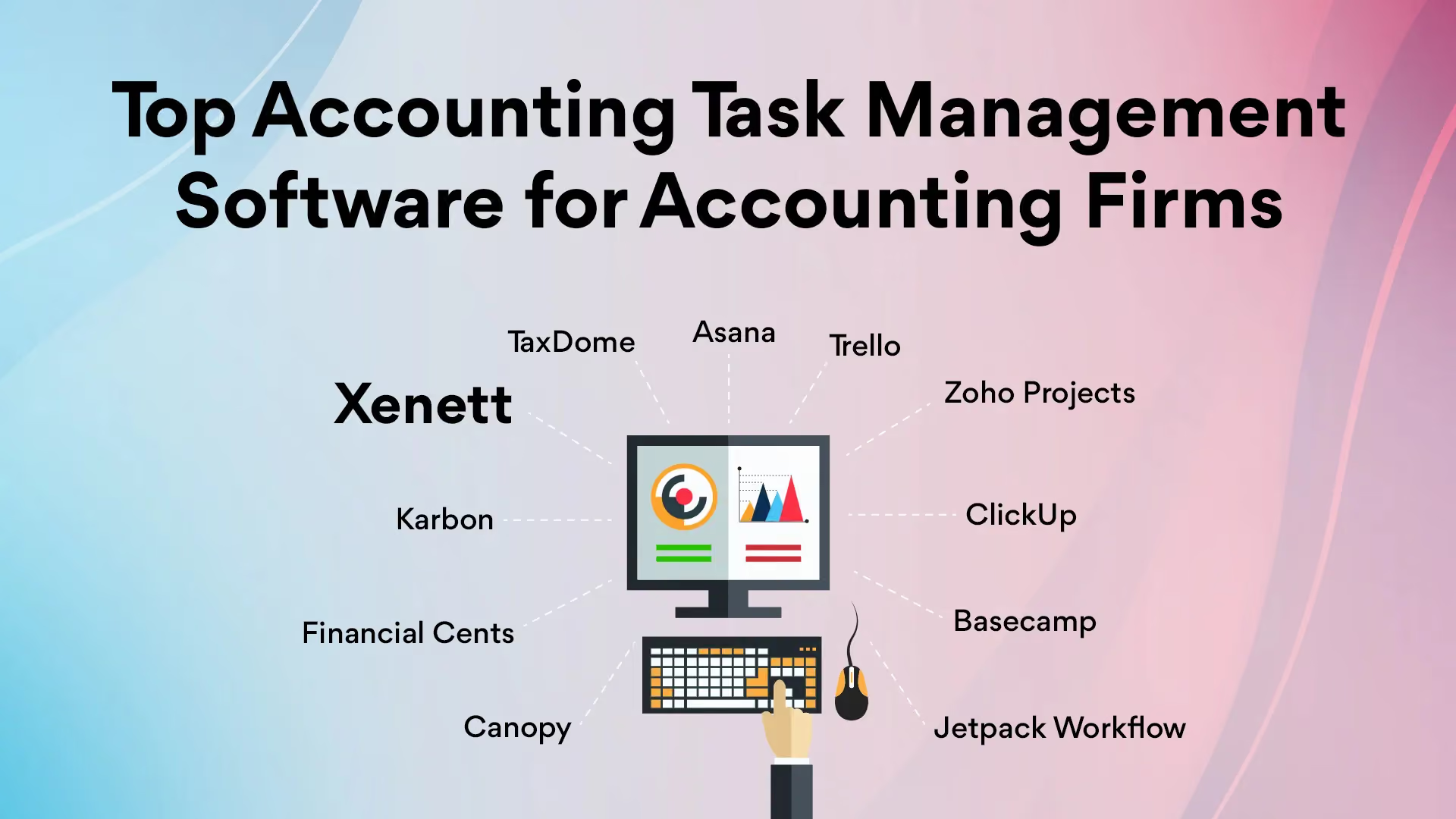
The best cloud-based accounting software depends on whether you need core bookkeeping functionality, like QuickBooks Online or Xero, or a broader practice management layer on top of it. For core accounting, QuickBooks Online and Xero are the most widely used. For practice management built specifically for accounting and tax firms, platforms like Xenett, Canopy, and Karbon serve that layer instead.
What is cloud-based practice management software?
Cloud-based practice management software is a system that runs on remote servers rather than local machines, handling workflow management, client communication, document management, and time tracking for accounting and tax firms through a web browser rather than installed desktop software.
What is cloud-based accounting software?
Cloud-based accounting software refers to core bookkeeping and financial platforms, like QuickBooks Online or Xero, that run online rather than as desktop-installed programs, allowing accounting professionals and their clients to access financial data from any device with an internet connection.
What is practice management software in accounting?
Practice management software in accounting is a system built specifically to manage client relationships, workflow, deadlines, billing, and document requests for accounting, tax, and bookkeeping firms, distinct from the core accounting software used to actually process financial transactions.
Is cloud-based practice management software more expensive than on-premise?
Usually not. Subscription costs accumulate over years, but they typically remain lower than the combined hardware, IT staff, and licensing costs of on-premise systems.
What happens to my data if I cancel my cloud subscription?
Reputable providers allow data export before cancellation. Always confirm this policy, and understand any annual commitment terms, before signing up.
The best cloud-based accounting software depends on whether you need core bookkeeping functionality, like QuickBooks Online or Xero, or a broader practice management layer on top of it. For core accounting, QuickBooks Online and Xero are the most widely used. For practice management built specifically for accounting and tax firms, platforms like Xenett, Canopy, and Karbon serve that layer instead.
Cloud-based practice management software is a system that runs on remote servers rather than local machines, handling workflow management, client communication, document management, and time tracking for accounting and tax firms through a web browser rather than installed desktop software.
Cloud-based accounting software refers to core bookkeeping and financial platforms, like QuickBooks Online or Xero, that run online rather than as desktop-installed programs, allowing accounting professionals and their clients to access financial data from any device with an internet connection.
Practice management software in accounting is a system built specifically to manage client relationships, workflow, deadlines, billing, and document requests for accounting, tax, and bookkeeping firms, distinct from the core accounting software used to actually process financial transactions.
Usually not. Subscription costs accumulate over years, but they typically remain lower than the combined hardware, IT staff, and licensing costs of on-premise systems.
Reputable providers allow data export before cancellation. Always confirm this policy, and understand any annual commitment terms, before signing up.


.avif)
.avif)