
Stop forwarding Emails to your Team.
Connect Outlook or Gmail once. Comment, assign, and link emails to client work all inside Xenett. The collaboration layer your inbox is missing.
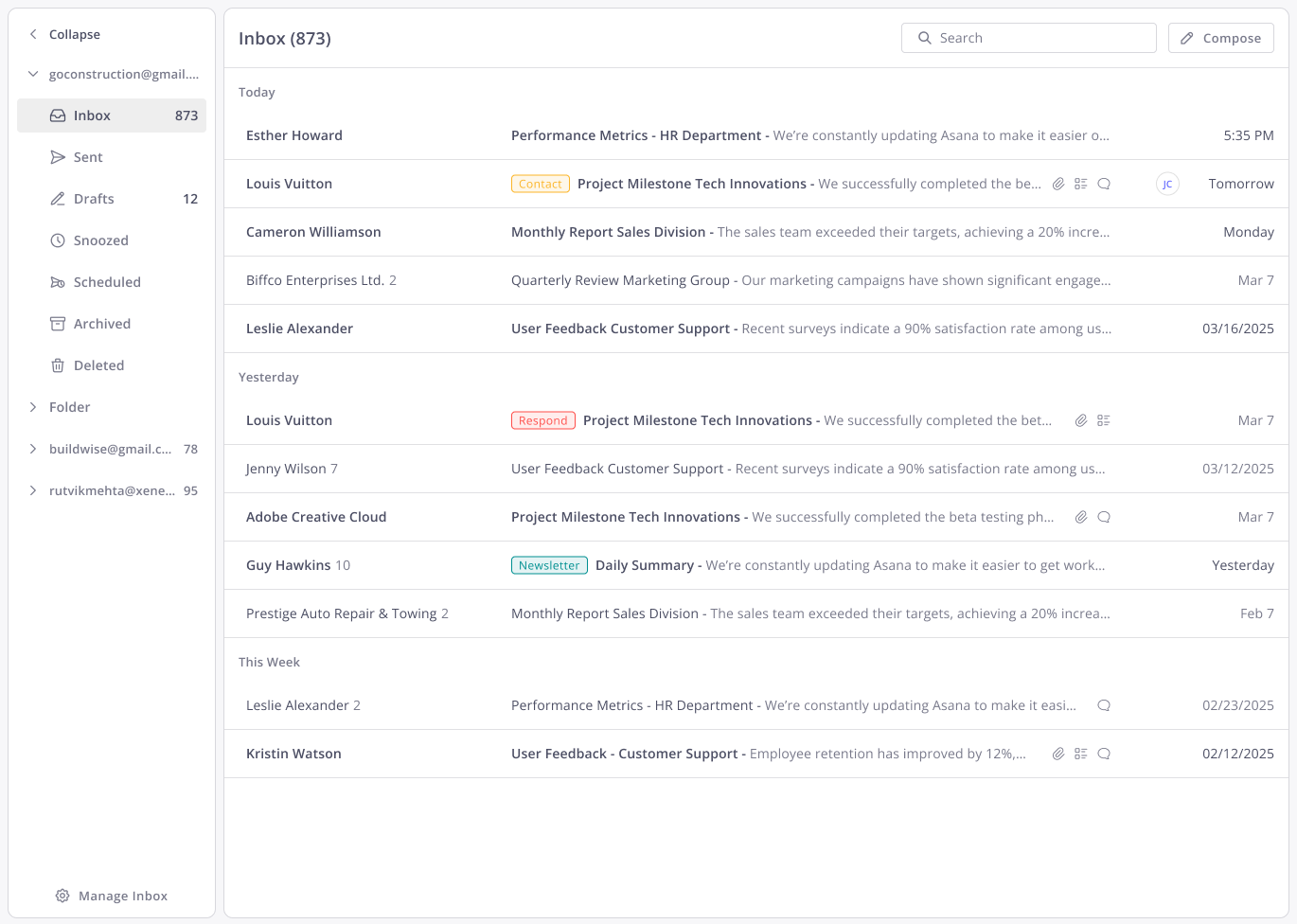
Connect any inbox
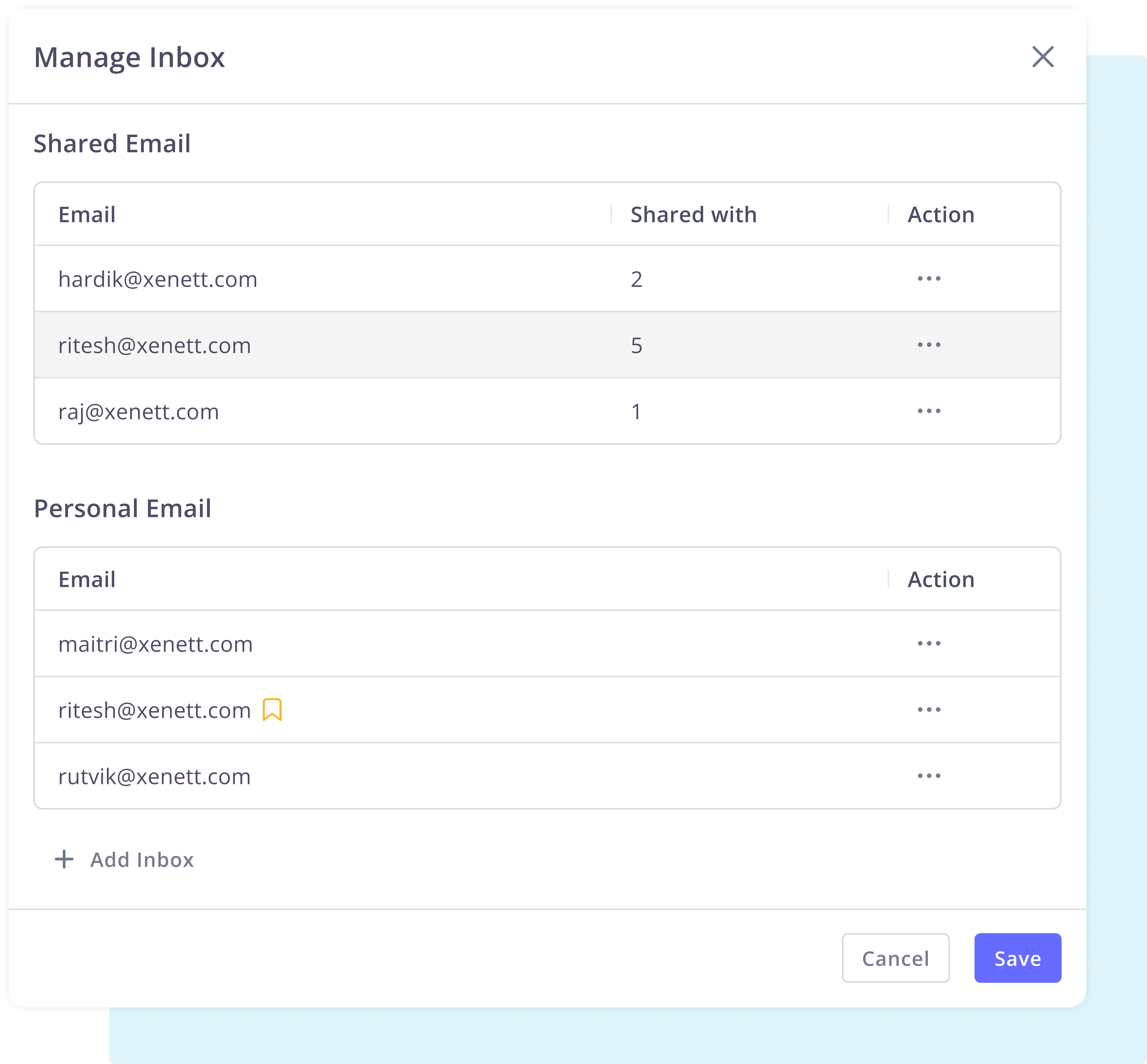
Personal or shared connect your Outlook or Gmail inbox once and bring client email collaboration inside Xenett. Each person connects their own inbox. Admins can set up shared inboxes for the whole firm.
- Gmail and Outlook both supported
- Personal and shared inboxes
- No third-party integrations required
.png)
Collaborate without forwarding
Comments and @mentions eliminate endless email forwarding. Collaborate privately on email threads in real time without clients seeing internal discussions.
- Private internal comments on every thread
- @Mentions with full in-app notifications
- Assign without creating new email threads
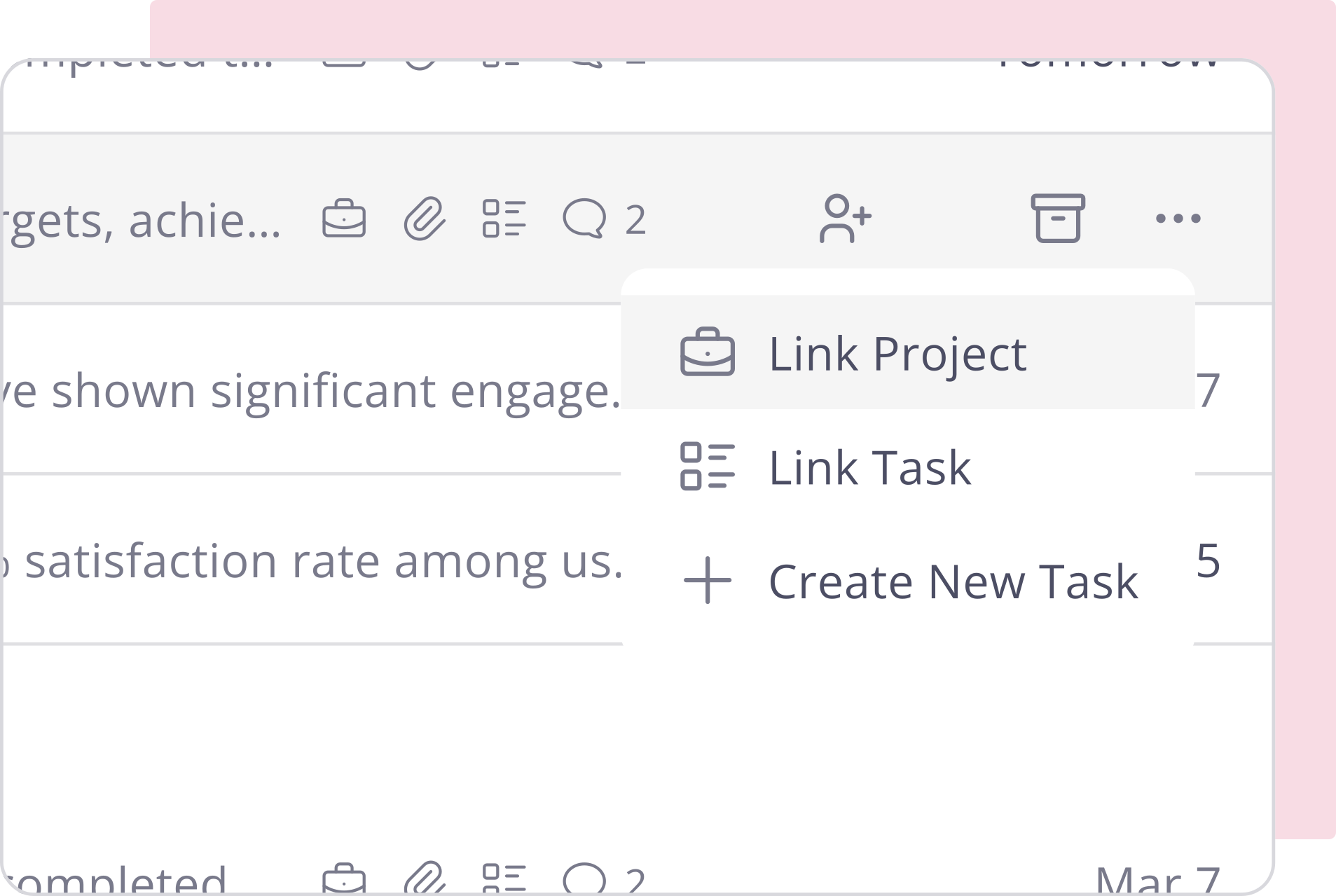
Link email to the work
Link any email to a project or task. Create tasks from emails directly. Your team sees full context client notes, task status, due dates without hunting across tools.
- Connect tasks and projects from any email
- Everything logged for full context
- Complete visibility for everyone on the team
Client-centric email view
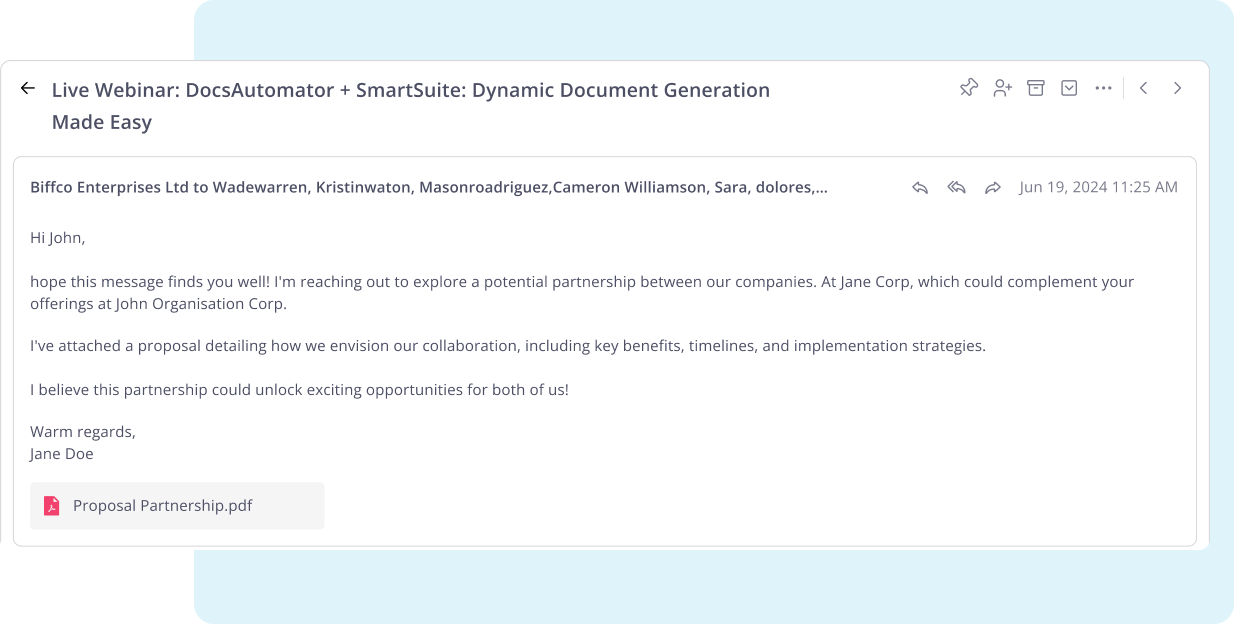
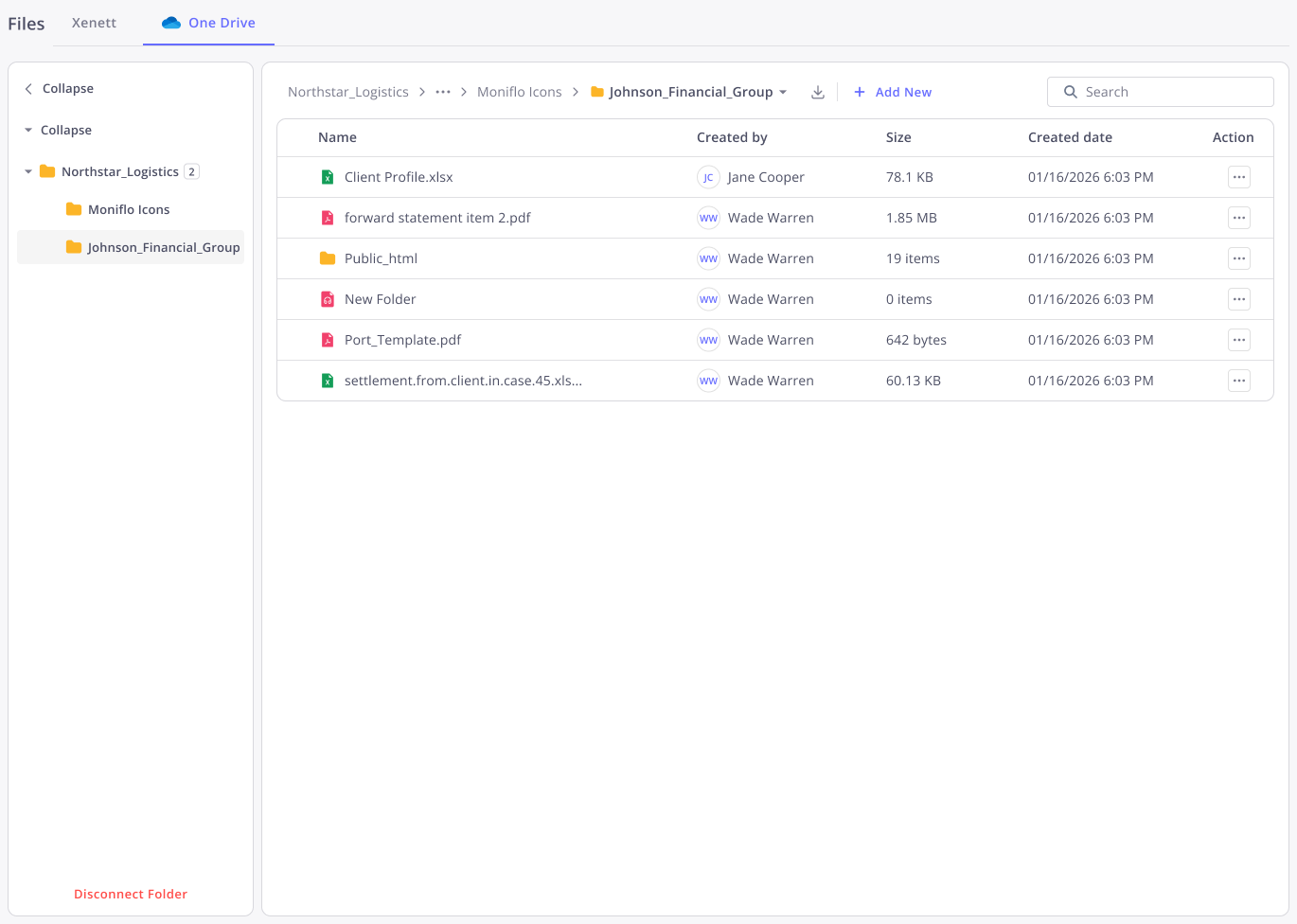
Every email tied to a client lives inside their file in Xenett. New team members get full communication history from day one. Share with your whole team in one click no forwarding needed.
- All client emails surfaced in the client file
- Private by default, shareable with one toggle
- Share with your whole team in one click no forwarding needed
Email Collaboration
Email collaboration,without the forwarding chains.
Connect Outlook or Gmail once. Comment, assign, and link emails to client work all inside Xenett. It's the collaboration layer your inbox is missing.
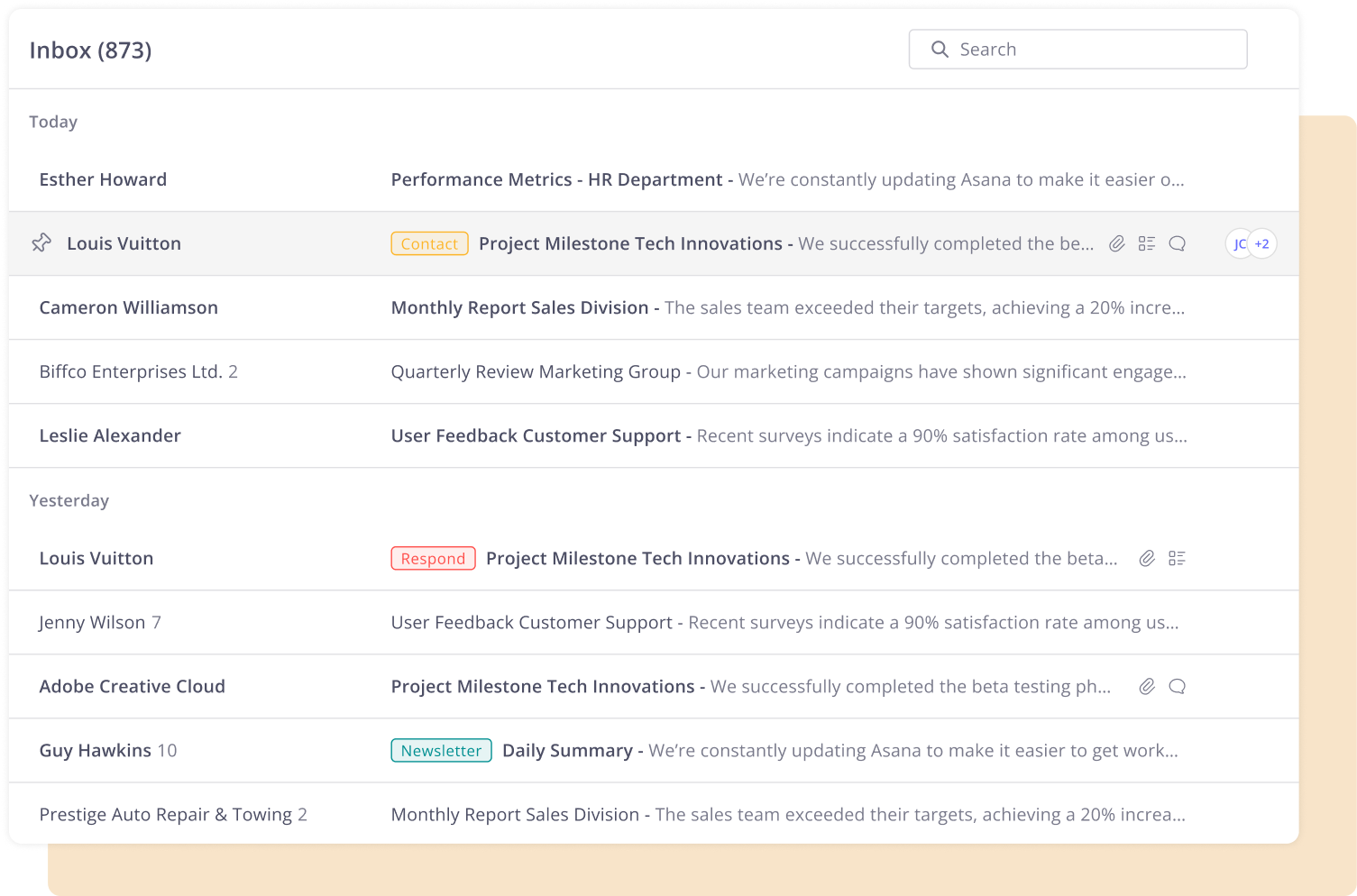
- Internal comments on any email thread
- @Mention teammates they get notified instantly
- Assign emails no forwarding required
- Link emails directly to open tasks
- Create a task from any email in one click
- Works with Outlook & Gmail
How It Works
Internal comments on any thread
Add private comments directly on any email thread. Your team sees them your clients never do.

@Mention teammates instantly
Mention a teammate on any email and they get an in-app notification. No forwarding, no CC chains.
Assign emails without forwarding
Delegate any email to a teammate in one click. It lands in their assigned tab nothing gets lost.
Link email to a task or project
Link any email to an open task or project. Full context, directly where the work lives.
Create tasks from emails in one click
Spin up a task directly from any email. The task is auto-linked to the thread no copy-pasting required.
Per-inbox signatures with branding
Set rich-text email signatures per inbox with logos, photos, and links. Auto-appended to every outgoing email and reply.
Email inside your accounting workflow. No extra tabs needed.
Does Xenett replace Outlook or Gmail?
No. Xenett is a collaboration layer that works on top of your existing inbox. You still send and receive email through Outlook or Gmail Xenett just brings the collaboration and client context inside the platform alongside your actual work.
Can my whole team see every email I receive?
No emails are private by default. Only you see an email until you choose to share it. You control visibility on a per-email basis using the Make Visible to Team toggle inside the client file.
How do @mentions work does the client see them?
@Mentions are internal only. When you mention a teammate in a comment on an email thread, they get an in-app notification and the email appears in their inbox. The client never sees comments or mentions they're private to your firm.
Can I connect both a personal and a shared inbox?
Yes. You can connect multiple inboxes personal and shared. Admins can set up shared inboxes for the whole firm, and each team member can connect their own personal inbox. You can set a default inbox for outgoing emails.
What happens to emails if I disconnect my inbox?
Your emails and all linked data comments, task links, project links stay in Xenett. Reconnecting your inbox restores full sync in one click without losing any data.
How is this different from Karbon's email feature?
Karbon has email triage Xenett goes further. Emails in Xenett are fully integrated into client files, projects, and tasks. You can comment, assign, link, and create tasks from any email all inside the same platform where the bookkeeping and close work happens.
Can I link the same email to multiple projects or tasks?
Yes. A single email can be linked to more than one project or task. Every link is logged in the activity trail on both the email thread and the project or task so nothing loses context.
Still have questions?
Contact Our TeamThe advantages that you enjoy!
No More Forwarding Chains
Comments and @mentions replace the forward-reply-forward loop entirely. Your team collaborates on emails without creating new threads or losing context in someone's private inbox.
Full Client Communication History
Every email tied to a client lives in their file. New team members get full context from day one no handover document, no digging through inboxes, no asking around.
Email Connected to the Work
Link emails to projects and tasks. Create tasks from emails in one click. Everything is logged, everything is visible, and nothing falls through the cracks.
%20White.svg)
.svg)