
.svg)

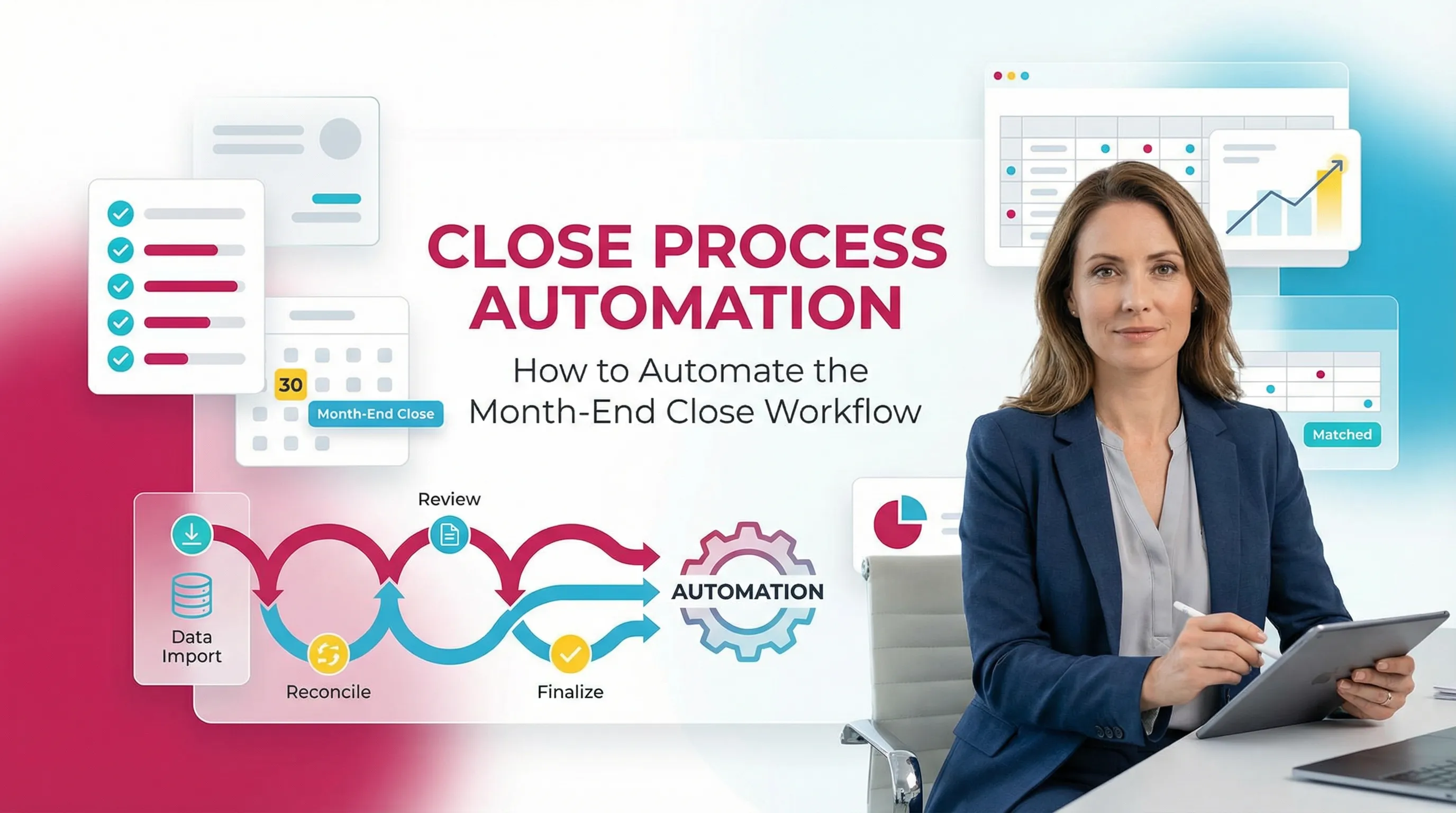
Close Process Automation: How to Automate the Month-End Close Workflow

Ask questions, get summaries, or uncover key takeaways from this article.
Blog Summary / Key Takeaways
- Close process automation works best when you automate checks and routing.
- Account-level review checks drive the highest ROI.
- Build an exception path. Do not hide exceptions in inboxes.
- Keep judgment manual. Automate detection, not decisions.
- A stable automated close process needs tuning over time.
What Is Close Process Automation?
Close Process Automation (CPA)
Close process automation uses systems to standardize and run close work.
It triggers tasks, routes reviews, validates outputs, and stores evidence.
It reduces coordination work, not accountability.
Automation can cover two layers.
Therefore, teams often mix both in one close program.
- Accounting close automation
- GL checks, reconciliations, journals, review
- Month-end close automation
- task management, dependencies, approvals, evidence tracking
This distinction matters.
Many teams “automate” exports but still chase sign-offs in Slack.
What Close Process Automation Is Not
Close process automation does not close the books by itself.
Accountants still own accuracy and judgment.
It is also not only RPA, macros, or scripts.
Those tools help. However, they do not fix review consistency.
Close process automation is not a replacement for your close leader.
It supports a controlled process with fewer surprises.
Why Automate the Month-End Close?
The Real Bottleneck: Late Discovery in Review
Most close delays come from issues found too late.
They surface after posting, after “done” recs, or during final review.
Common late-stage findings include:
- unexplained flux
- missing entries
- mispostings
- unreconciled balances
- missing support for key accounts
When you find these late, you reopen work.
That creates rework, extra meetings, and last-minute stress.
A practical example from real close work:
A controller reviews payroll expense on day six.
They spot a big spike in a single department.
It turns out a payroll mapping changed mid-month.
The team reclasses labor, updates allocations, and reruns reports.
They lose one to two days.
Automation helps you catch that on day one or two.
It flags the variance early, before downstream work depends on it.
Benefits of an Automated Close Process
An automated close process improves close outcomes in four ways.
- Faster close cycles
You cut handoffs. You reduce rework. - Better accuracy
You run rule-based checks the same way each period. - Consistency across teams
New staff follow the same standards as senior staff. - Cleaner audit trail
You keep evidence and approvals out of inboxes.
Manual vs Automated Close: What Changes
Where Manual Close Breaks Down
A manual close fails in predictable places.
It fails where coordination and repeatability matter most.
Common breakdowns:
- teams manage work in spreadsheets and chat threads
- senior review lives in someone’s head
- evidence sits in scattered folders
- reconciliations “pass” without consistent checks
- work starts before data becomes ready
- ownership stays unclear when issues show up
Manual close can still work in small environments.
However, it breaks under volume, turnover, and multi-entity complexity.
What a Good Automated Close Looks Like
A good automated close process makes work visible and structured.
It keeps the team aligned without constant follow-up.
You should expect:
- clear checklist ownership and due dates
- enforced dependencies and approvals
- consistent account-level review rules
- early issue detection and clear routing
- clean evidence tied to the work item
This matters most in multi-entity environments.
It also matters in firms that close many clients each month.
What to Automate in the Month-End Close
A Simple Framework: Automate by (1) Volume, (2) Variance Risk, (3) Dependency
Start with areas that repeat and break.
This approach avoids “automation theater.”
Use this filter:
- High volume
Repeats every month across many entities or clients. - High variance risk
Errors show up often or create material swings. - High dependency
Blocks reporting, review, or delivery if late.
If a step hits two or three filters, automate it first.
If a step needs judgment, automate detection and routing.
Here is the key mindset:
Automate the work that proves you are done.
Do not automate the work that decides what is right.
The Month-End Close Automation Checklist
.webp)
Step 1: Automate Data Collection and Source-of-Truth Updates
Automate data readiness first.
If inputs arrive late, everything else becomes noise.
Automate:
- bank and card feed completeness checks
- subledger-to-GL tie-out data pulls
- scheduled exports from payroll, billing, inventory, processors
- data readiness flags (green / yellow / red)
Keep a short list of “must-have” inputs per entity.
For example:
- payroll register posted
- merchant deposits imported
- bill pay sync completed
- inventory movements updated
Step 2: Automate Transaction Matching and Reconciliation Prep
Automate matching where patterns repeat.
This speeds reconciliations without lowering standards.
Good candidates:
- bank rec matching rules using tolerances
- vendor and memo pattern recognition
- intercompany matching support where needed
- A/R and A/P aging imports with variance tagging
You should also build exception queues.
That keeps humans focused on what needs judgment.
Exception queue examples:
- deposits with no source document
- payments outside tolerance
- stale items over X days
- duplicate vendor payments
This step supports month end close automation directly.
It reduces “hunt and peck” work in bank rec tools.
Step 3: Automate Journal Entry Creation Where Rules Are Stable
Automate only where rules stay stable.
Also add guardrails so you do not post bad entries fast.
Automate:
- recurring entries like depreciation and amortization
- prepaid amortization schedules
- template-based accruals with thresholds
- automatic reversals for specific accrual types
Add control points:
- require review when amounts deviate from trend
- require notes when mappings change
- lock posting if supporting data stays missing
This is accounting close automation at its best.
It reduces repetitive work while still forcing review.
Step 4: Automate Account-Level Review Checks
Automate review checks early.
This prevents late findings and compresses the close.
Effective checks include:
- flux analysis by account and dimension
- missing entry detection for expected patterns
- reasonableness checks for balance sheet accounts
- negative balance flags where not expected
- stale recon items and unreconciled gap detection
- outlier vendor spend checks
This area usually produces the biggest ROI.
It also supports a more stable automated close process.
A practical way to start:
Pick 15 to 25 accounts that drive most risk.
Define rules for each account.
Then expand each month.
For example:
- payroll expense: alert if ±8% MoM without headcount change note
- deferred revenue: alert if balance changes without billing tie-out
- cash: alert if bank rec not updated by day X
- AR: alert if aging over 90 days grows over threshold
Step 5: Automate Close Workflow Routing
Automate routing after you define standards.
Otherwise, you route inconsistent work faster.
Workflow automation should include:
- role-based assignment for preparer and reviewer
- dependency locking between tasks
- reminders and escalations
- a standard close calendar by entity or client
This is the operational backbone of automate month end close efforts.
It keeps work moving without status meetings every day.
However, keep approvals meaningful.
Too many approvals slow the close with no risk reduction.
Step 6: Automate Evidence Capture and Close Documentation
Automate evidence capture so it happens by default.
Do not rely on people to “remember to attach support.”
Automate:
- linking workpapers to checklist items
- sign-off logs with timestamps
- notes tied to accounts and findings
- period-over-period comparisons stored each close
This reduces audit scramble later.
It also supports smoother internal reviews.
What to Automate vs What to Keep Manual
This table also answers manual vs automated close decisions fast.
Use it as your default policy.
Common Close Automation Mistakes
Automating Workflow Before Standardizing Review
Automating workflow first creates false confidence.
You move tasks faster, but you do not improve outcomes.
If review rules vary by reviewer, you still get late findings.
Therefore, start by defining review expectations per account.
Treating Automation as “Set and Forget”
Close rules drift over time.
Systems, vendors, and billing models change.
You should review your rules quarterly.
You should also update thresholds after seasonality shifts.
Over-automating Judgment Areas
Some areas need judgment every month.
Full automation increases the risk of bad financials.
Common over-automation risks:
- complex accruals without updated driver data
- reclasses without business context
- edge-case revenue recognition decisions
Automate support and detection instead.
Keep the decision manual and documented.
Ignoring Exception Handling
Automation only works with a clean exception path.
The happy path never represents real close work.
Design exception handling with:
- a clear owner
- a due date
- required documentation
- a reviewer sign-off step
This design also supports AI for month end close use cases.
AI can help triage exceptions. Humans still decide.
Best Practices for Close Process Automation

Standardize Review Rules at the Account Level
Account-level standards create repeatability.
They also reduce dependence on one senior reviewer.
Define “what good looks like” per key account:
- expected balance behavior
- key drivers and tie-outs
- variance thresholds
- required evidence
- common failure modes
Start with cash, AR, AP, payroll, revenue, and accruals.
These accounts drive most close problems in practice.
Build a Two-Lane Close: “Normal” vs “Exception”
A two-lane model keeps the close moving.
It prevents exceptions from blocking everything.
- Normal lane
- automated checks pass
- quick review and sign-off
- Exception lane
- structured investigation
- documentation required
- resolution tracked to closure
This model fits both industry teams and firms.
It also makes performance measurable.
Design Approvals Around Risk, Not Hierarchy
Do not approve everything the same way.
Approve based on volatility and materiality.
Examples:
- low-risk recurring entries: single reviewer
- volatile accruals: preparer + reviewer + controller sign-off
- new accounts or new vendors: enhanced review for one period
This approach supports accounting close automation safely.
It reduces bottlenecks without lowering control.
Use Metrics That Improve Close Predictability
Track metrics that show control and rework.
Avoid vanity metrics like “tasks completed.”
Useful metrics:
- days to close by entity
- rework rate by account category
- late findings count by reviewer stage
- exceptions per account type
- time in exception lane
When metrics rise, do root cause work.
Fix rules, inputs, or training. Do not add more meetings.
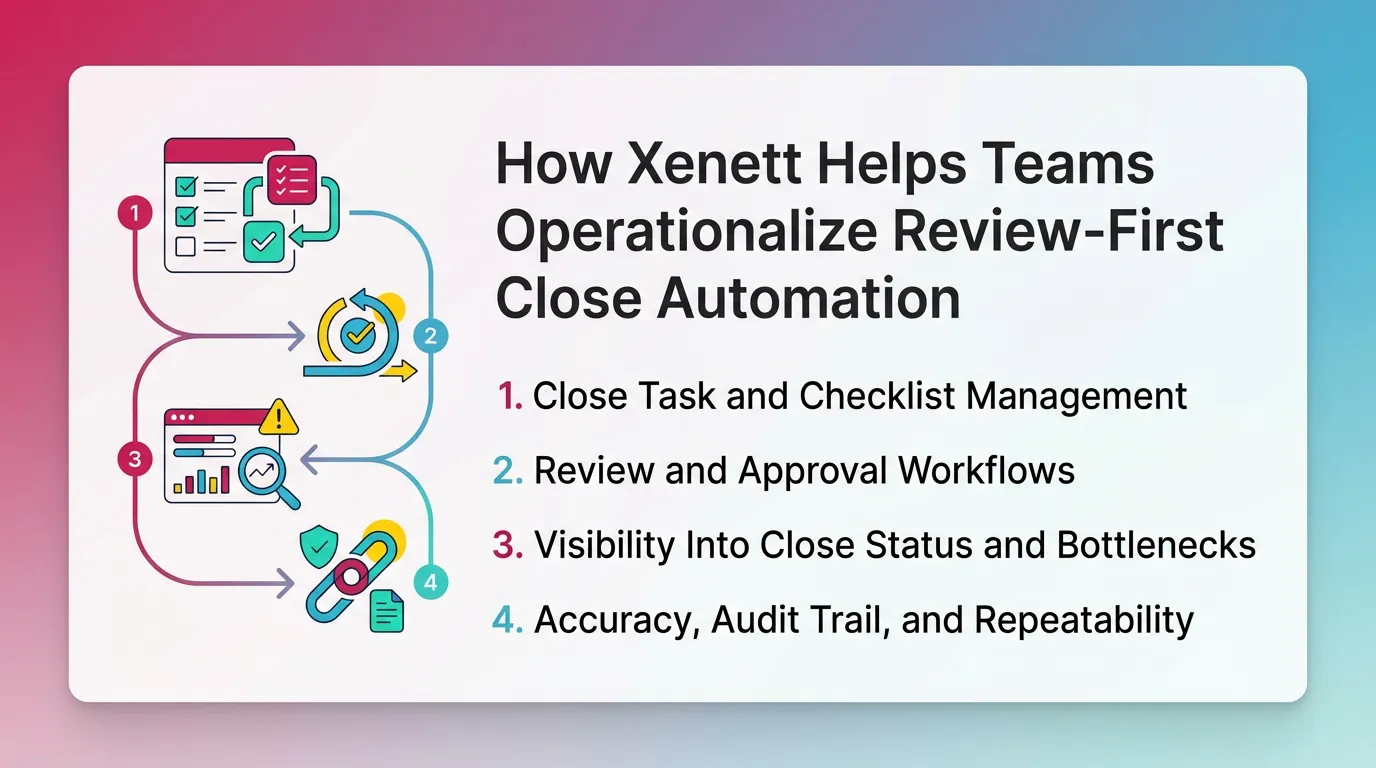
How Xenett Helps Teams Operationalize Review-First Close Automation
Xenett helps teams run close process automation with review integrity.
It anchors close work on account-level findings and resolution.
It does not replace accounting judgment.
Xenett supports accounting workflow and close management.
It does not provide audit services.
You should not treat it as an audit tool.
If you want background, see: www.xenett.com
Close Task and Checklist Management
Xenett organizes close work around what review finds.
This changes the close from “to-do lists” to “issues resolved.”
Teams can:
- apply standard checklists across entities
- control variations by client or business model
- tie tasks to specific accounts and findings
- keep the checklist aligned with real risk
This design helps month end close automation stick.
It also reduces tribal knowledge.
Review and Approval Workflows (Preparer → Reviewer → Resolution)
Xenett enforces structured handoffs.
This reduces back-and-forth and missing context.
A clean workflow looks like this:
- reviewer flags a finding
- system assigns an owner
- preparer documents the fix
- reviewer signs off with a clear trail
This supports consistent review standards across staff.
It also protects the team when people change roles.
Visibility Into Close Status and Bottlenecks
Xenett improves visibility into what blocks the close.
That helps you manage by exception, not by constant check-ins.
Teams can see:
- which accounts stay blocked by open findings
- where work piles up each period
- which steps cause repeat delays
This visibility helps you tune automation rules.
It also helps you fix upstream process issues.
FAQ: Close Process Automation
What is close process automation?
Close process automation uses systems to standardize month-end close work.
It routes tasks, runs validations, supports review checks, and stores evidence.
It makes the close faster and repeatable.
In practice, it removes the “coordination tax.”
You spend less time chasing status and more time resolving issues.
What should you automate in the month-end close first?
Start with account-level review checks, recurring entries, and workflow routing.
These areas reduce late-stage rework and improve predictability.
They also scale well across entities and clients.
A smart first sprint includes:
- flux checks on top accounts
- recurring journal templates with thresholds
- automated reminders and dependency rules
What’s the difference between month-end close automation and accounting close automation?
Month-end close automation covers process mechanics.
It includes tasks, dependencies, reminders, and evidence routing.
Accounting close automation covers accounting work like recs and journals.
Most teams need both.
However, review automation drives the biggest payoff.
Is an automated close process the same as a “fast close”?
No. A fast close can be rushed and inconsistent.
An automated close process targets repeatable accuracy first.
Speed improves because you catch issues earlier.
You want fewer surprises, not fewer days at any cost.
What should not be automated in the close?
Do not automate decisions that require judgment.
For example, unusual accrual logic, policy interpretation, and edge cases.
Keep final approval manual for accountability.
You can automate detection and routing instead.
That gives humans better inputs and better timing.
How does AI help with month-end close?
AI for month end close helps with pattern recognition and setup support.
It can suggest review rules and highlight unusual movements.
It should remain AI-assisted, not AI-led.
Keep humans responsible for:
- materiality decisions
- classification choices
- policy calls
- final sign-off
What’s the biggest risk when automating the close?
The biggest risk is automating workflow without review standards.
You move incomplete work faster and create more rework.
You also lose trust in the numbers.
Fix standards first. Then automate execution.
Conclusion
Close process automation works when you automate the repeatable parts.
You should automate data readiness, matching, checks, routing, and evidence.
You should keep judgment and final accountability manual.
Pick ten key accounts. Define review rules. Automate the checks.
Then expand month by month.
If you want a practical next step, document your “normal vs exception” lane.
Then map each close task to one lane.
Use that map to guide your month end close automation plan.


.webp)

