.svg)

QuickBooks Self-Employed: Full Review, Pricing, and What It Actually Does

Ask questions, get summaries, or uncover key takeaways from this article.
Blog Summary / Key Takeaways
• QuickBooks Self-Employed is designed for freelancers and sole traders not small businesses or growing firms
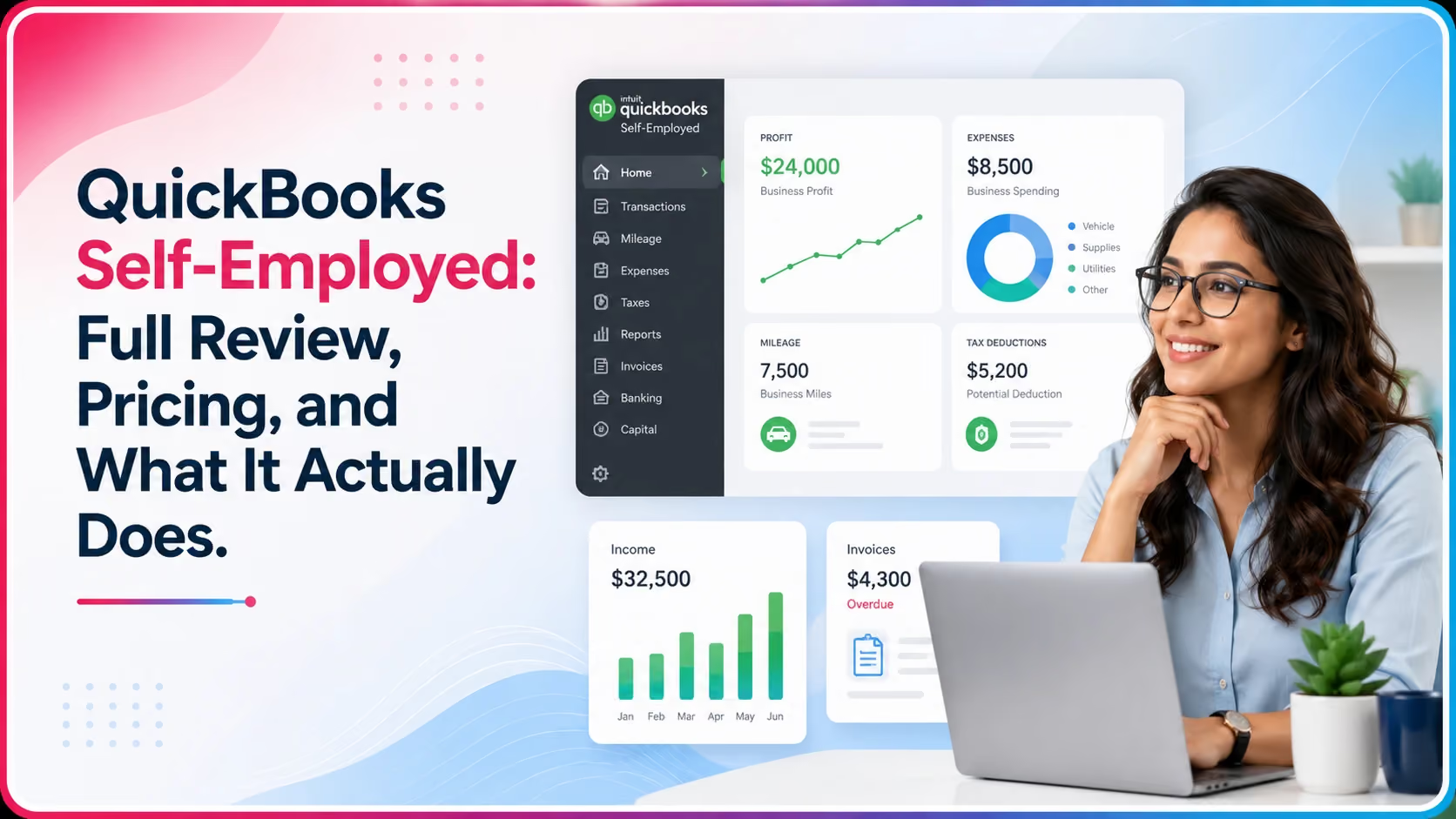
• It separates business and personal expenses, tracks mileage, estimates quarterly taxes, and connects to Schedule C
• It does not support multiple users, payroll, inventory, or accounts payable all major limitations for growing businesses
• Pricing starts at $15 per month but increases to $35 per month for the Tax Bundle with TurboTax
• If you have employees, track inventory, or need double-entry bookkeeping, you need QuickBooks Simple Start or higher
• Accounting firms managing self-employed clients need a separate workflow tool QuickBooks does not handle firm operations
Most self-employed people do not need accounting software. They need a simple way to separate business from personal spending, log mileage, and not be surprised by a tax bill in April.
That is exactly what QuickBooks Self-Employed is built for. Not more than that.
The problem is that Intuit markets it alongside its full QuickBooks Online lineup without always making clear what it does not do. If you buy it expecting the features of QBO Simple Start or Essentials, you will be frustrated.
This review covers what it actually does, what it costs, who it is right for, and when you should be looking at something else.
What Is QuickBooks Self-Employed?
QuickBooks Self-Employed is a simplified bookkeeping and tax tool built specifically for freelancers, independent contractors, and sole traders who file a Schedule C with their personal tax return.
It is not a version of QuickBooks Online with features removed. It is a separate product built on a different architecture with a different purpose.
The core functions are: separating business and personal transactions, tracking mileage, estimating quarterly self-employment taxes, and exporting data to TurboTax or a tax professional at year end.
QuickBooks Self-Employed Features
QuickBooks Self-Employed Pricing in 2026
Note: Intuit regularly runs promotional pricing for new subscribers. The rates above are standard pricing -- you may see 50% off for the first three months when signing up.
QuickBooks Self-Employed vs. QuickBooks Simple Start
This is the comparison most people need to make before buying. They serve different needs entirely.
The key question: are you filing a Schedule C attached to your personal 1040, or are you filing a separate business tax return? Schedule C filers -- sole proprietors and single-member LLCs taxed as sole proprietors -- are the target user for Self-Employed. Everyone else needs at least Simple Start.
Who Should Use QuickBooks Self-Employed?
It is a good fit if all of the following are true:
• You are a freelancer, independent contractor, or sole trader
• You file a Schedule C on your personal tax return
• You do not have employees or need payroll
• You do not track inventory
• You file your own taxes or use TurboTax
• Your bookkeeping needs are simple -- income in, expenses out, mileage
Common good-fit users: rideshare drivers, Etsy sellers, freelance designers and writers, consultants, real estate agents working as independent contractors.
Who Should NOT Use QuickBooks Self-Employed?
- You have a registered LLC, S-Corp, or C-Corp filing a separate business return
- You have employees or pay contractors on a regular basis
- You need to track inventory or COGS
- You need accounts payable or bill management
- You need proper financial statements for a bank loan or investor
- You want your accountant to have full access and review your books
If any of these apply, start with QuickBooks Online Simple Start or Essentials instead.
Real Scenario: A Freelance Designer Who Outgrew It
A freelance graphic designer in Chicago had been using QuickBooks Self-Employed for two years. It worked well -- she tracked expenses, logged client payments, and exported to TurboTax every April.
In year three, she hired a part-time assistant and registered as an LLC. Two things immediately broke down: she could not add payroll, and her accountant could not access the books properly to prepare a business return.
She switched to QuickBooks Online Essentials. The migration required starting fresh -- QuickBooks Self-Employed data does not transfer cleanly to QBO.
The lesson: Self-Employed is built for a specific stage. If you are growing beyond solo freelancing, plan the transition before you need it.
How Xenett Can Help
If you are an accounting or bookkeeping firm managing self-employed clients on QuickBooks Self-Employed, Xenett handles the workflow layer that QuickBooks does not cover.
QuickBooks Self-Employed manages the client's transactions. Xenett manages how your firm delivers the service -- task assignment, document requests, review workflows, close tracking, and billing.
• Close Dashboard: track close status across all self-employed clients in one view
• Client portal: collect documents and receipts from clients without email chains
• Recurring tasks: auto-generate monthly bookkeeping tasks for every client on schedule
• Review workflows: structured preparer to reviewer to partner sign-off
1,000+ accounting firms use Xenett alongside QuickBooks to deliver faster, more consistent service.
Book a 15-minute demo at xenett.com/demo to see how your self-employed client workflow looks inside Xenett.
FAQs
Is QuickBooks Self-Employed being discontinued?
Intuit has shifted focus toward QuickBooks Solopreneur, a rebranded and repositioned version of Self-Employed. Existing Self-Employed accounts continue to work, but new sign-ups may be directed to Solopreneur. Check Intuit's current product page for the latest status.
Can a bookkeeper or accountant access QuickBooks Self-Employed?
Yes, you can invite an accountant user at no extra charge. However, the access is limited compared to QuickBooks Online -- there is no accountant-specific view, and many professional tools are not available.
Does QuickBooks Self-Employed work for an S-Corp or LLC?
Not well. It is designed for sole proprietors filing Schedule C. An S-Corp or LLC with multiple members needs a proper double-entry bookkeeping system -- at minimum QuickBooks Online Simple Start.
Can you import QuickBooks Self-Employed data into QuickBooks Online?
A limited export is available, but it does not transfer cleanly. Most accountants recommend starting fresh in QBO when making the switch rather than attempting a migration.
Does it track sales tax?
No. QuickBooks Self-Employed does not have sales tax tracking or filing features. If you collect sales tax, you need QuickBooks Online.
Is QuickBooks Self-Employed good for Uber or Doordash drivers?
Yes -- this is one of its strongest use cases. The automatic mileage tracking and Schedule C categorization are well-suited to gig economy income. It handles multiple 1099 income sources cleanly.
How does QuickBooks Self-Employed calculate quarterly taxes?
It estimates your quarterly tax liability based on your net self-employment income using the current self-employment tax rate (15.3%) plus estimated federal income tax. The estimates are a guide -- your actual liability depends on your full tax situation including other income, deductions, and filing status.
Conclusion
QuickBooks Self-Employed does exactly what it says it does. For the right user -- a solo freelancer or contractor who files a Schedule C -- it is a clean, affordable tool that handles the basics well.
The mistake is buying it for a situation it was not designed for. If your business is growing, you have employees, or you need proper financial statements, move to QuickBooks Online before you need to.
And if you are an accounting firm managing self-employed clients, pair it with a workflow tool that handles the firm-side operations QuickBooks does not cover.
See how Xenett supports accounting firms managing QuickBooks clients: xenett.com/demo
Intuit has shifted focus toward QuickBooks Solopreneur, a rebranded and repositioned version of Self-Employed. Existing Self-Employed accounts continue to work, but new sign-ups may be directed to Solopreneur. Check Intuit's current product page for the latest status.
Yes, you can invite an accountant user at no extra charge. However, the access is limited compared to QuickBooks Online -- there is no accountant-specific view, and many professional tools are not available.
Yes, you can invite an accountant user at no extra charge. However, the access is limited compared to QuickBooks Online -- there is no accountant-specific view, and many professional tools are not available.
A limited export is available, but it does not transfer cleanly. Most accountants recommend starting fresh in QBO when making the switch rather than attempting a migration.
No. QuickBooks Self-Employed does not have sales tax tracking or filing features. If you collect sales tax, you need QuickBooks Online.
Yes -- this is one of its strongest use cases. The automatic mileage tracking and Schedule C categorization are well-suited to gig economy income. It handles multiple 1099 income sources cleanly.


.avif)