.svg)

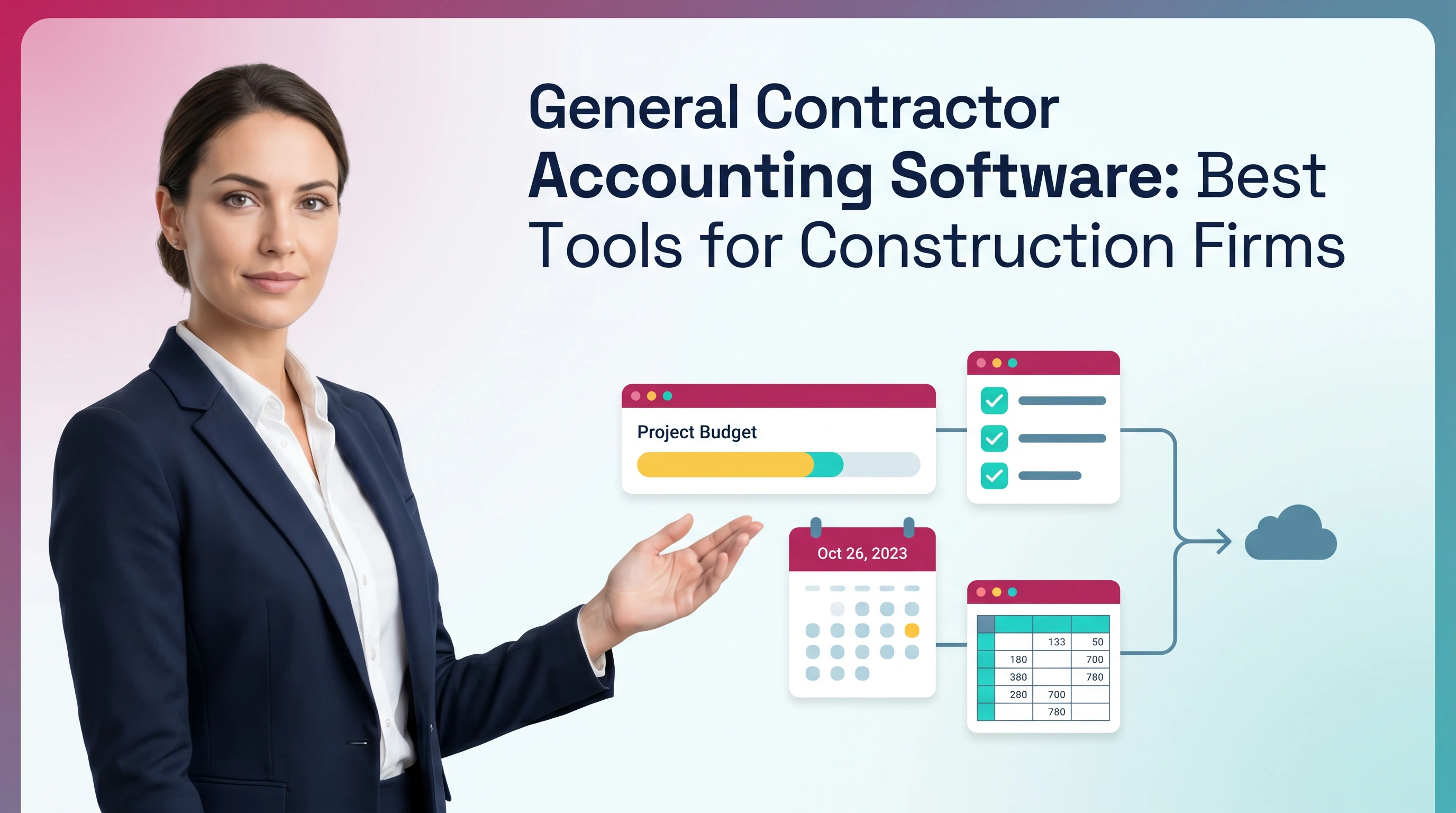
General Contractor Accounting Software: Best Tools for Construction Firms
.jpg)
Ask questions, get summaries, or uncover key takeaways from this article.
Blog Summary / Key Takeaways
- Pick general contractor accounting software based on job complexity. Not brand name.
- Job costing by cost code matters most. It drives every report that follows.
- Progress billing and retainage expose weak systems fast. Test them early.
- Controls and close discipline matter as much as features. Otherwise numbers drift.
- Run a two-job pilot. Use one simple job and one messy job.
- Use Xenett to standardize close tasks and review routines. Keep job reports stable.
What to Look for in General Contractor Accounting Software
You should look for a system that keeps job costs accurate by cost code. It must also handle progress billing, retainage, and job-level reporting without heavy rework.
- True job costing by phase/cost code
- Progress billing (AIA-style), retainage, change orders
- Job-level WIP / POC support (as needed)
- Payroll that handles certified payroll and job allocations (or strong integrations)
- Construction project accounting reporting: committed cost, cost-to-complete, margin by job
- Field-friendly contractor invoicing tools (mobile, approvals, lien waivers if applicable)
- Strong audit trail and month-end close discipline (not just “entered” transactions)
What Is General Contractor Accounting Software?
General contractor accounting software combines the general ledger with job-level tracking. It ties costs, commitments, and billing to each project so you can manage margin in real time.
It usually includes:
- Job setup with phases and cost codes
- Budget import and change order updates
- AP and subcontractor tracking tied to jobs
- Progress billing and retainage tracking
- Payroll allocations to jobs and cost codes
- Job profitability and WIP reporting
General contractor accounting vs. general small business accounting
General contractor accounting tracks profitability by job. Small business accounting tracks profitability by company. That difference changes everything.
A standard “GL + invoices” setup breaks down because you must manage:
- Many jobs at once
- Many cost buckets per job
- Subs, commitments, and pay apps
- Timing gaps between cost, billing, and cash
Tracking spend only tells you what you paid. Job costing tells you what you earned and what you still owe to finish the work.
Here is a real example I see in bookkeeping cleanups.
A GC codes materials to “COGS: Materials” only. No job.
The P&L looks fine. The job report looks blank.
PMs then track costs in spreadsheets. Close becomes a debate.
Construction bookkeeping software vs. construction ERP
Construction bookkeeping software works when you need strong job costing and billing. It usually fits small to mid-size firms with simpler operations.
A construction ERP fits when you need deeper operational control and scale. For example, you may need equipment management, advanced procurement, or multi-entity consolidation.
Use construction bookkeeping software if you have:
- Fewer active jobs and fewer entities
- Mostly standard cost codes and reporting
- Light WIP needs or WIP done in spreadsheets
- A small accounting team that needs repeatable workflows
You likely outgrow it when you have:
- Complex WIP schedules and strict lender reporting
- Many entities, divisions, or joint ventures
- Heavy equipment cost tracking and internal rentals
- High transaction volume with strict approvals
Why Construction Accounting Is Different (And Where Mistakes Start)
Construction accounting is different because you must match costs and revenue by job over time. Timing and coding errors hide inside “reasonable” company-level financials.
The five construction accounting pressure points
These five areas cause most job reporting problems.
- Job cost accuracy and timing
Costs often land late. Or they hit the wrong cost code.
Therefore the job report changes after close. - Progress billing + retainage complexity
You bill against a schedule of values. You withhold retainage.
That creates special AR and revenue timing issues. - Subcontractor commitments, COs, and pay apps
You need committed cost to forecast margin. Not just actual cost.
Change orders must update budgets and billing. - Payroll allocations across jobs (and burden)
Payroll hits multiple jobs in the same week.
Burden and fringes must follow the labor. - Cash flow gaps
You pay early and collect late. Retainage extends that gap.
Good cash forecasting must tie to billing schedules.
Common symptoms you need better accounting for contractors
If you see these symptoms, your tools or your process needs work.
- “We make money but can’t explain which jobs did.”
- PMs do not trust job reports. They use spreadsheets instead.
- Month-end requires constant cleanup and reclassification.
- Retainage receivable and payable never tie out.
- Over/under billing looks random. It changes every month.
In practice, the root cause often looks simple.
You lack consistent cost codes. Or you lack review controls.
Both problems break construction project accounting fast.
Core Features Checklist
Use this checklist to evaluate construction project accounting tools. Treat it as a minimum standard for most GCs with more than a few active jobs.
Job Costing Software Capabilities (Non-Negotiables)
Job costing software must track job performance by cost code. It must also support forecasting through committed cost and cost-to-complete.
Look for:
- Cost codes / phases with a consistent structure across jobs
- Actual vs budget vs committed cost
- Committed should include POs and subcontract agreements
- Cost-to-complete forecasting support
- For example, remaining budget by cost code
- Change order cost tracking
- Separate approved vs pending change orders
- Drill-down to source transactions
- Bills, checks, payroll, journal entries
Practical tip from real closes:
Lock the cost code list. Do not let each PM invent codes.
Otherwise you cannot compare margins across jobs.
Contractor Invoicing Tools (Billing That Matches Contract Reality)
Contractor invoicing tools must support how you bill in the real world. That usually means progress billing, retainage, and change order billing.
Look for:
- Progress billing with schedule of values
- Including prior billed, this period, and remaining
- Time & materials billing support
- Labor, materials, and markups
- Retainage tracking
- Held, released, and outstanding by job and customer
- Billing approvals and version control
- You need to know who changed the pay app and when
- Clear tie-out from billing to AR and job status
Construction Bookkeeping Software Essentials (Back Office Foundations)
Construction bookkeeping software must keep AP, AR, and reconciliations clean. If these basics drift, job costing becomes guesswork.
Look for:
- AP workflows that support job coding and approvals
- Especially for subs and material invoices
- AR controls and collections views
- Aging by customer and by job
- Bank and credit card reconciliations that stay stable
- Include clearing accounts and controls for corrections
- Consistent job and cost code tagging across modules
- Bills, checks, payroll, and credit cards
A common failure pattern looks like this:
Bills get entered quickly. Coding happens later.
Reporting happens before coding finishes.
Therefore PMs lose trust in the numbers.
Reporting That Contractors Actually Use
Reporting must answer job questions fast. It must also reconcile to the GL so finance can stand behind it.
Prioritize:
- Job profitability by phase and cost code
- Committed cost and cost-to-complete views
- Over/under billing reports
- Cash flow projections tied to billing schedules
- Drill-down from job P&L to transactions
If you need WIP schedules, confirm the method early.
Some firms use percentage of completion. Others do completed contract.
Your lender or surety may drive the requirement.
Integrations & Data Flow (Where Accuracy Usually Breaks)
Integrations often create hidden coding issues. Data arrives without the job, cost code, or approval context.
Confirm integrations for:
- Project management systems
- RFIs, change orders, pay apps
- Time tracking and payroll providers
- Job allocations and cost codes must map cleanly
- AP capture and invoice ingestion
- OCR must not guess cost codes without review
- CRM or estimating systems
- Budget import into the job cost structure
Rule of thumb:
If data enters the system without a job and cost code, you create rework.
Rework delays close. It also creates reporting churn.
A Practical Framework for Comparing Tools
Compare tools using your workflow and your risk points. Do not start with a “top 10 list.” Start with fit, then prove it in a pilot.
Step 1: Define your contractor profile (size + complexity)
Define your profile in plain numbers. Use the last 90 days if possible.
Capture:
- Active jobs per month and average contract size
- PM count and who approves coding and billing
- Billing model
- T&M, progress billing, or mixed
- Labor model
- Self-perform vs subcontract-heavy
- Compliance needs
- Certified payroll, multi-state, union
This step prevents a common mistake.
Firms buy software for “future scale” but run it like a small shop.
They then skip controls because the setup feels too heavy.
Step 2: Map workflows from field to books (simple diagram prompt)
Map the workflows before you score tools. Keep it simple and visual.
Use these flows.
- Field purchase → vendor bill → coding → approval → payment → job cost
- Time entry → payroll → burden → job allocation
- Change order → budget update → billing → revenue recognition (as applicable)
Diagram prompt you can copy into your notes:
- “Show each handoff. Show who owns coding. Show approval gates.
Show when the job report becomes ‘final’ for the month.”
In my experience, this map surfaces the real constraint fast.
For example, PMs approve bills in email. Accounting codes later.
A tool cannot fix that unless you change the workflow too.
Step 3: Score vendors using a weighted rubric (table)
Score vendors using weights that match your pain. For most GCs, job costing and billing carry the most weight.
Table: General Contractor Accounting Software Scorecard (Example Weights)
Use the rubric during demos. Do not let demos drift into generic features.
Ask the vendor to walk through one real job from your business.
Step 4: Run a 2-job pilot before committing (process)
Run a pilot with two jobs. This step prevents expensive surprises.
Pick:
- One “simple” job
- Clean budget and few change orders
- One “messy” job
- Many subs, change orders, retainage, and reallocations
Pilot process:
- Import budgets and set cost codes
- Enter bills and code them to the job and phase
- Add a change order and update the budget
- Run one billing cycle
- Run close reporting
Validate outcomes:
- Committed cost looks right by cost code
- Margin ties to what PMs expect
- Retainage receivable and payable tie out
- AR aging matches customer reality
- Reports stay stable after close
If the “messy” job works, the system fits.
If it fails, the failure mode tells you what you must change.
Comparison Table Template
Use this template to compare construction accounting software options. Keep notes short and tied to your rubric scores.
Table: Construction Accounting Software Comparison (Template)
Note on differentiation:
Many SERP results list tools. Fewer explain how to validate them.
Use the pilot and the close discipline sections below as your edge.
Implementation Plan (Reduce Risk + Speed Time-to-Value)
Implementation succeeds when you standardize cost codes and controls first. Migration alone will not fix accounting for contractors if the job cost structure stays messy.
Pre-implementation checklist (before you migrate)
Do these steps before you move transactions.
- Standardize chart of accounts and job cost structure
- Define cost code governance
- Who can create or edit cost codes
- Clean vendor and customer lists
- Clean open AR and open AP
- Decide how to handle historical jobs
- Summary balances vs full transaction detail
Practical example:
If you migrate five years of transactions with inconsistent cost codes,
you import confusion. You also slow down go-live support.
Construction bookkeeping setup steps (step-by-step)
Follow this order. It reduces rework.
- Build cost code and phase library
- Create job templates
- Cost codes, budgets, billing rules
- Configure retainage rules
- Held percent, release rules, and reporting
- Set approval roles
- PM vs office vs owner
- Connect bank feeds and close controls
- Define who can post journals and corrections
- Test two full cycles
- AP → payroll → billing → reporting → close
During testing, force real approval behavior.
Do not let people “approve later.” That hides workflow gaps.
Post-go-live controls to prevent drift
Controls keep the system reliable after the first month.
- Weekly coding review
- Catch mis-posted job costs early
- Monthly retainage reconciliation
- Tie subledger to GL and job lists
- Job margin variance review
- Budget vs actual vs committed
- Clear cutoff rules
- Bills, credit cards, payroll, and accruals
This discipline matters more than most teams expect.
Software can store data. Process makes it trustworthy.
Best Practices for Accounting for Contractors (What High-Performing Teams Do)
High-performing teams treat job cost integrity like a weekly operating rhythm. They do not wait for month-end to fix coding, retainage, and billing issues.
Build job cost integrity into weekly routines
Weekly routines keep job costing software accurate. They also protect PM trust.
Use rules like:
- Costs must hit the right job and cost code before reporting
- PMs review coded costs weekly, not monthly
- Accounting resolves coding exceptions within two business days
Set cutoff rules:
- Enter all vendor bills received by Friday
- Accrue known costs not invoiced yet
- Allocate payroll to jobs the same week it posts
However, do not chase perfect. Chase consistent.
Consistency makes trends and variances meaningful.
Treat progress billing as a controlled process (not ad hoc)
Progress billing needs structure. Otherwise it becomes a spreadsheet fire drill.
Define:
- SOV ownership
- Who can change the schedule of values
- Change order discipline
- Approved vs pending must stay separate
- Retainage schedule
- Track held and released by application
Add approval gates:
- PM approves percent complete
- Accounting validates tie-outs
- Owner approves final submission
Versioning matters.
If you cannot answer “who changed this pay app,” you invite disputes.
Close the books with job reporting in mind
Close should protect job reporting. It should not just produce a P&L.
Do these tie-outs:
- Reconcile retainage receivable and payable
- Reconcile payroll clearing and benefits payable
- Reconcile unbilled or WIP inputs if applicable
- Tie job subledgers to the GL
Then review flux:
- Costs in the wrong period
- Large journal entries to job cost accounts
- Unusual swings in margin by job
Therefore, close becomes a quality check. Not a cleanup event.
Establish a repeatable review standard (especially for multi-job firms)
A repeatable review standard keeps results stable across months. It also helps when staff changes.
Use a standard checklist:
- AR aging review by customer and job
- Retainage tie-out and aging review
- Unbilled review or over/under billing review
- Payroll clearing review
- WIP driver support review, if applicable
Require explanations for large swings:
- “Why did job margin move 6% this month?”
- “Which cost codes drove it?”
- “What changed in committed cost?”
This is the heart of strong accounting for contractors.
It turns reports into decisions.
Common Mistakes When Choosing Construction Accounting Software (And How to Avoid Them)
Most failures come from mismatched expectations. Firms buy tools for job costing, but they keep weak workflows. The software then takes the blame.
Buying a generic accounting tool and “bolting on” job costing later
Generic tools can work for very small contractors. However, bolt-on job costing often creates inconsistent coding and manual spreadsheets.
Avoid this by confirming:
- Cost codes exist at transaction entry
- Budgets import into the same structure
- Reports show budget vs actual vs committed
If not, you will spend month-end reclassing costs.
That delays reporting and reduces trust.
Underestimating retainage + progress billing complexity
Retainage and progress billing create special accounting flows. Weak support causes overstated revenue and confusing AR.
Avoid this by testing:
- Retainage held and released behavior
- Billing history and revisions
- Tie-out between billed-to-date and AR balances
Also confirm how the system handles:
- Stored materials
- Mobilization
- Change orders with separate retainage rules
Letting every PM use different cost codes
Different cost codes destroy comparability. They also hide margin issues.
Avoid this by enforcing:
- A standard cost code library
- Controlled additions with approval
- Job templates that preload codes and budgets
If a PM needs a new code, require a reason.
Then add it once for everyone.
No close discipline = unreliable job profitability
If you rely on cleanup at month-end, job costing becomes a lagging indicator. PMs then stop using it.
Avoid this by adding:
- Weekly coding review
- Monthly retainage reconciliation
- Clear close checklist ownership
- A structured review process for anomalies
Tools help. Process wins.
How Xenett Helps Teams Operationalize a Predictable Construction Close (Without Replacing Judgment)
Xenett helps accounting teams run a consistent close and review process. It does not replace your accounting judgment. It also does not provide audit services.
It works as an operational layer around your construction bookkeeping software. It keeps close tasks, reviews, and follow-ups visible and repeatable.
Close task and checklist management (repeatability at month-end)
Xenett centralizes close checklists so critical job cost tasks do not live in someone’s head.
Teams often build recurring workflows for:
- Retainage reconciliation
- AR and collections review by job
- Payroll clearing review
- Job cost variance review
- Committed cost completeness checks
This helps when you manage many jobs or many entities.
It also helps firms that support multiple contractor clients.
Related reading:
Review and approval workflows tied to financial reality
Xenett gives you a structured way to route review items. You can assign, track, and resolve issues that affect job margin and billing accuracy.
Common examples:
- Bills entered without job or cost code
- Unusual cost spikes in a phase
- Retainage balances that do not tie to pay apps
- Uncleared clearing accounts after payroll posts
You can document what changed and why.
That improves continuity and reduces repeat questions.
Visibility into close status and bottlenecks
Xenett shows what blocks close completion. It makes bottlenecks visible early in the cycle.
You can see:
- Which reconciliations remain open
- Which review points remain unresolved
- Which owners miss deadlines
- Which tasks repeat as recurring pain points
Therefore the team fixes root causes.
They do not just push close back another day.
FAQ
What is the best accounting software for general contractors?
The best option supports job costing by cost code, progress billing, retainage, and job-level reporting without heavy manual rework. The right fit depends on job volume, billing complexity, and payroll needs.
What features should job costing software include for contractors?
Job costing software should include cost codes or phases, budget vs actual, committed costs, change order tracking, and job profitability reporting with drill-down to transactions.
Do general contractors need construction-specific bookkeeping software?
If you run multiple jobs, use progress billing, or manage subcontractor commitments, construction-specific features reduce miscoding and month-end cleanup. They also improve job margin visibility.
What contractor invoicing tools matter most for progress billing?
The most important contractor invoicing tools include schedule of values, retainage calculation, change order handling, billing approvals, and a clean tie-out between billed-to-date and job status.
How do I know if my current system is hurting job profitability reporting?
Your system or process likely hurts job profitability if job reports change after month-end cleanup, costs hit the wrong job often, or retainage never reconciles to the GL and pay apps.
What’s the simplest way to compare construction accounting software?
Use a weighted rubric across job costing, billing and retainage, payroll allocation, reporting, integrations, and close controls. Then run a two-job pilot before you commit.
How can accounting teams keep month-end close predictable with contractor clients?
Standardize job cost structures, enforce weekly coding controls, reconcile retainage monthly, and use a structured review workflow to resolve anomalies before the close deadline.
Conclusion
General contractor accounting software should give you reliable job costing, controlled billing, and clean construction project accounting reports. Start with the non-negotiables. Then score options with a rubric. Finally, prove the fit with a two-job pilot.
If you support accounting for contractors, focus on close discipline early. Add weekly coding review, monthly retainage tie-outs, and a standard review checklist. Those habits protect margin visibility.
If you want a more predictable month-end, set up a close workflow that teams follow every month. Use Xenett to manage close tasks, reviews, and issue resolution in one place. Then keep job reports stable as you scale.