.svg)

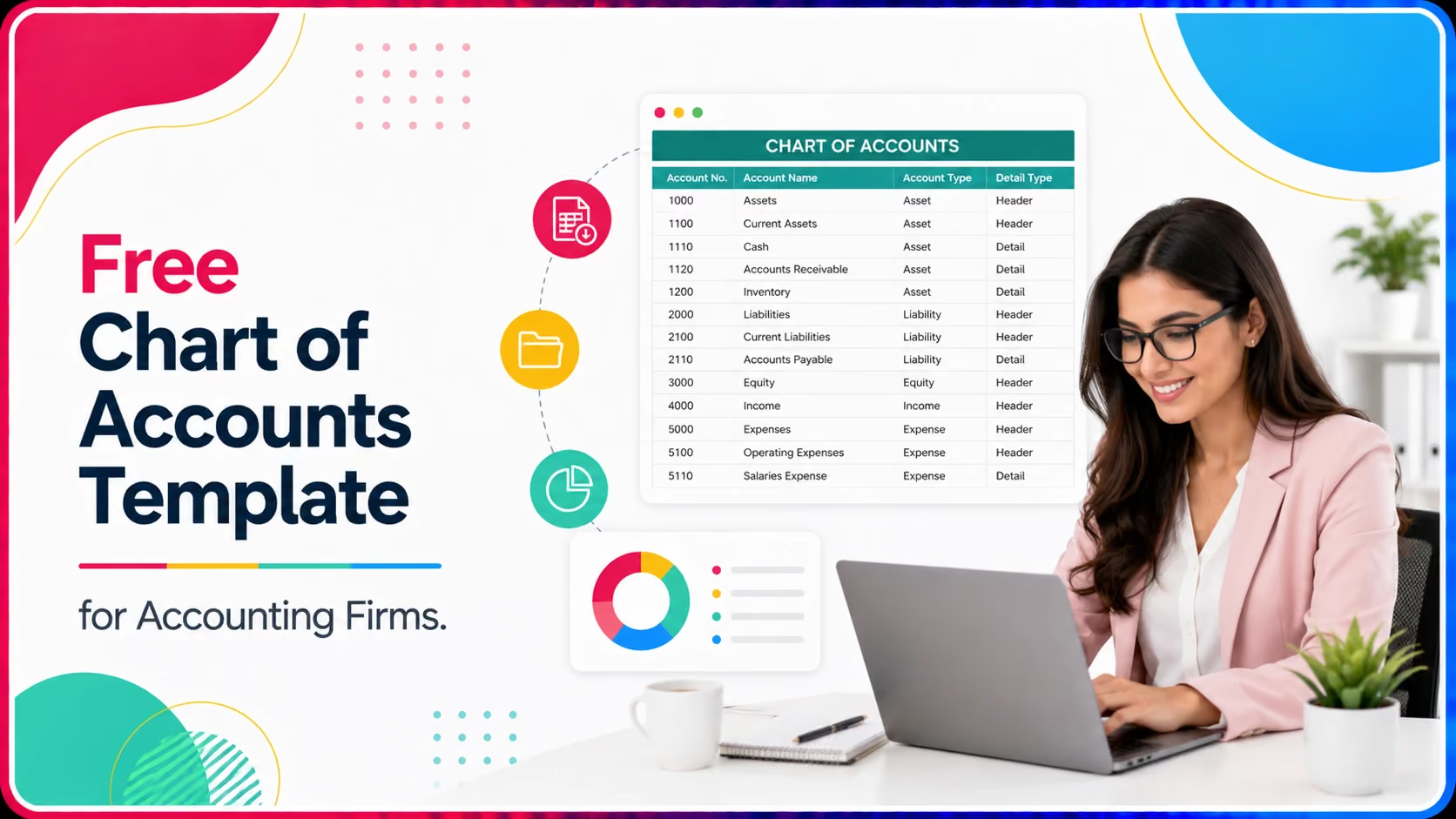
Free Chart of Accounts Template for Accounting Firms

Ask questions, get summaries, or uncover key takeaways from this article.
Blog Summary / Key Takeaways
- A standardized chart of accounts speeds up onboarding and reduces unbillable cleanup time.
- Most messy charts of accounts result from years of ad hoc account additions.
- A five-category account structure with a clear numbering system keeps new accounts organized.
- Industry-specific accounts sit on top of the same base structure, so customization stays fast.
- Standardization across clients enables reusable financial statements and reporting templates.
- Xenett flags duplicate accounts automatically during review.
- Review and clean up the chart of accounts annually at fiscal year-end.
Introduction
You onboard a new client and open their chart of accounts. There are forty expense accounts, half of them duplicates with slightly different names.
There is a Miscellaneous Expense, a Miscellaneous Expenses, and a Misc. Three versions of the same bucket, none of them useful for financial statements.
Cleaning this up before you can even start monthly bookkeeping eats a full day of unbillable time, every time you onboard a new client.
A standardized chart of accounts template does not eliminate this problem completely, since every business's finances are different.
But it gives you a consistent numbering system and account hierarchy to start from, so onboarding means adjusting a proven structure instead of building from scratch.
Below is a free chart of accounts template you can use for new client onboarding, along with guidance on adapting it by industry.
What Is a Chart of Accounts Template?
A chart of accounts template is a pre-organized list of accounts covering assets, liabilities, equity, income accounts, and expense accounts.
It follows a standard numbering system, so accounts sort logically and financial statements pull correctly without manual reordering.
A good template groups accounts by type first, then by sub accounts within each type, so an income statement reads cleanly.
This means income statement accounts and balance sheet accounts stay clearly separated, which makes both financial statements easier to review.
Templates built for accounting firms also include placeholder accounts you can rename per client, rather than a rigid one-size-fits-all list.
Why Do Firms Need a Standardized Chart of Accounts?
Without a standard structure, every client's chart of accounts looks different, which slows down review and complicates cross-client reporting.
A standardized chart lets you build reusable reporting templates, since account names and account numbers stay consistent across your client base.
It also reduces training time. New staff learn one account hierarchy instead of relearning a new logical structure for every client.
Consistency additionally makes monthly income statements and year-over-year comparisons meaningful, since accounts are not renamed or reorganized between periods.
Who Should Use This Template?
This template is built for bookkeepers and accountants onboarding new clients, especially those managing multiple small business accounts.
It also helps controllers standardizing a fragmented chart of accounts that has accumulated years of ad hoc new accounts.
Firms scaling their client base benefit most, since a repeatable onboarding structure becomes essential once client volume increases.
When Should You Set Up a Chart of Accounts?
Ideally, set up the chart of accounts before the first transaction is recorded, during the client onboarding process.
For existing clients with a messy chart of accounts, plan a cleanup at fiscal year-end to avoid disrupting mid-year reporting comparisons.
Waiting until tax season to fix a disorganized chart of accounts creates unnecessary pressure during your busiest period.
Where Do Chart of Accounts Problems Usually Start?
Most messy charts of accounts result from ad hoc additions. A bookkeeper adds a new account rather than using an existing one.
Over several years, this creates dozens of overlapping accounts that make expense reporting inconsistent and hard to analyze.
QuickBooks Online's default chart of accounts is also a common starting point that rarely fits a specific business without adjustment.
Industry-specific needs, like job costing for contractors or revenue accounts split by product line for retailers, get added inconsistently over time.
Duplicate accounts, subsequent digits assigned incorrectly, and an unclear numbering system all compound the same underlying problem.
How Do You Set Up This Template Step by Step?
Start with the five main account types: assets, liabilities, equity, income accounts, and expense accounts, each with its own number range.
Assign a clear numbering system, such as 1000s for assets and 5000s for expense accounts, so new accounts insert in logical order.
Add sub accounts under broader categories where needed, such as splitting accounts receivable and accounts payable into aging buckets.
Customize revenue accounts and expense subcategories based on the client's industry, keeping the core account hierarchy intact.
Import the finalized chart of accounts into QuickBooks Online or your accounting software, then map existing transactions to the new accounts.
Real Scenario: A Firm Onboarding a Retail Client in Ohio
A mid-sized firm in Ohio onboarded a retail client whose prior bookkeeper had built a chart of accounts with sixty expense accounts.
Twelve of those accounts were essentially duplicates, created because the previous bookkeeper could not find the right existing account.
The firm's staff spent nearly six hours mapping and consolidating accounts before they could start the current month's bookkeeping.
After adopting a standardized template for all new retail clients, the same onboarding task dropped to under ninety minutes.
The firm now customizes twelve to fifteen client-specific accounts on top of a proven base structure, instead of starting from zero.
Retained earnings, sales revenue, and accrued expenses accounts now follow the same format across every retail client the firm manages.
Xenett vs. Manual Setup vs. QuickBooks Online Default Chart of Accounts
Template Feature Overview
How Xenett Can Help
Xenett flags duplicate and inconsistent accounts automatically during review, instead of requiring a manual audit of every account.
Firms using Xenett standardize client books faster and reduce time spent untangling an unclear chart of accounts during onboarding.
A clean, standardized chart of accounts also makes financial statements more reliable once they reach final review.
More than 1,000 firms rely on Xenett to keep account hierarchy and bookkeeping consistent across a growing client roster.
For related guidance on how a clean chart of accounts supports the full close cycle, see our post on building a robust financial close process.
Learn more about how faster reviews compound over time in our piece on scaling your accounting business.
FAQs
What is a chart of accounts?
It is the complete list of accounts a business uses to categorize transactions, organized by assets, liabilities, equity, income, and expenses.
How many accounts should a small business chart of accounts have?
Most small businesses need between thirty and sixty accounts. More than that usually signals duplicate accounts or overcomplication.
Can I customize a chart of accounts template for any industry?
Yes, the core five-category structure applies universally. Only income accounts and expense accounts typically need industry adjustment.
Should I use QuickBooks Online's default chart of accounts?
It works as a starting point but rarely fits a specific business well without customization for industry and reporting needs.
How often should a chart of accounts be reviewed?
Review annually at minimum, ideally at fiscal year-end, to catch duplicate accounts before they compound further.
What is account numbering and why does it matter?
Account numbering assigns each account a code based on its type, which keeps the chart of accounts sorted logically as it grows.
Can I merge duplicate accounts without losing historical data?
Yes, most accounting software allows merging accounts while retaining transaction history, though it should be done carefully.
Conclusion
A messy chart of accounts is not a client problem. It is an onboarding process problem, and it is fixable.
Starting every new client from the same base structure, with a clear numbering system and defined categories, turns a multi-hour cleanup into a quick customization job.
The five account types stay the same across every business. Only the specific accounts within them change to match the industry.
Download the template, adapt it for your next client, and keep it as the standard starting point for every onboarding going forward.
Ready to Standardize Client Onboarding?
See how Xenett helps firms catch chart of accounts issues before they slow down monthly close.
Start Your Free Trial
It is the complete list of accounts a business uses to categorize transactions, organized by assets, liabilities, equity, income, and expenses.
Most small businesses need between thirty and sixty accounts. More than that usually signals duplicate accounts or overcomplication.
Yes, the core five-category structure applies universally. Only income accounts and expense accounts typically need industry adjustment.
It works as a starting point but rarely fits a specific business well without customization for industry and reporting needs.
Review annually at minimum, ideally at fiscal year-end, to catch duplicate accounts before they compound further.
Account numbering assigns each account a code based on its type, which keeps the chart of accounts sorted logically as it grows.



.avif)